Today I want to talk to you about the integration of home automation into some smartwatches. It’s clear that if you’re 100% into the Apple ecosystem and use the Home app, nothing beats the Apple Watch for managing your devices, in fact from the Apple Watch you can open the Home app and do whatever you want with your devices, trigger scenes, etc as if you were right in front of your phone… but what about Home Assistant? Which watches can we connect to Home Assistant from, and what’s the level of integration? And what if I’m in the Apple ecosystem but wear a Garmin or an Amazfit? Let’s take a closer look.
The problem: wanting to turn on a light from your watch
Almost all of us wear a smartwatch on our wrist, whether it’s an Apple Watch, Huawei, Samsung Galaxy Watch, Amazfit, etc., or watches more focused on sports like Garmin, Suunto, Coros, etc. Even if you’re broke and stuck in the past like the Mormons, you might wear a Polar.
Of course we also carry an iPhone or an Android phone in our pocket, but a lot of the time when we get home we leave the phone somewhere, or it’s charging, or whatever, and we need to turn on a light, check the living room temperature, run a scene… and there we have 2 options: do it via the voice assistant, from the watch… well, 3 options, or go find the phone… okay, 4, or use your own hands like some kind of caveman.
The idea of shouting around the house doesn’t appeal to me at all. If you have young kids, they might be asleep. If you have teenagers like I do, they might be studying or blasting music way too loud, and the speaker won’t hear you. If the house is quiet, it’s not a great time to shout either… or if you’re watching a movie, etc. And yes, I always say the house should interact on its own, it should know that if it’s about to get dark and you’re home, it should turn on the lights. If it’s cold within a certain temperature range and we’re home, it should adjust the boiler… and all that is great, in the end there are lots of tasks you forget about — I don’t even remember the last time I manually turned on the living room lamp with the switch, or by telling Siri, or grabbing my phone… it just always turns on by itself when needed, or when you don’t know it yet but it’s about to be needed because one of those storms is rolling in that turns the sky pitch black even though it’s only 4 in the afternoon.
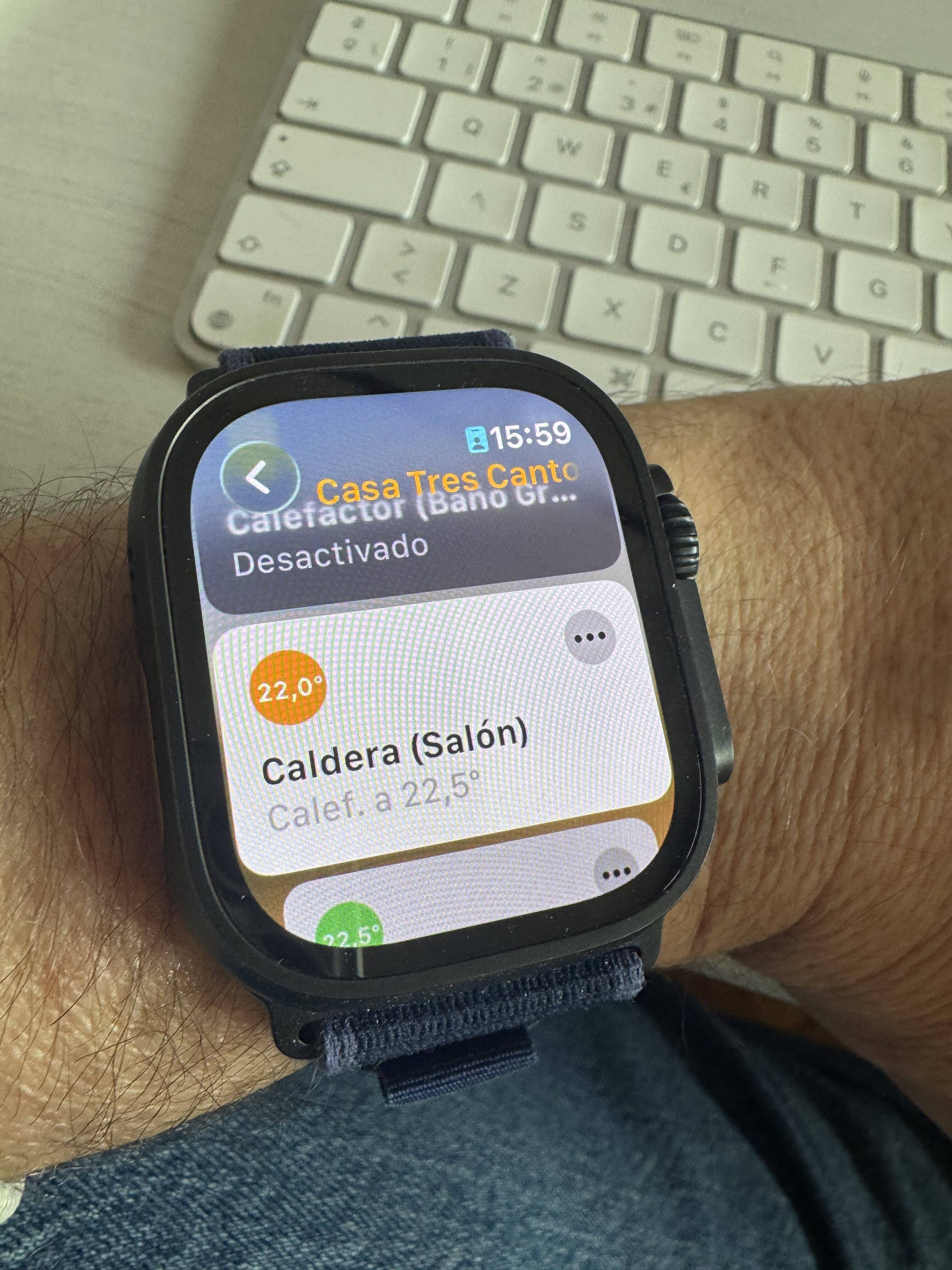
That part doesn’t worry me — with some good automations, which we’ve talked about many times, it’s already sorted. But imagine you want to hop in the shower and you want to turn on the bathroom light and the heater so it warms up before you take your clothes off… or you get into bed and want to run the ‘Goodnight’ scene, but your partner is already asleep and it’s not really the moment to say «Hey Lola, goodnight!» so it turns off the lights, locks the door, and puts the boiler into night mode. In that moment you either have to grab your phone, unplug it from the charging cable, unlock it, open the Home app, Home Assistant, etc, or, the simplest option, have that scene saved as a favorite and run it straight from your watch.
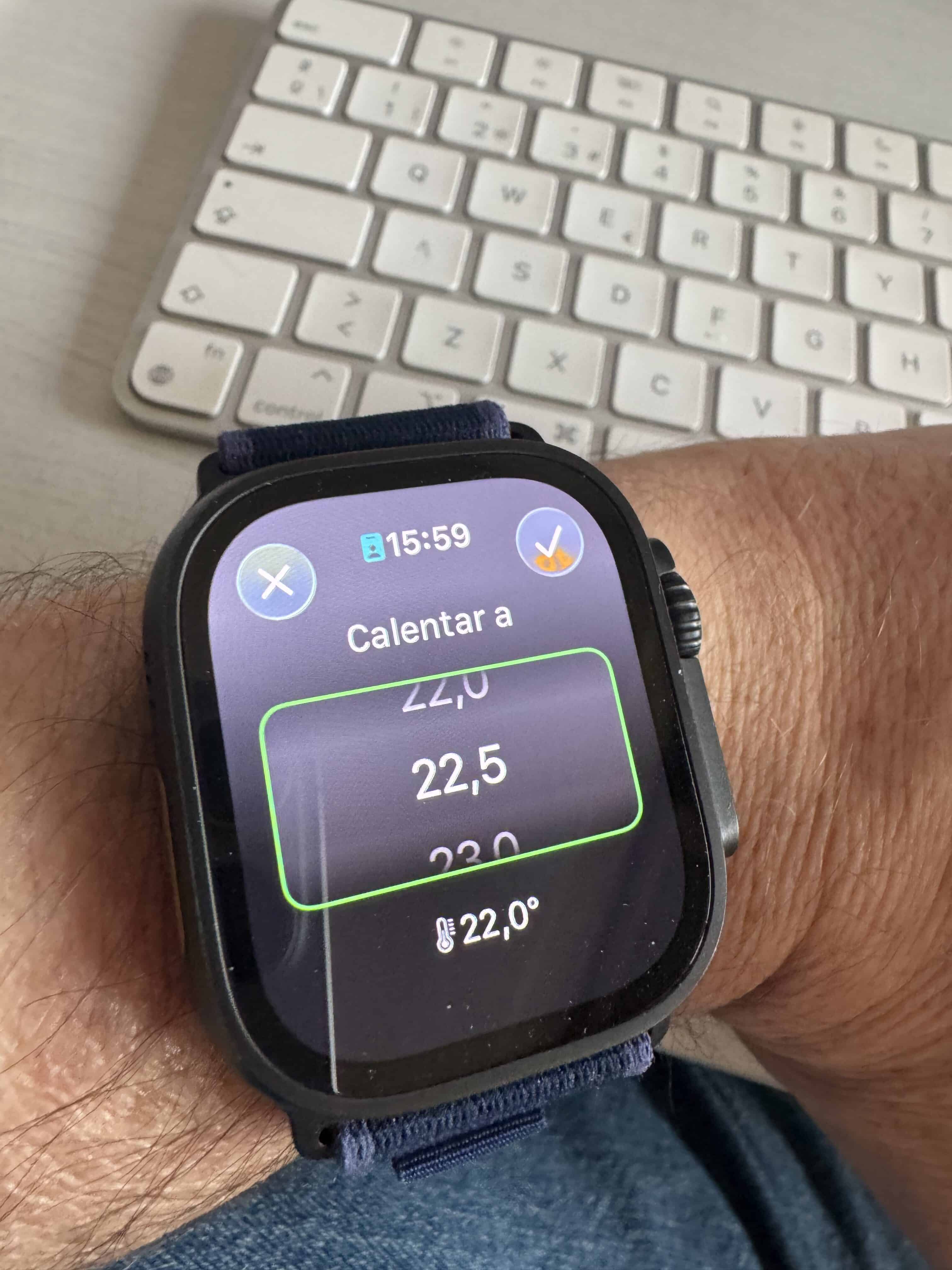
Ajustando el termostato de Netatmo desde la app Casa en el Apple Watch Ultra 2
Ajustando el termostato de Netatmo desde la app Casa en el Apple Watch Ultra 2
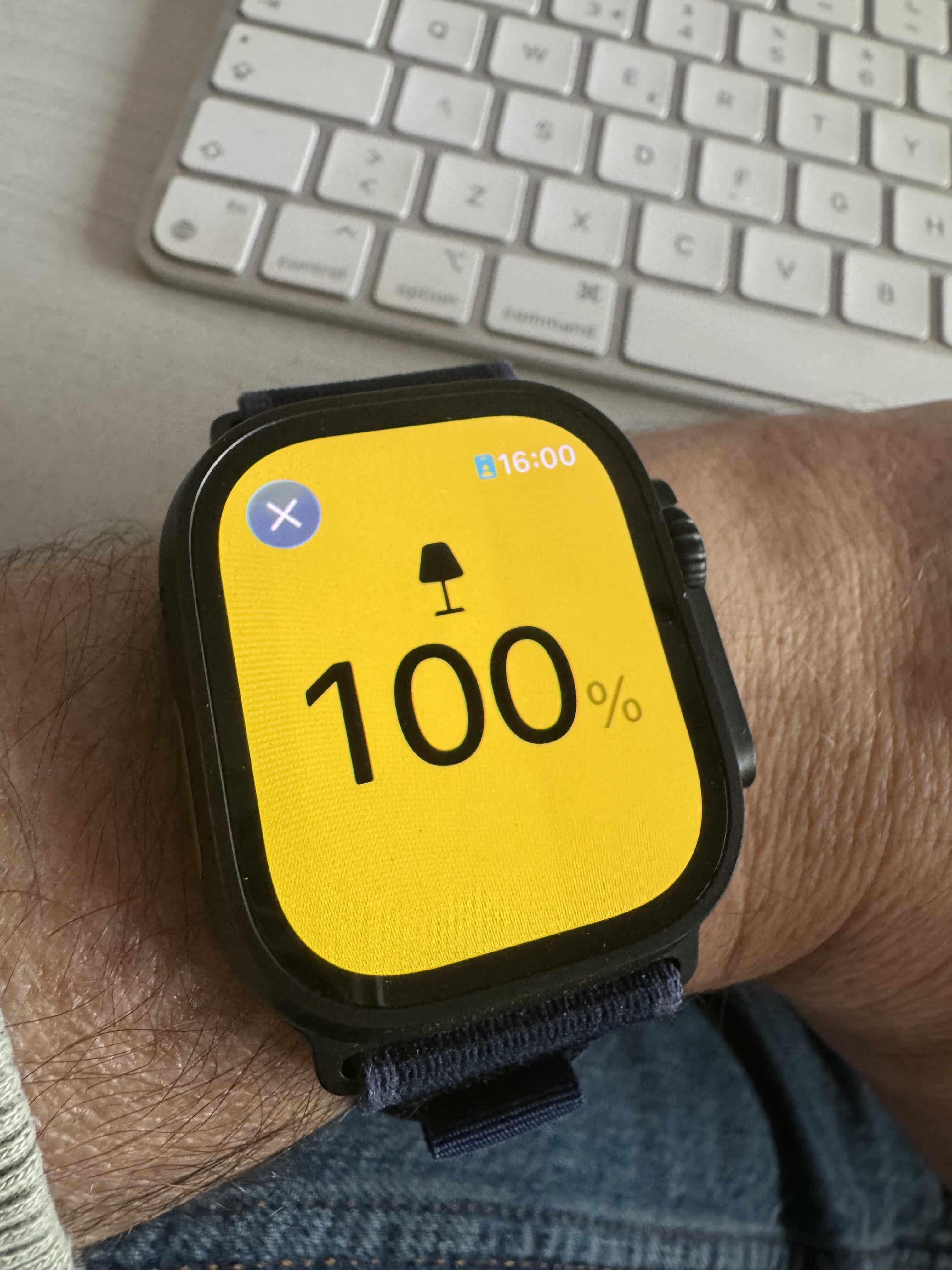
Encendiendo una lamparita desde la app Casa en el Apple Watch Ultra 2
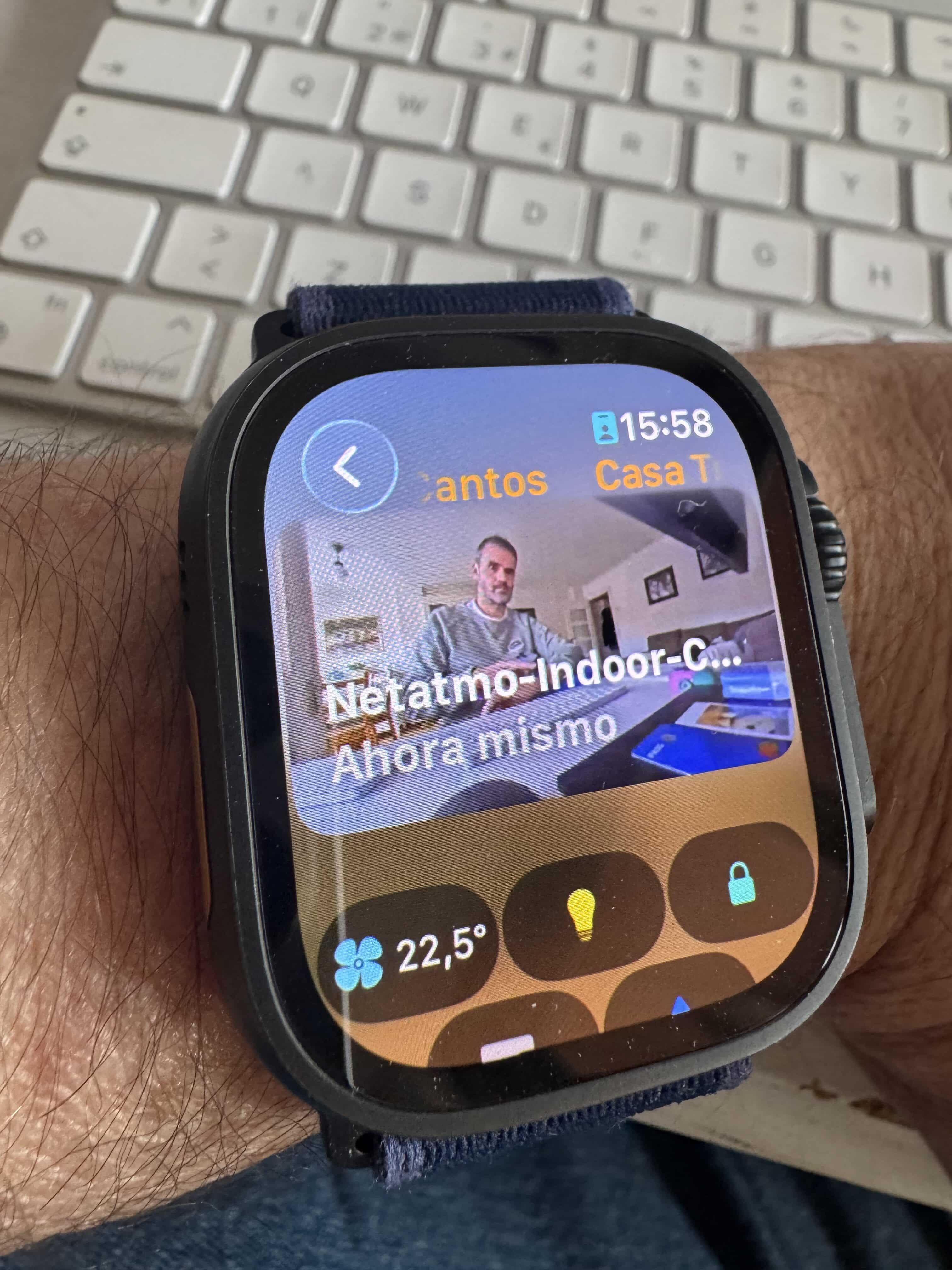
What’s clear is that if, as we said before, your whole ecosystem is Apple, you have all your devices in the Home app because they’re compatible with HomeKit or Matter, and you have an Apple Watch, you can open the Home app and access everything. Same goes for Home Assistant — you just need to tell Home Assistant which scenes or devices you want to show up in the Home Assistant app on the watch. Since it’s not as user-friendly an app as the Home app, you can organize the devices a bit, but it doesn’t really make sense to show every single device you have at home in Home Assistant on the Apple Watch — just a few favorite scenes, some devices you need to interact with, and that’s it. Quick and easy. In fact, sometimes I open Home Assistant on the Apple Watch before the Home app, because it refreshes the device status faster… since I have fewer devices there and it doesn’t need to update the status of everything, it gives me the info a bit quicker. It’s not like the Home app makes you wait a whole minute to see how everything’s doing at home — it refreshes all the info within a few seconds — but Home Assistant is a bit faster because you only have your favorite devices in there.
If you’re fully committed to the Apple ecosystem but also wear a Garmin because you do sports and don’t want an Apple Watch that needs charging every 2 days (look, I don’t want to open a can of worms in this podcast — for that kind of rant I already have the Corriendo a NY podcast, where I spend my life going on about sports watches — but nowadays I think there are very few differences between an Apple Watch Ultra and a sports watch in terms of sensors and data. Battery-wise, sure, there’s a clear gap, but connectivity-wise the Apple Watch Ultra is above all of them, letting you go out and do sports without carrying your phone and staying connected, and when it comes to analysis and everything else, we’ve got apps for whatever we need). Anyway, the point is that if you want a round watch to do sports with, without having to charge it every 2 days, chances are you’re wearing a Garmin on your wrist. And in that case, on ConnectIQ, which is Garmin’s app store, there are several apps that support integration with Home Assistant. There are also some more specific ones, like the Philips Hue app, which lets you turn its lights on and off, so if you have Philips Hue lights with the original bridge you can also manage them from there… but the Home Assistant apps are interesting because they let you connect to your Home Assistant instance and see whatever devices you need. Just like with the Home Assistant app for Apple Watch, you have to choose which devices you want to show in the Garmin app, but there are no real issues and it works really well. The only downside is that you need to have your phone nearby — even if you have a Fenix 8 Pro with LTE connectivity or are connected to your home wifi directly from the watch, if you don’t have your phone close by, it won’t work, since it’s actually the phone that establishes the connection with Home Assistant.
I think that’s a pretty big letdown. I’ve talked to some of the developers and they say it’s technically possible to do it over wifi, but it would have a severe impact on battery life. It’s like the LTE on the Fenix 8 Pro — not only is it limited, but if you go out to do sports without your phone and stay connected via LTE, battery life drops to 29 hours. Hey, 29 hours is more than the Apple Watch Ultra gets, but we’re no longer talking about weeks, right? Keep in mind Apple certifies 14 hours in that same LTE+GPS mode… yes, 29 is double that, but we’re still not talking about weeks like with earlier models. So what exactly does «severe impact on battery» mean when it comes to keeping Home Assistant always connected over wifi? Well, we don’t know, but it’s just not possible, so tough luck — you’ll have to keep your phone nearby and powered on, of course.
The rest of the major sports watch brands, like Suunto, Coros, and Polar, don’t have an app store, so it’s not possible to manage the devices we have at home. We can receive notifications from Home Assistant or the Home app, since it’ll forward whatever notifications reach our phone, but we can’t actually do anything with them.
Well, Suunto did release the Suunto 7 a few years back, which ran Wear OS, and that was pretty cool since there’s a Home Assistant app for Wear OS… but it was more of an experiment and got discontinued after a couple of years. If you still have one, congrats, because it’s a pretty rare and hard-to-find model — hang onto it, it’ll be worth something in a few years — but it’s true the battery life was really short for a Suunto (even shorter than the Apple Watch), and it doesn’t seem to have sold very well.
I don’t need to tell you much more about Polar… but look, one thing you can do with all of them is integrate the watch’s data into the Home Assistant dashboard. It doesn’t pull the data directly from the watch but from the corresponding website — Garmin Connect, Polar Flow, etc. This is useful, for example, to know if my Garmin is arriving home and turn on the lights, beyond just being able to do that with your phone, but you can also pull data from your last training session and display it in Home Assistant — daily steps, sleep hours, etc. A couple of years ago I published a podcast episode where I told you how to dynamically change the Home Assistant alarm that turns on the lights and plays music and so on based on Garmin’s Body Battery… meaning, if your watch said you hadn’t slept well and hadn’t recharged your batteries, it would let you sleep a little longer.
Meh, as a proof of concept it can be interesting. I also integrated BMW Connect data from my motorbike so that, if it was on reserve, the alarm would go off 10 minutes earlier since I had to stop at the gas station before heading to work. As a proof of concept, showing what’s possible, it’s interesting, but honestly, why would I want to have today’s step count or this morning’s training heart rate in Home Assistant? It’s a pointless piece of nonsense and it turns the platform, which should be focused on managing smart home devices, into something else entirely.
Then there are Amazfit’s sports watches — a new player in the market that’s doing things really well. There are influencers, YouTubers, and others who already use Amazfit watches for serious training. Amazfits have battery life closer to Garmin’s, along with a very dynamic operating system called Zepp OS that’s gaining a lot of ground and has its own app store. For a couple of years now, there’s been an official Home Assistant app for Zepp OS, which can be installed, for example, on the TREX 3 PRO.
Mind you, this thing goes head to head with the Fenix 8 in comparisons, huh? We’re not talking about a mid-range device here, but a watch with a sapphire display and some grade-whatever titanium, a 1.5-inch screen, microphone, voice assistant, flashlight… all the stuff we always demand from a sports watch with smartwatch features… but for about 400 euros, without having to pay the 1200 that the Fenix 8 Pro costs. Plus you can pay with it since it has NFC. Garmins too, but not Suunto, Polar, or Coros. There’s a strap out there with NFC that you can put on any watch using 22mm straps, but it’s not that you can pay with the watch itself, rather with the strap — it’s a curious implementation… it lets you pay even without your phone on you, but either way you won’t see the receipt or payment confirmation on the watch or anything like that.
Also, Amazfits are compatible with Alexa, so if you have devices connected to Alexa, or have Alexa linked to Home Assistant via skills, you can also trigger voice actions from the TREX or Amazfit’s higher-end models.
With Samsung Galaxy Watches there aren’t many issues either, since they run Wear OS. They used to run Tizen, and there were some implementations based on connecting to Home Assistant via REST API, but with Wear OS it’s no longer that complicated since there’s an official native Home Assistant app for Wear OS. Same goes for other watches running Wear OS, like the TickWatch, which you don’t see much in the sports world but which had its market before Amazfit burst onto the scene the way it has. I have a friend in Valencia who was thinking about buying a TicWatch, but right now he’s wearing a Garmin Forerunner 965 because he’s turned into a total gymbro.
I don’t know, as you can see… or hear, I’m not sure how you say that in a podcast, there are Home Assistant integrations for many of the best-selling smartwatches. They have their limitations, since not all of them have LTE connectivity for when you go out without your phone or it’s turned off or whatever, and they have their battery limitations, but with Home Assistant you can still integrate things if you have a more or less common smartwatch, especially Amazfit, Samsung, Garmin, or anything running Wear OS.
However, if you don’t have Home Assistant and only use HomeKit with Apple’s Home app or with Controller for Homekit, you absolutely need an Apple Watch. Sure, it’s not the watch with the best battery life, but as a smartwatch it’s unbeatable — there’s a reason it’s the best-selling watch in the world.
In my case, being able to go out for a morning run without keys and without my phone, getting close to the front gate and saying through my AirPods without touching anything «Hey Lola, open the gate» and having it open… reaching my front door and having that open too… being reachable in case something happens while I’m running, listening to podcasts that download in real time over LTE, replying to a message that comes in while I’m running without touching the watch… that’s what makes life worth living for me. And like I said, nowadays it has nothing to envy in a purely sports-focused watch in terms of sensors, multi-band connectivity with satellite GPS for route accuracy, or apps for training and analyzing your workouts. So skip the gimmicks and, if you use HomeKit and the Home app to manage your smart home devices, just buy an Apple Watch.
App Casa desde el Apple Watch Ultra 2
¿Necesitas ayuda con tu domótica?
Te ahorro tiempo, dinero y disgustos. Sesiones de consultoría desde 60€.
 Carlos Sahuquillo
·
23 enero, 2026
·
13 min de lectura
Carlos Sahuquillo
·
23 enero, 2026
·
13 min de lectura



0 comentarios