HomeKit news in iOS 15
 Carlos Sahuquillo
·
24 junio, 2021
·
11 min de lectura
Carlos Sahuquillo
·
24 junio, 2021
·
11 min de lectura
Idioma:CastellanoEnglish
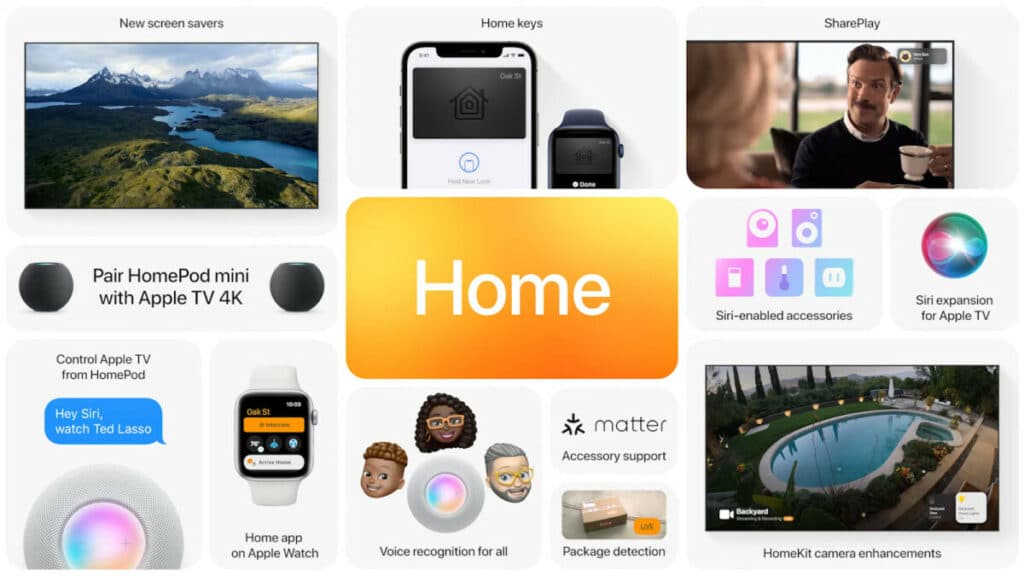
During the first days of June, Apple’s WWDC 2021 Keynote took place, where the new features of the upcoming operating system are unveiled so developers have time to adapt their apps before the final version is released. You can check out all the announced news in this fantastic article from Applesfera. However, in this post of ours we’re going to go over the HomeKit news in iOS 15 and our connected home.
We’ve seen some interesting new features, such as the ability to add our smart lock’s key to Wallet (a bit further down you can read about this), but the truth is that not as many things have arrived as users were hoping for. On Reddit there’s an interesting thread collecting the things we’d like to see in Apple HomeKit… and we’ve fallen quite short of that. Let’s hope that as the iOS 15 betas progress, more interesting things get discovered and some functionality that hasn’t been presented yet gets added.
I have to tell you that the photos aren’t mine, they’re the ones Apple has been publishing these past few days, since only the first beta of iOS 15 has been released and it’s still a bit too green to install on my devices… but as soon as it matures a bit and things stabilize, I’ll install it on my devices and keep you posted.
Timers through Siri
Siri brings some improvements in iOS 15. One of the most relevant ones is the ability to talk to Siri without being connected (the typical offline mode users have been asking Apple for years). For me it’s not too relevant since, luckily or unfortunately, I’m always connected—at home with Wi-Fi or 4G, and when I go running I take my Apple Watch with LTE—so the few times I ask Siri something and it’s not available it’s because I happen to have no coverage or something like that… but anyway, we’ll see. In iOS 15, Siri adds the ability to set a timer like ‘Turn on the entryway lights for 10 minutes,’ although we can also launch a simple schedule like ‘Turn off all the lights at home at six thirty.’ We might also be able to get Siri to turn off the air conditioning when we leave home or things like that, we’ll see as the betas progress. Honestly, with this feature we’d save ourselves some automations, but as you know, I’m more in favor of making the house ‘react’ on its own rather than having to shout at the HomePod or the iPhone to interact with our connected home.Secure Video now detects things!
Those of you who have HomeKit-compatible security cameras at home might use the ‘Secure Video’ feature, which allows detecting and identifying faces. That is, if we have the camera turned on and sending us a notification when someone comes in, we can tell it not to notify us if that ‘someone’ is our partner, kids, or cleaning staff, for example, so it would only notify us if an unidentified person comes in. This identification is done through the photos we have in iCloud, which, as you know, has been identifying faces for many versions now. It’s neat. The thing is that with iOS 15, Secure Video is able to identify more things such as cars (if for example we have a camera in the parking lot and don’t want to be notified when our partner is parking the car, but do want to be notified if someone else parks in our spot), pets (this one’s hilarious xD), and also PACKAGES! Yes, Amazon packages for instance… honestly it seems a bit silly to me because the package isn’t going to arrive on its own by magic, under normal circumstances it’ll be a delivery person who drops it on the entryway floor or something like that, so it’ll notify us when the delivery person enters the camera’s range since they’re an unidentified person xD. Anyway, we’ll see how it goes as the iOS 15 beta evolves.HomeKey
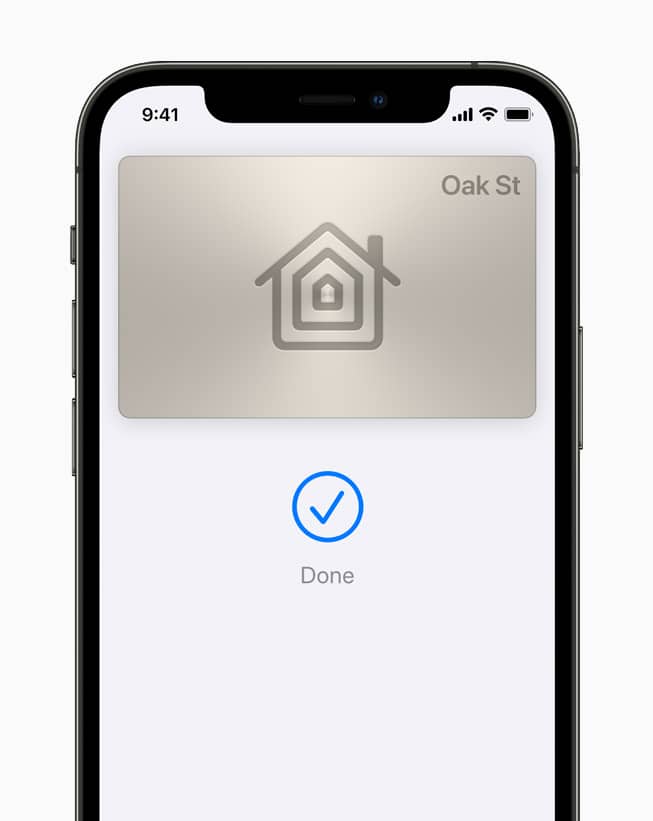
This is my favorite feature and I’m waiting for the folks at Nuki to add it to their electronic lock (although right now Nuki neither confirms nor denies that it will be compatible in the future). Basically, it’s about being able to carry a key-card added to our Wallet the same way we now carry credit cards, some loyalty cards, plane tickets, etc. A few months ago, together with BMW, the possibility of carrying the car key on the iPhone and the Apple Watch was announced, which is very, very interesting because in my case there are times when I go down to the garage and realize I’ve left the car key at home… but I never forget my phone or Apple Watch! This way, simply by getting close to the car it would unlock and we could start it up. With iOS 15 this feature also extends to the house key, as long as the electronic lock is compatible. We’ll also be able to use it in hotels, for example, which have it quite easy to implement the system since many hotel electronic locks open by tapping the card via NFC, no need to insert it or anything like that anymore. We’ll see how the system evolves, but I’m really looking forward to trying it!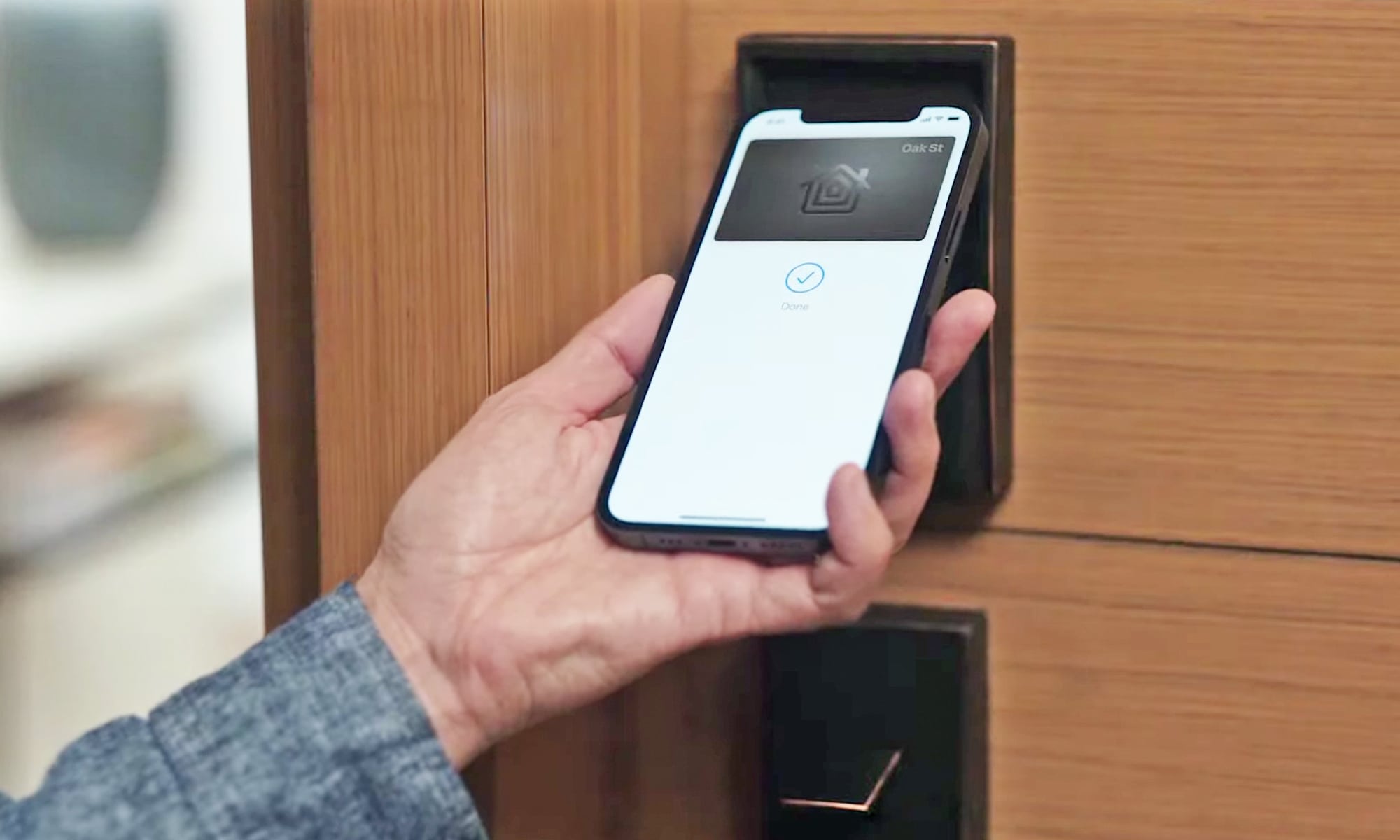
Third-party accessories will be compatible with Siri
Another interesting feature that opens the door to adding new devices to our HomeKit ecosystem. I don’t need to tell you that there aren’t too many gadgets compatible with HomeKit these days. In fact, there are many more compatible with Alexa, for example. Even if we have Sonos brand speakers, we can ask Alexa things through them because the integration is exactly the same as if it were an Amazon Echo. It looks like now the possibility is being added for other manufacturers to integrate Siri, so we could have compatible speakers at home that we can ask things directly, as if it were a HomePod or an Apple device. I can’t think of any other integration since most devices don’t have a mic to ask things through, and because I already mentioned earlier that I like to automate things so they simply happen, but anyway, the possibility is there and it will surely mean we get more devices compatible with HomeKit.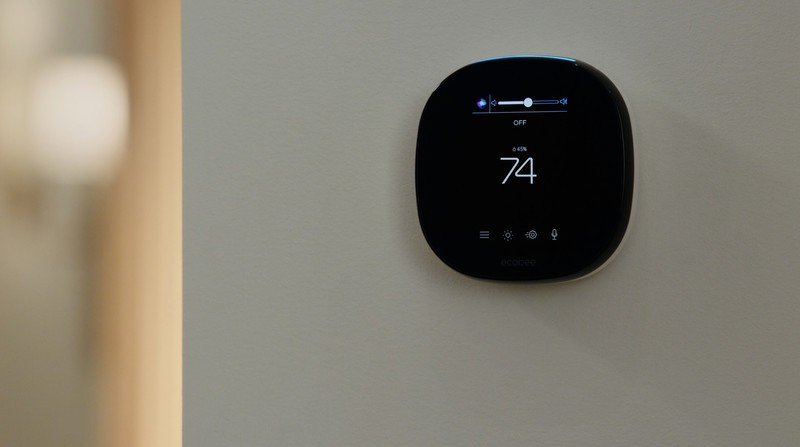
Home on the Apple Watch
Ever since I bought the Home+ v5 app several years ago, I haven’t gone back to using Home on the Apple Watch. I find the current list of accessories terrible. In my case, having many connected devices, temperature sensors, window sensors, etc, I can spend a good while scrolling up and down the list until I find the device I want to interact with. They’re not even sorted in any logical order! With Home+ v5 this gets solved since, besides being sorted, you can mark some devices as Favorites and they show up at the very top, so you can have a mini-list with the devices you interact with most manually. Well, with iOS 15 this is going to change, and the Home app on the Apple Watch improves by sorting devices by room and adding the ability to create a favorites list. Maybe this will make me go back to using Home on the Apple Watch for those specific cases where you want to tap something manually without asking Siri and you don’t have your iPhone nearby (does that ever happen to you? not to me, I only open this list when I’m in bed and don’t want to shout out loud or grab the iPhone from the nightstand).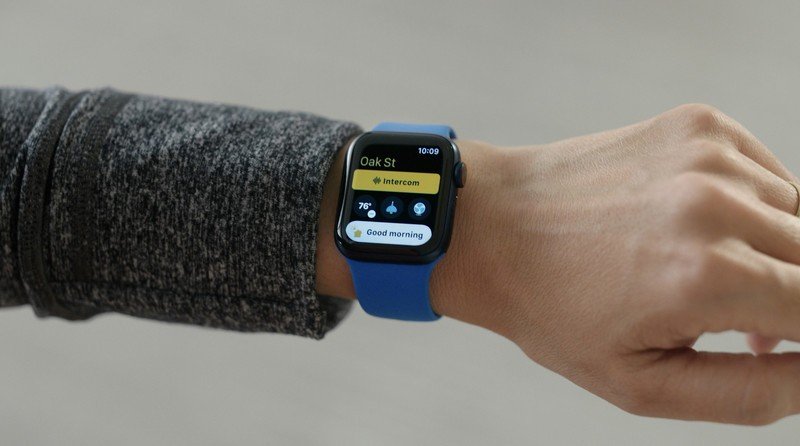
Cameras on the Apple TV
The Home app on the Apple TV isn’t much to speak of either. I’ve always thought it should have its own features, just like the MacOS one, which is really just a bigger copy of the iPhone one. I don’t know, since you have a device with more capability and a bigger screen, it could include some other feature that isn’t possible to manage from a phone or from the Apple Watch. Also, if you’re watching TV and someone arrives at the entrance where you have a camera… are you seriously going to pause what you’re watching to switch to the Home app and see who’s at the door? I think it’s WAY less effort to grab the phone you have lying around on the couch and check it without pausing the show you’re watching… In any case, with iOS 15 camera management includes the accessories in that room, which can be interesting if, for example, you see someone approaching the entrance and want to turn on the lights (or turn them off so they think you’re not home). Actually, most cameras will do this automatically (turning on the lights, I mean) or with a simple automation, but anyway…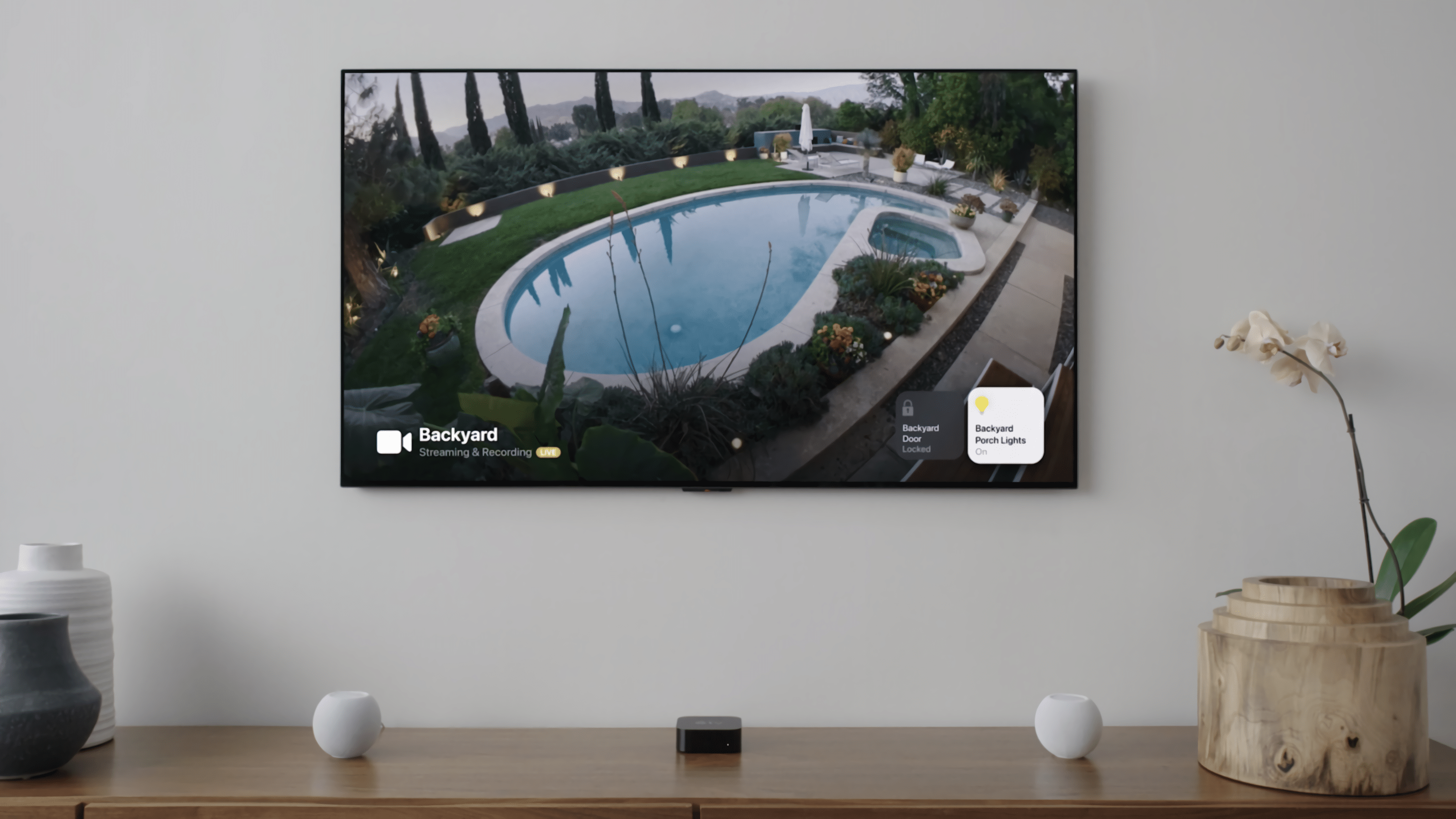
MATTER compatibility
I don’t know if you’ve heard of Project CHIP, an ambitious project that wants to become the new ‘standard’ for the connected home. It’s recently been renamed to Matter. This new standard aims to sit above HomeKit, Google, and Alexa and simply create a layer that can interact with all of them, so that any device compatible with Matter would automatically be compatible with these 3 ecosystems. We’ll have to see whether that’s simultaneous or exclusive, meaning whether you could have Alexa and Siri at home and ask either of the two assistants to turn on the living room light… or whether once the living room light gets associated with HomeKit it’ll stay locked to that ecosystem and other assistants won’t be able to connect. I think this deserves a post of its own, so I’m making a note to talk about it in a bit more detail.
¿Necesitas ayuda con tu domótica?
Te ahorro tiempo, dinero y disgustos. Sesiones de consultoría desde 60€.
Carlos Sahuquillo
'Haga lo que haga en la vida, siempre compito' - Jacques Villeneuve Reserva una sesión →
Sigue leyendo
Ver todo el blog
Entradas relacionadas

17 septiembre, 2026 · Domótica
Leer
HomeKit with AI in iOS 27
Apple released iOS 27 on September 14th and, as every year, I'm going through what's changing in the Home app and HomeKit.…
Ep. 112 · escúchalo
0:00 / 12:44

3 septiembre, 2026 · Domótica
Leer
Webhooks and workflows in Controller for HomeKit
Kicking off Season 4. I'm picking back up the automation for the sensor that kept running out of batteries that I told…
Ep. 111 · escúchalo
0:00 / 13:12

27 agosto, 2026 · Domótica
Leer
How to tell if your kid is sneaking into your room without having a camera
I bought the Aqara P2 presence and light sensor with Matter, and I've got it running simultaneously on HomeKit and Home Assistant…
Ep. 110 · escúchalo
0:00 / 12:16
0 comentarios