HomeKit with AI in iOS 27
 Carlos Sahuquillo
·
17 septiembre, 2026
·
7 min de lectura
Carlos Sahuquillo
·
17 septiembre, 2026
·
7 min de lectura
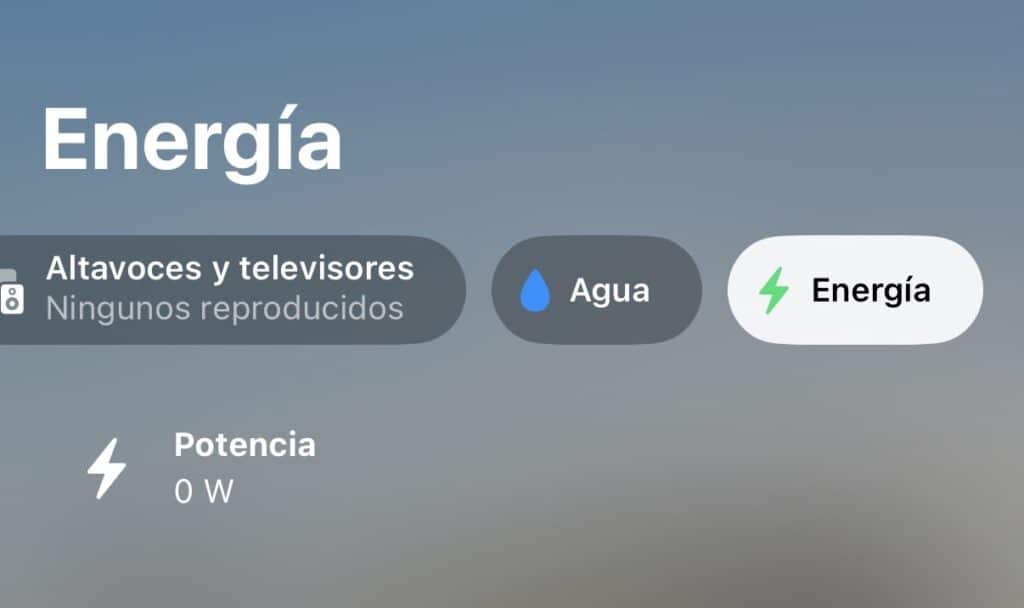
Apple released iOS 27 on September 14th, and as every year, it’s time to look at what’s changed in the Home app and the HomeKit standard, though I’m afraid we don’t have many new features… This year, the word that sums up the new features is artificial intelligence, since it seems like they want to solve everything with AI… But let’s see what use this is to those of us who already have our devices set up and our automations more or less stable.
Let’s go through the new features, starting with the cameras, since that’s what took up most of the presentation time:
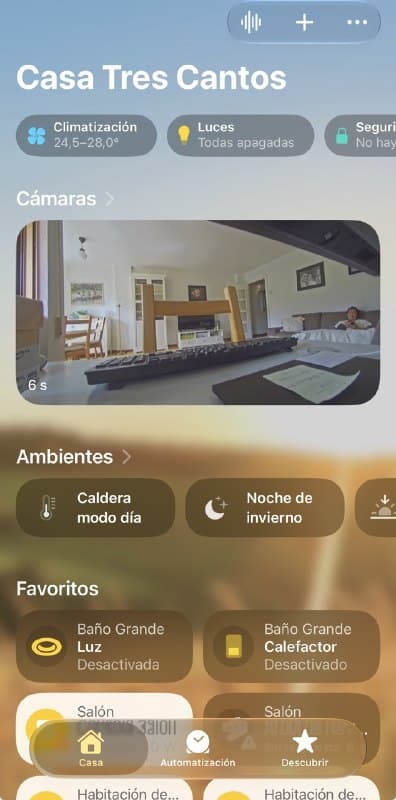
Cameras
There are changes to HomeKit Secure Video, which had been the most neglected part for a while:
- 4K recording. No more 1080p cap. If your camera supports it, it now records and streams up to 4K without taking up iCloud space, you know how it is.
- AI-generated summaries. Instead of just showing «motion detected,» the app now writes out what happened: a person, an animal, a vehicle, a package… it tells you in words, more or less like the summaries it already did with messages.
- Facial recognition. This one could be interesting depending on the language and region… it cross-references faces with your Photos library, so the alert comes with a first and last name attached. «Carlos Sahuquillo is at the door.»
- Event grouping across cameras. If someone walks past one camera and then past another, the app understands it’s the same event and doesn’t bombard you with separate alerts.
- Quick preview. You hold down the video notification and it plays a clip without opening anything.
Notifications and search: less noise, more context
This ties in with the above, and for me it’s one of the most useful things day-to-day:
- Smart notifications. The app bundles related alerts into a single one that updates in real time. The classic «arrives home» + «opens door» now comes as a single, coherent notification, instead of three separate notifications stacked up on your phone or watch screen.
- Natural language search. You can search through recordings by typing natural language queries like «What time did Carlos come in?», and not just within the Home app—also from Spotlight.
Energy in the Home app
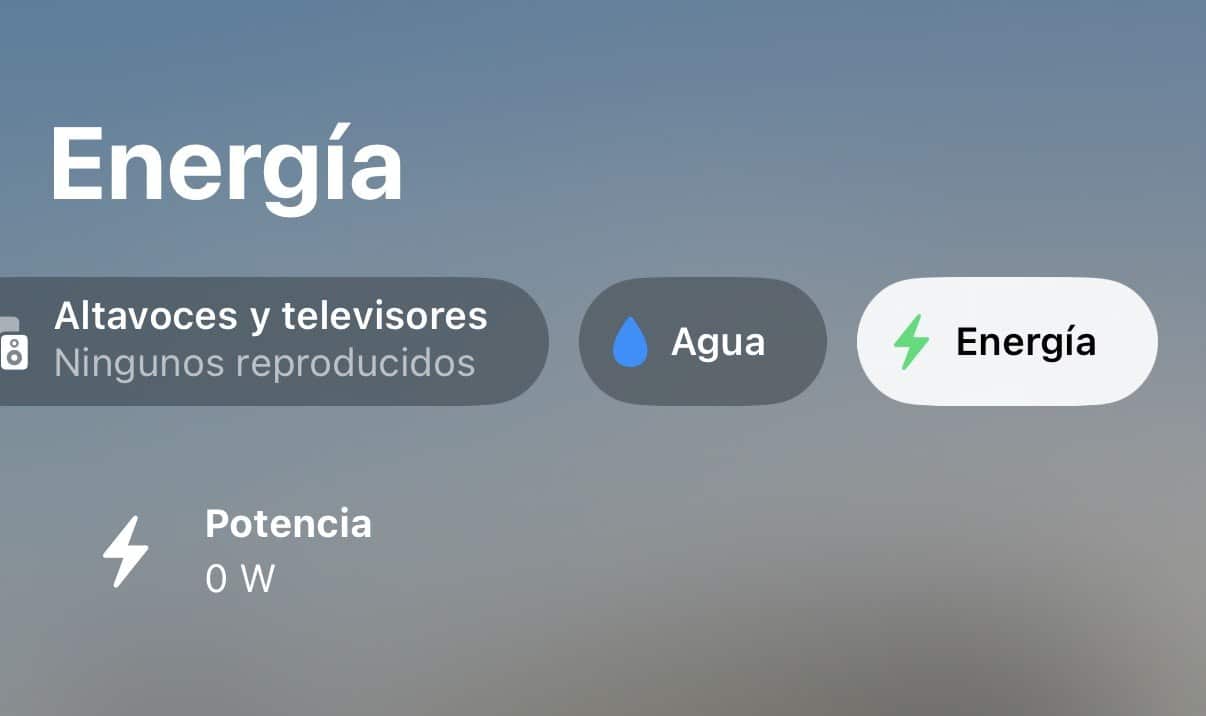
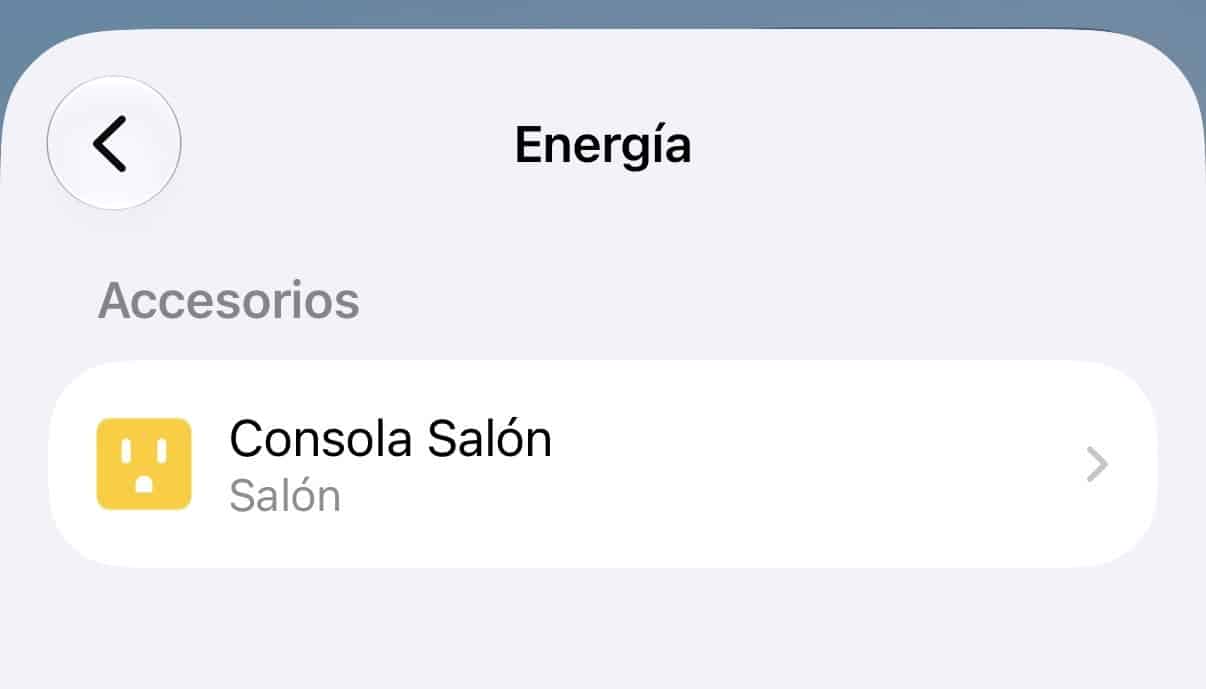
The Home app now includes an Energy section to check the power draw and consumption of compatible accessories. Here’s what the new tab and the detail view of a plug look like in my case:
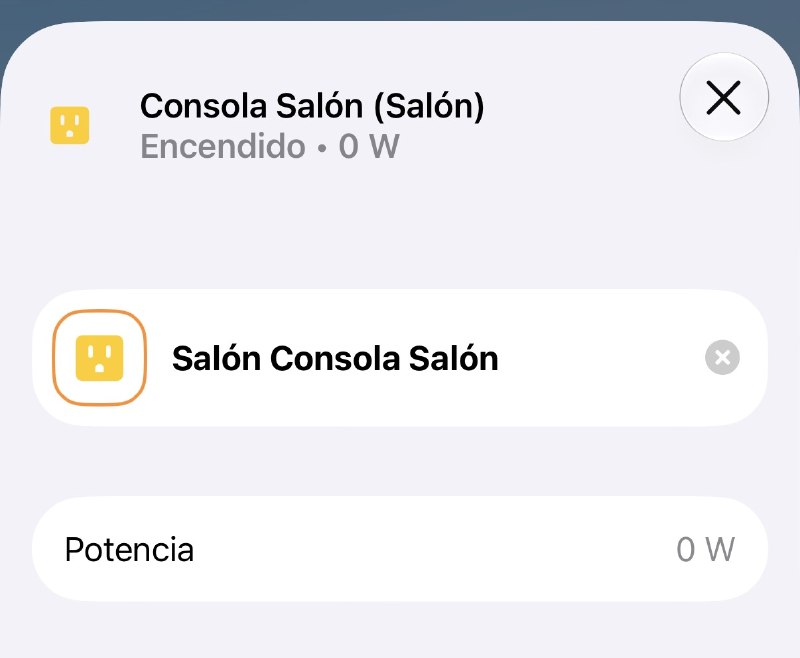
For those of us with Home Assistant
In Home Assistant this part is far more developed: I can check daily and monthly consumption, compare periods, and view charts on the energy dashboard.
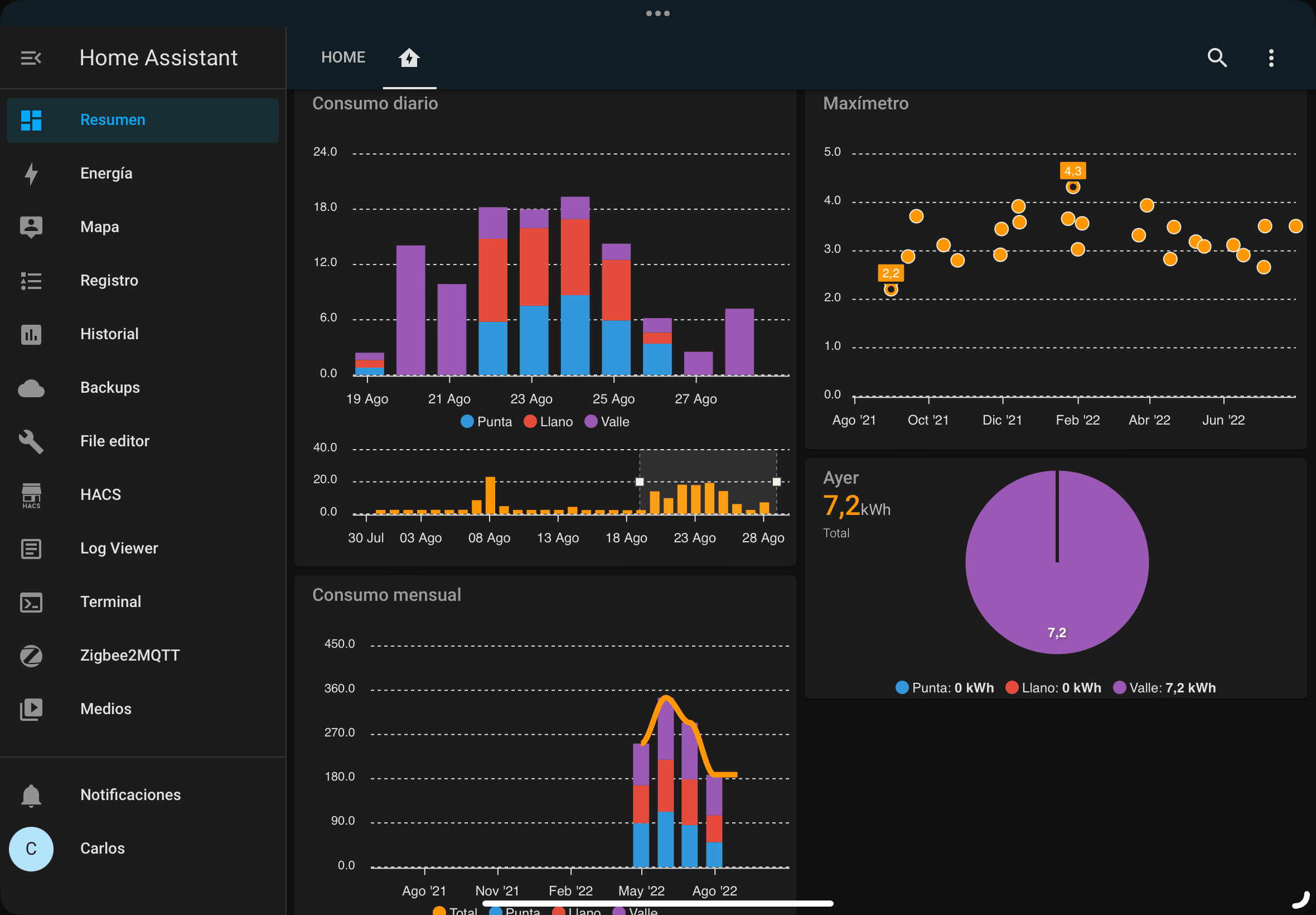
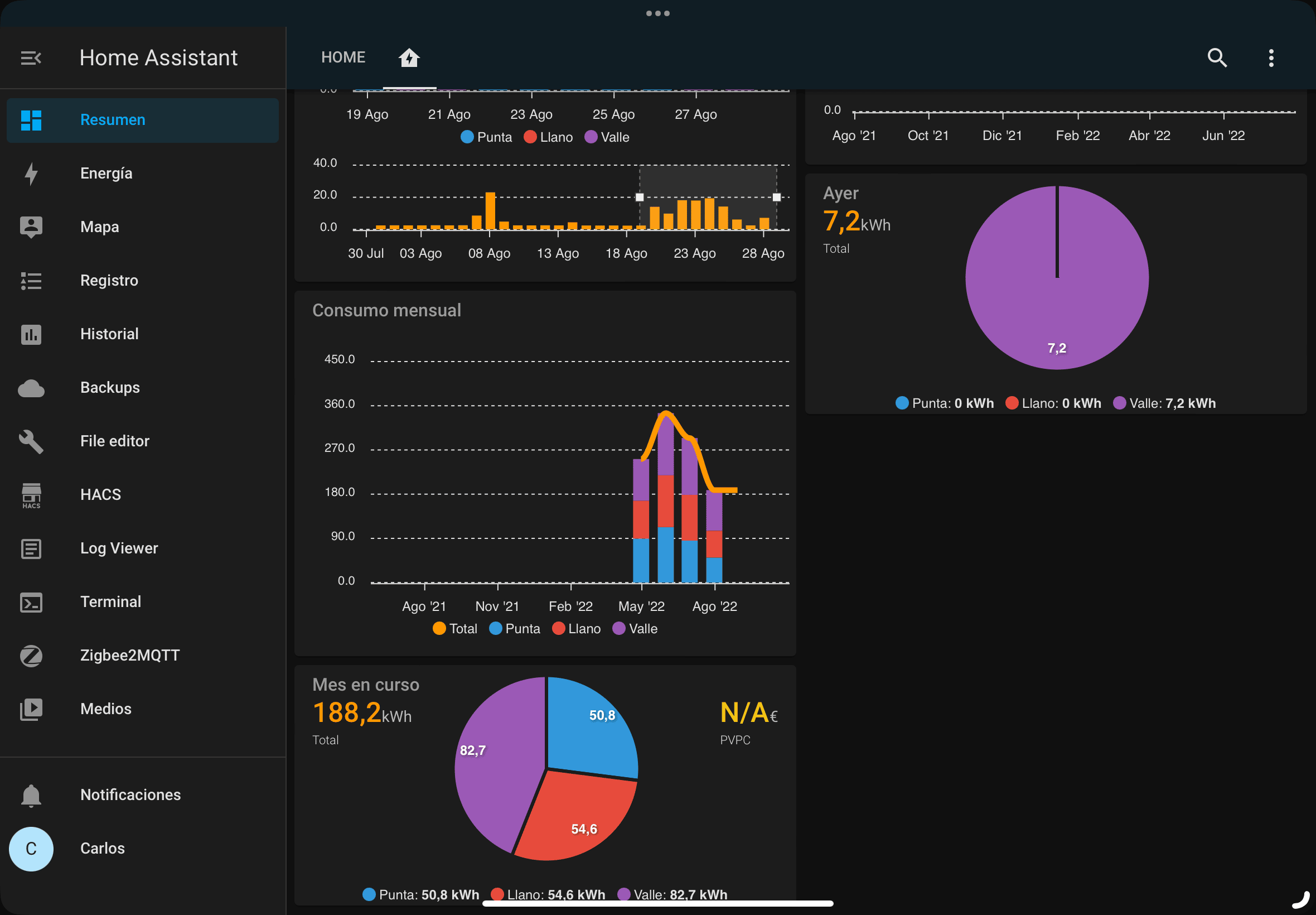
Look, if you’ve got Home Assistant set up at home, don’t get too dazzled by HomeKit’s camera news. There are a few more core-level features that are interesting in HomeKit:
- Thread 1.4. They’re finally getting their act together with the standard, which had been stuck at 1.2 for a year.
- Faster pairing and simplified Matter setup. Adding a Matter accessory is now quicker—before, it was basically a lottery… sometimes it paired fine, sometimes it wouldn’t and you had to restart a controller, and some devices resisted so you had to restart them too… all without any understandable log, of course.
- Energy management. The Home app is starting to show plug and meter consumption in its own tab; in Home Assistant we already have much more complete dashboards, charts, and historical data.
- Remote Apple TV updates from within the Home app itself, though I’ll tell you this hasn’t worked for me yet… my HomePods updated through the Home app but not the Apple TV.
Note on compatibility: Apple Intelligence features depend on your iPhone model, language, and region. Also, cameras need to be HomeKit Secure Video-compatible and require a compatible accessory hub plus iCloud+ to store recordings. Worth checking these requirements before updating.
The usual «but»
Before you rush to update expecting magic and a heaven-and-earth kind of change, watch out for the minimum requirements, because Apple has raised the bar with AI and some devices get left out:
- The AI features (summaries, recognition, natural search) require an iPhone with Apple Intelligence, so they only work on an iPhone 15 Pro or later. If you’ve got an iPhone 13 Pro Max like Jacobo Vidal from the Desde el Reloj podcast, you’re left out of the most interesting stuff… maybe this is one more reason to upgrade, Jacobo, that Duo has your name on it.
- You need an updated accessory hub: an Apple TV with tvOS 27 or a HomePod with software 27, so if your Apple TV can’t be updated, you’re also out of luck…
- And camera video still depends on iCloud+ services, so if you don’t pay for iCloud… maybe now’s the time to reconsider, though I don’t know who doesn’t pay for iCloud these days, least of all you folks following this podcast or blog.
My take
So, in short, iOS 27 is a good leap forward if you live within Apple’s ecosystem and have HomeKit cameras and reasonably modern hardware at home. The whole natural-language and unified-notifications side of things could be really interesting.
That said, for anyone who already has Home Assistant at home, a lot of these new features (energy, contextual alerts, search you can plug into whatever you want) is something we already had—it’s not a game-changer or whatever you want to call it… What I do like is the upgrade to Thread 1.4 and the easier Matter pairing: that genuinely benefits everyone, no matter how your setup is built.
The rest… well, as almost always with Apple, it’s a very polished experience, a nice-looking app, everything very user-friendly so the user doesn’t have to think about the technology behind it… in exchange for having a modern iPhone and staying locked into the ecosystem. For now this idea still works for me, but it doesn’t give me enough reasons to ditch Home Assistant or Controller for HomeKit, so for another year we’ll keep running a mixed ecosystem that, for the time being, is working well for me. I’ll keep testing it over the next few days on my own setup and I’ll tell you on the podcast how it really performs, beyond the press release.
Carlos Sahuquillo
'Haga lo que haga en la vida, siempre compito' - Jacques Villeneuve Reserva una sesión →
Entradas relacionadas
Webhooks and workflows in Controller for HomeKit
Kicking off Season 4. I'm picking back up the automation for the sensor that kept running out of batteries that I told…

How to tell if your kid is sneaking into your room without having a camera
I bought the Aqara P2 presence and light sensor with Matter, and I've got it running simultaneously on HomeKit and Home Assistant…
Smart locks with kids
Having a smart lock at home is great—until one of your kids accidentally opens it from the Home app while you're away,…
0 comentarios