Temporary HomeKit glitch with Scene-based Automations
 Carlos Sahuquillo
·
13 febrero, 2025
·
6 min de lectura
Carlos Sahuquillo
·
13 febrero, 2025
·
6 min de lectura

Idioma:CastellanoEnglish
A few weeks ago, in the episode from January 10th, I told you that in HomeKit it’s better to create an Automation that contains a Scene than to create an Automation with the devices loose in there, so it’s always better to create Scenes grouping devices and actions. This has many advantages, not just the speed at which they run since with a scene all the devices receive the action at once, while with a normal Automation they receive it sequentially. We can also invoke the scene with Siri without having to run the automation, etc, in the episode from the 10th I talked about all this.
Well, the thing is that last week, some of these automations that contained scenes stopped working for no apparent reason. It was quite funny because if you ran the scene manually it worked fine, but if you ran the automation from that little button below the automation that says ‘Test this automation,’ it would start running it and show an Error… and that’s it. Yeah, sure, that whole idea from Steve Jobs about «It simply works» and the user having to be abstracted from the technology behind it is all well and good, but damn it, a log to know what the hell is failing to cause that error… would come in really handy in some cases. But no, the Home app tells you ‘Error’ and off you go.
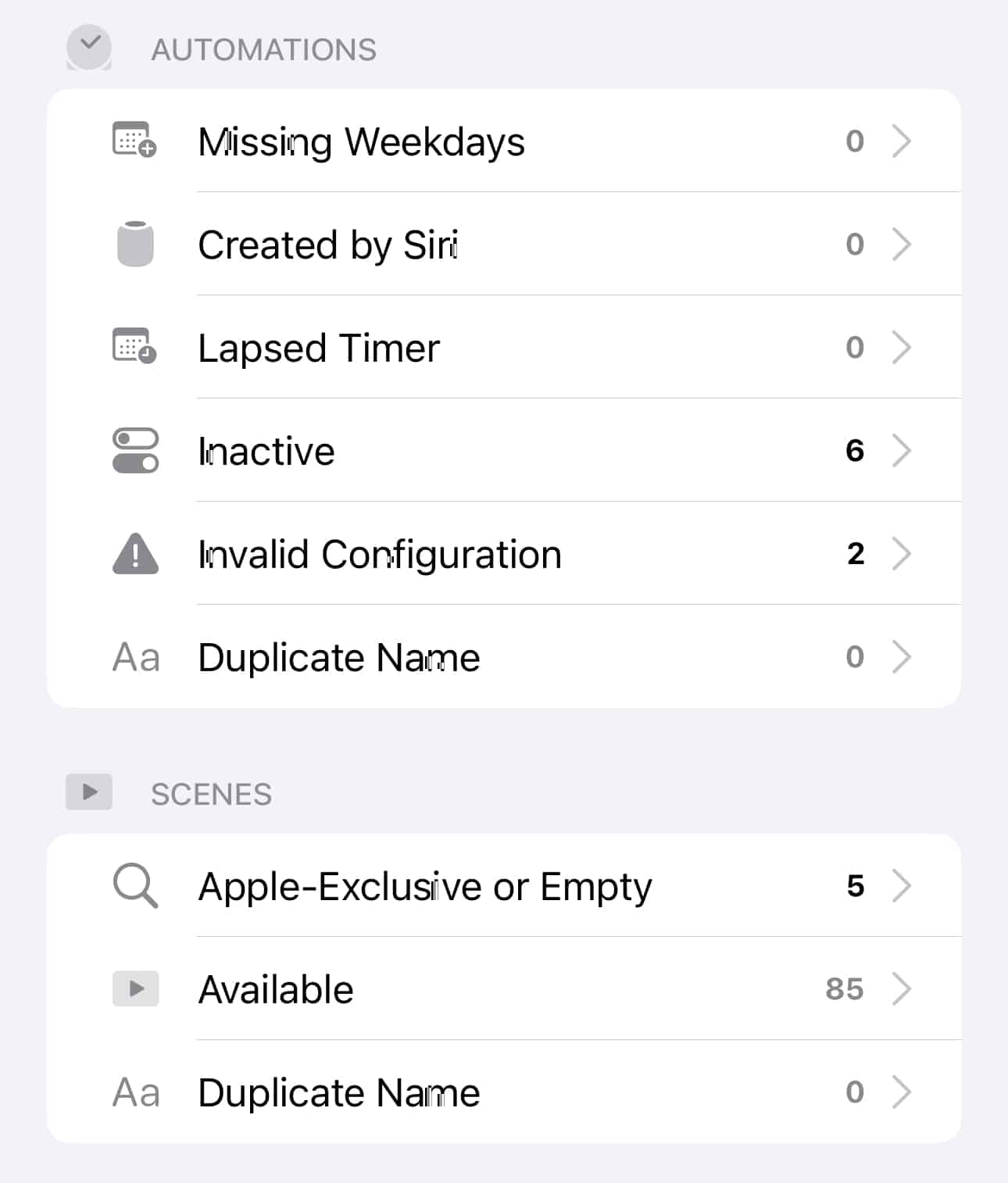
For those of you using the paid version of Controller for Homekit, which you already know is my favorite app for managing devices, automations, and notifications in HomeKit, you’ll know we have a section called Maintenance that shows information that can help us diagnose issues. By the way, these days I’m working on a BCP, a Business Continuity Plan for a European organization… and they really don’t like the word «incidencia,» they made me change it to «issue.» Anyway.
The thing is that in the Maintenance menu of Controller for HomeKit you can see, for example, if you have unreachable devices, although the Home app tells you that too. If you have devices with low battery, the Home app also tells you that, but by the time it does, the device might have 10 minutes of battery left—it always tells you too late, or it just shows it as unreachable without ever warning you it had low battery… and it shows it right there in the Home app itself, mind you. It doesn’t even send you a notification like ‘Heads up, you have some devices with low battery, open the app to see which ones’… I don’t even expect a notification like ‘This device has low battery’ anymore, that would already be fantasy, but the Home app doesn’t do that because we have to be abstracted from the technology and from dead batteries.
Well, you already know that with Home Assistant we can also get this low battery notification, a few weeks ago I also talked about it here.
Anyway, so in Controller’s Maintenance menu we can find very useful information… but in this case, if you went into the Automations section within the Maintenance menu, it didn’t show any error, everything OK. And if you looked at the Scenes section (which is what Controller calls Ambientes even though they’re the same thing), it also showed as if everything was OK.
¿Necesitas ayuda con tu domótica?
Te ahorro tiempo, dinero y disgustos. Sesiones de consultoría desde 60€.
Carlos Sahuquillo
'Haga lo que haga en la vida, siempre compito' - Jacques Villeneuve Reserva una sesión →
Sigue leyendo
Ver todo el blog
Entradas relacionadas

22 octubre, 2026 · Domótica
Leer
15 preguntas de domótica que se repiten una y otra vez
He revisado comentarios del blog y correos de lectores para juntar las dudas que más se repiten sobre Shelly, HomeKit, Matter, Home…
Ep. 116 · escúchalo
0:00 / 22:46

15 octubre, 2026 · Domótica
Leer
Apple vuelve a por la casa: HomeView, HomePod mini 2 y Apple TV 4K
Apple presenta HomeView, HomePod mini 2 y un nuevo Apple TV 4K. Repasamos precios, disponibilidad en España y el futuro de Apple…
Ep. 115 · escúchalo
0:00 / 19:51

8 octubre, 2026 · Domótica
Leer
How to re-pair Zigbee sensors in Home Assistant without losing your automations
Swapping the battery wasn't enough to bring four Aqara sensors back to life. Here's how I re-paired them with ZHA without losing…
Ep. 114 · escúchalo
0:00 / 19:22
0 comentarios