Low battery notification on a device
 Carlos Sahuquillo
·
30 septiembre, 2024
·
8 min de lectura
Carlos Sahuquillo
·
30 septiembre, 2024
·
8 min de lectura
Ep. 81 · escúchalo
0:00 /

Idioma:CastellanoEnglish
This topic came up from a conversation we’ve had these past few days in the Domótica Compatible Telegram group. If you’re a user of the Home app and you have devices with batteries, you’ll have noticed that the Home app only notifies us of Low Battery when the device has barely more than 5 minutes of battery life left. Devices that use a rechargeable battery work a bit better, but we still can’t see the battery level either way. Let’s take a look at why this happens and what solutions we have both in HomeKit and Home Assistant. I’m Carlos Sahuquillo and let’s get started!
The problem: measuring battery charge isn’t easy
The Home app can’t put its tongue on the battery terminals to check if it’s still got juice, like we used to do back in the day (by the way, the World Health Organization already stated that this method is unhealthy for a bunch of reasons and can even be dangerous if the battery has leaked, since it may contain heavy metals like mercury, nickel, cadmium or lithium, so better not do that anymore). For a few years there were some Duracell-brand batteries that had a little strip that would show you the charge level if you held the battery touching both terminals… but that didn’t work all that well either. There’s also a little trick where you stand the battery upright, lift it slightly and let it drop… supposedly if it lands standing up and stays that way, it means it still has liquid inside and still has some charge left, but if it tips over or wobbles, it’s dead. This has never worked for me in my life, but hey. Then there are the smart alecks who say: ‘the best thing is to use a multimeter to measure the charge’. I’ve never owned a multimeter in my life, mate, and that’s saying something given how much I’ve tinkered with cables, Shellys and switches. I might have saved myself a spark or two, or a Shelly gone black from touching where I shouldn’t have, I won’t deny it, but it’s not something everyone has at home. The thing is, as a kid I knew the batteries were worn out because my remote-control car, which I used all day long for a gazillion hours (I reckon that car clocked over 100,000 kilometers), would go slow. However, when you put in fresh batteries, it would zoom off and turn and drift beautifully. Well, the Home app does something similar. Since there’s no real way to know the exact percentage of charge left in a conventional battery, it tells you the battery is running low when it’s not delivering the voltage it should… which has a couple of problems: first, when a battery isn’t from a good brand (the typical cheap Chinese batteries we buy in bulk, 400 batteries for 2 euros), it might not meet the quality standards of the more reputable brands and might not deliver the correct voltage. This happens to me with a battery I currently have in a smart button, a button I have in my eldest son’s room because there’s no outlet near his bed for his lamp, so he has a smart button that turns on the lamp sitting on his desk. The thing is, ever since I put that new battery in, it always shows 0.5% charge remaining. It works perfectly and the button’s LED lights up green, if it really had low battery it would light up red… so I haven’t changed it yet.
Solution: Low battery notification
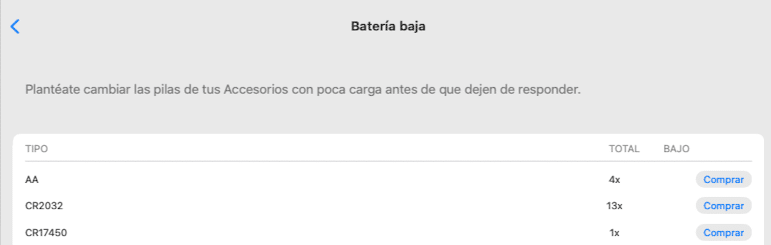
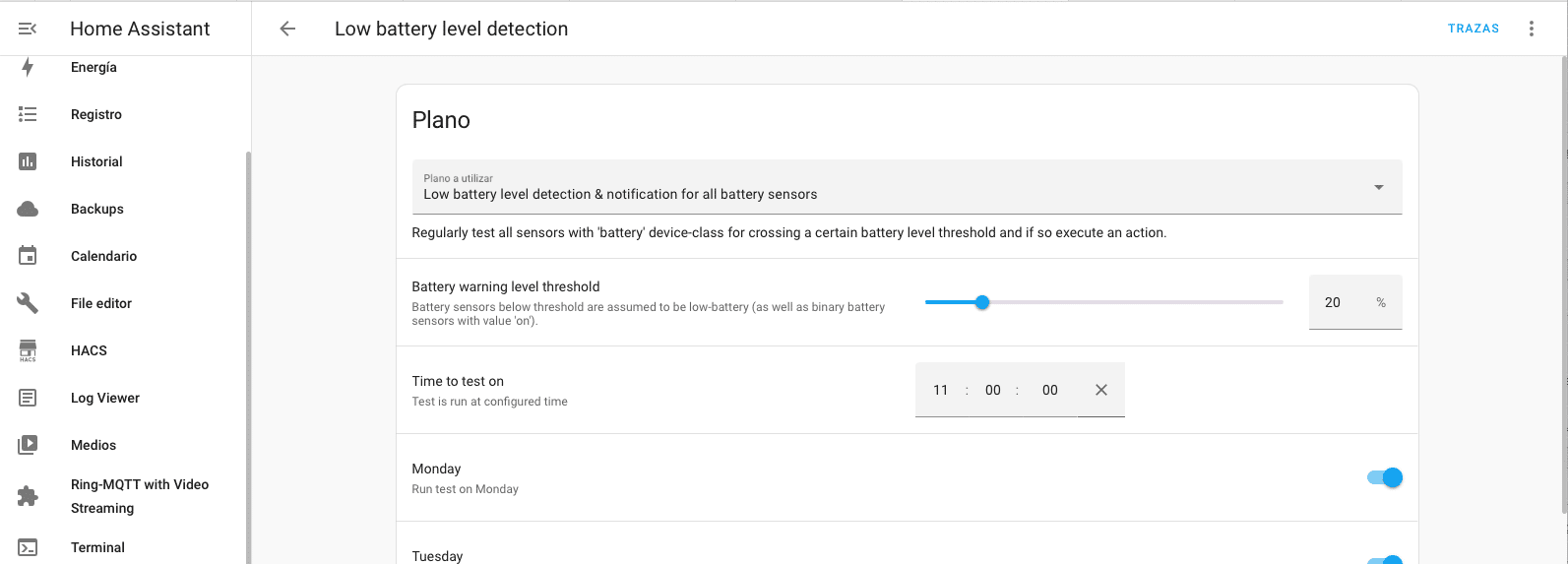
I have a friend who changes batteries systematically every so often. I do the same thing with the heads of the electric toothbrushes at home, I have an automatic Amazon subscription for that, and every 3 months it sends me Oral-B heads, so when they arrive I swap them all out. A pretty penny really, but I don’t wait around to see if one head is more worn than another because that kid brushed his teeth more or another one skipped it without me noticing. By the way, this kind of time-based notification can also be set up from Controller for HomeKit through Advanced Notifications or with a Shortcut, but in my case I use the iPhone’s Reminders app. Anyway, my friend Luis changes the batteries every whatever-amount of time on all the critical sensors, door openings, smoke detectors, etc, whether they need it or not. Any environmentalist would be against this given how many still-charged batteries this guy throws away, but oh well. In my case, what I’ve done is create a low battery notification that alerts us when the battery isn’t delivering the correct voltage. This can be done in HomeKit and in Home Assistant, though to do it in HomeKit you can’t do it from the Home app… but we can do it very easily with the Controller for HomeKit app, from the Maintenance Menu in the app.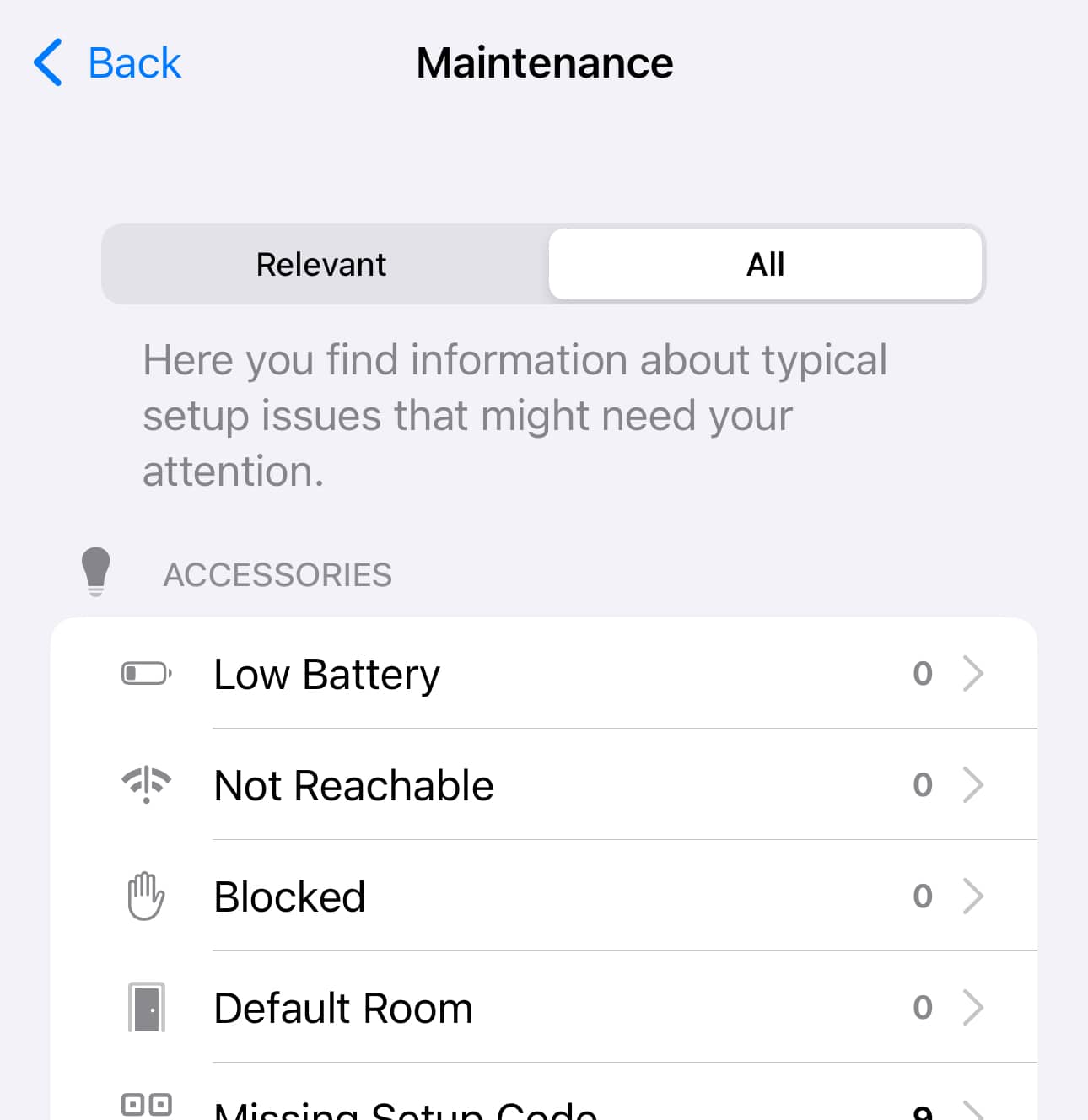


¿Necesitas ayuda con tu domótica?
Te ahorro tiempo, dinero y disgustos. Sesiones de consultoría desde 60€.
Carlos Sahuquillo
'Haga lo que haga en la vida, siempre compito' - Jacques Villeneuve Reserva una sesión →
Sigue leyendo
Ver todo el blog
Entradas relacionadas
17 septiembre, 2026 · Domótica
Leer
HomeKit with AI in iOS 27
Apple released iOS 27 on September 14th and, as every year, I'm going through what's changing in the Home app and HomeKit.…
Ep. 112 · escúchalo
0:00 / 12:44
3 septiembre, 2026 · Domótica
Leer
Webhooks and workflows in Controller for HomeKit
Kicking off Season 4. I'm picking back up the automation for the sensor that kept running out of batteries that I told…
Ep. 111 · escúchalo
0:00 / 13:12

27 agosto, 2026 · Domótica
Leer
How to tell if your kid is sneaking into your room without having a camera
I bought the Aqara P2 presence and light sensor with Matter, and I've got it running simultaneously on HomeKit and Home Assistant…
Ep. 110 · escúchalo
0:00 / 12:16
¿El Blueprint que estás utilizando en Home Assistant es este?
https://community.home-assistant.io/t/low-battery-level-detection-notification-for-all-battery-sensors/258664
Hola Edison! Un placer leerte por aquí:) Efectivamente, ese es!
Pues uso home assistant y no sabía que se podía hacer eso para saber el nivel de batería. Voy a configurarlo ahora mismo.
Muchas gracias