Apple Homekit compatible water leak sensor
 Carlos Sahuquillo
·
14 septiembre, 2020
·
6 min de lectura
Carlos Sahuquillo
·
14 septiembre, 2020
·
6 min de lectura

A few days ago I had appendicitis surgery. Yeah, at my age, I thought it was something that happened to the teenagers… but no, it also happens to adults! The thing is, during the two days I was in the hospital until I was discharged, my parents were home with the babies and the second day They called me to tell me I had the closet under the sink with 2 fingers of water., so Today I’m going to tell you about an Apple Homekit-compatible water leak sensor. So, if you have an appendicitis operation, you will be given the procedure of calling the plumber: D
There are several models of Homekit compatible water escape sensors on the market, some more expensive like This one from Fíbaro or this other Eve wiring, which has a small probe that you carry as far as you want, ideal for places where you can’t put the other sensors as could be wooden boards on the floor or behind the wall.
Surely both models will work very well: have very good reviews, do not need a concentrator and are from very reliable manufacturers. But 50 €for a water leak detector that you expect is that I NEVER have to tell you because I see it a little expensive. Don’t you think? So in my case, and Since I already have the Aqara hub and I don’t have to make additional investment, I bought 2 units from Aqara Smart Home Water Sensor which costs the 12 €friolera in Gearbest!
Apple Homekit compatible water leak sensor
The sensor itself is the size of a coin of 2 €, probably a little bigger but not much more. It works in batteries, so you don’t need to pull a cabling probe or any of that as we said in Eve’s model:
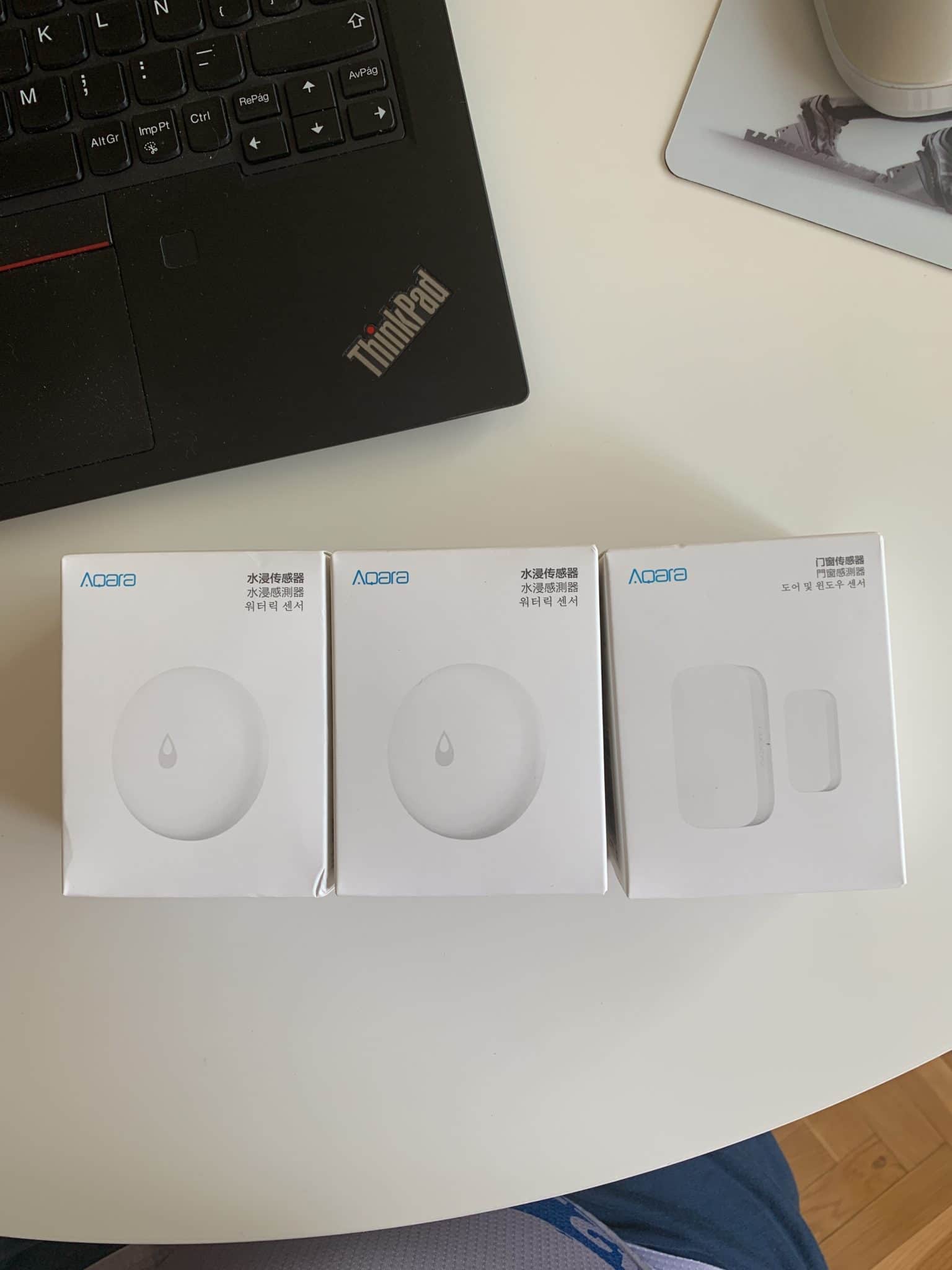

In my case, I put one in the closet under the sink and one behind the washing machine. which shares a pipe with the dryer, so if one of us gets out, I’ll get the alarm. I will surely forget that both sensors are there until they raise an alarm for any reason (or because they are running out of stack), which is exactly what I was looking for, so it doesn’t hurt so much to spend the €24 instead of the other models discussed.
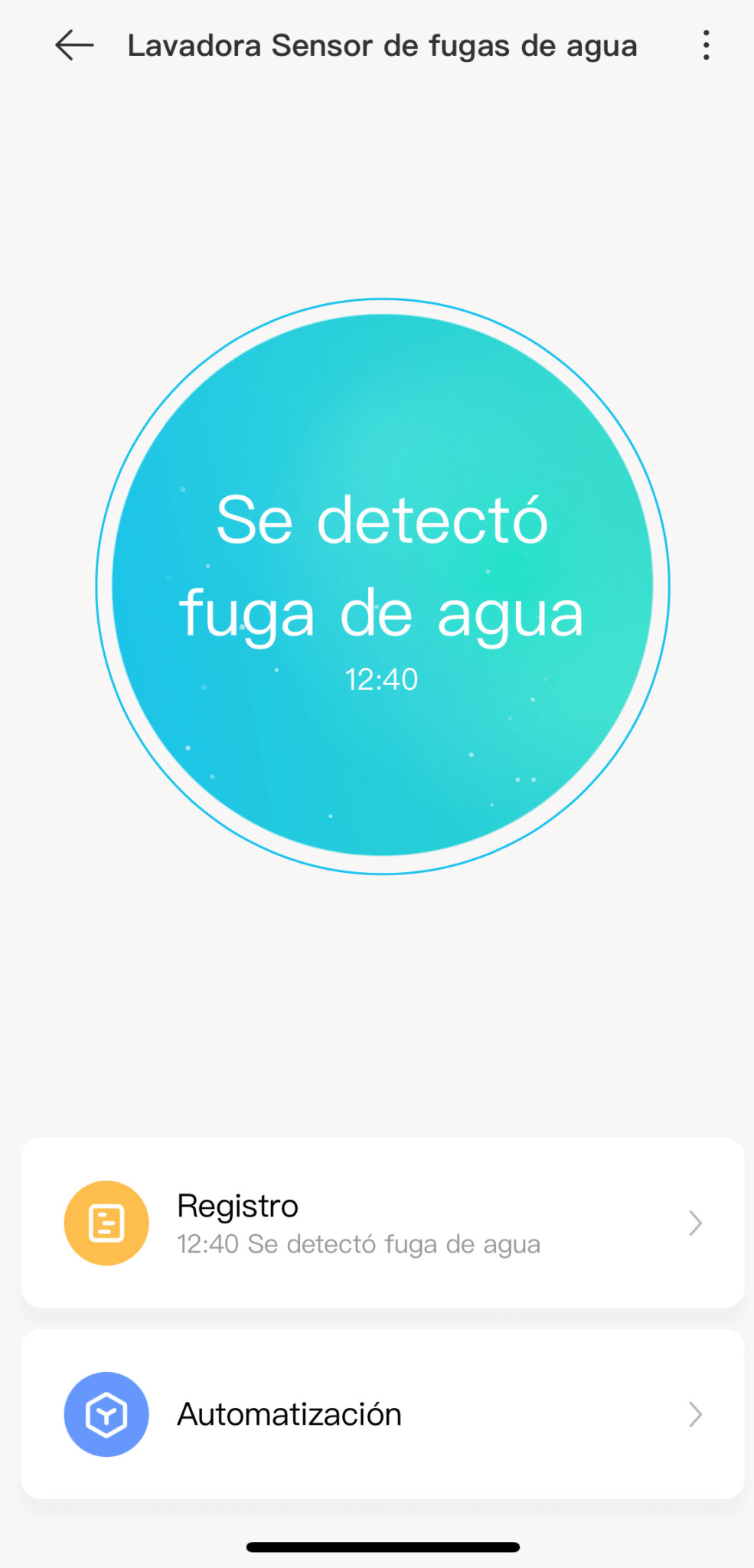
Also, if you already have the Aqara concentrator as we have commented in other entries, you have to do nothing but add it like any other device and tell him where it is located. You do not need any configuration: if you detect water above (splash) or below (have pool sensors) you will raise an alert in the application Xiaomi Home or Aqara’s on any platform. In addition, if you are Apple Homekit users and have all the devices in the Home App, it will also show you the alarm on the Apple platform.
The alarm and its automations
The basic idea of having an alarm in case a water leak is detected is very good… but we can automate this alarm as we want. We can make the built-in alarm sound with the Aqara concentrator. (if you have the speaker version, of course); or We could also make the home lights turn blue! As always, the limit is in the imagination, the desire to get complicated And your partner’s patience.
A partner of Telegram’s group He commented that the pass key could be changed to a connected one to close the tap in case the sensor detected water But this all makes automation more important. If it were a holiday home where I’m going to be very little time after the year, it would still make more sense to prevent you from having ducks living in the dining room when you get there on August 1, but that’s not my case. However, I give you a couple of solutions to do this. a good one and a lowcost 🙂
The good solution (and more expensive) is to adapt an irrigation sensor to the tap to open and close the water. Normally it would always be open but, if the water leak sensor detects something, we close the tap. I could do it without trouble in the tap of the washing machine… in fact, I could cut the light from the washing machine in case it is in motion at the time, as they say that if the water is cut you can get to spoil the washing machine (I think it’s a legend because it only turns around, at most the dirty clothes will come out). We could do this with the device. Eve Aqua, also compatible
with Homekit for about 80 euretes of nothing.
The cheap option is to take a Shelly 1 (10 €), flashing it to be compatible with Homekit as we had in this other entryand connect it to a conventional electrovalve (about 15 €are in Leroy Merlin, for example). In this way we could also open and close the water by detecting leakage. It’s less elegant, but much more fun to ride.
Compatible with Apple Homekit
As we said before, absolutely nothing needs to be done to make the sensor appear in the Cas app a. It may seem in plain sight that it does not appear as it does not like any other sensor, but that We’ll have to go to the room where we set them up so they can show us up as alarm sensors.:
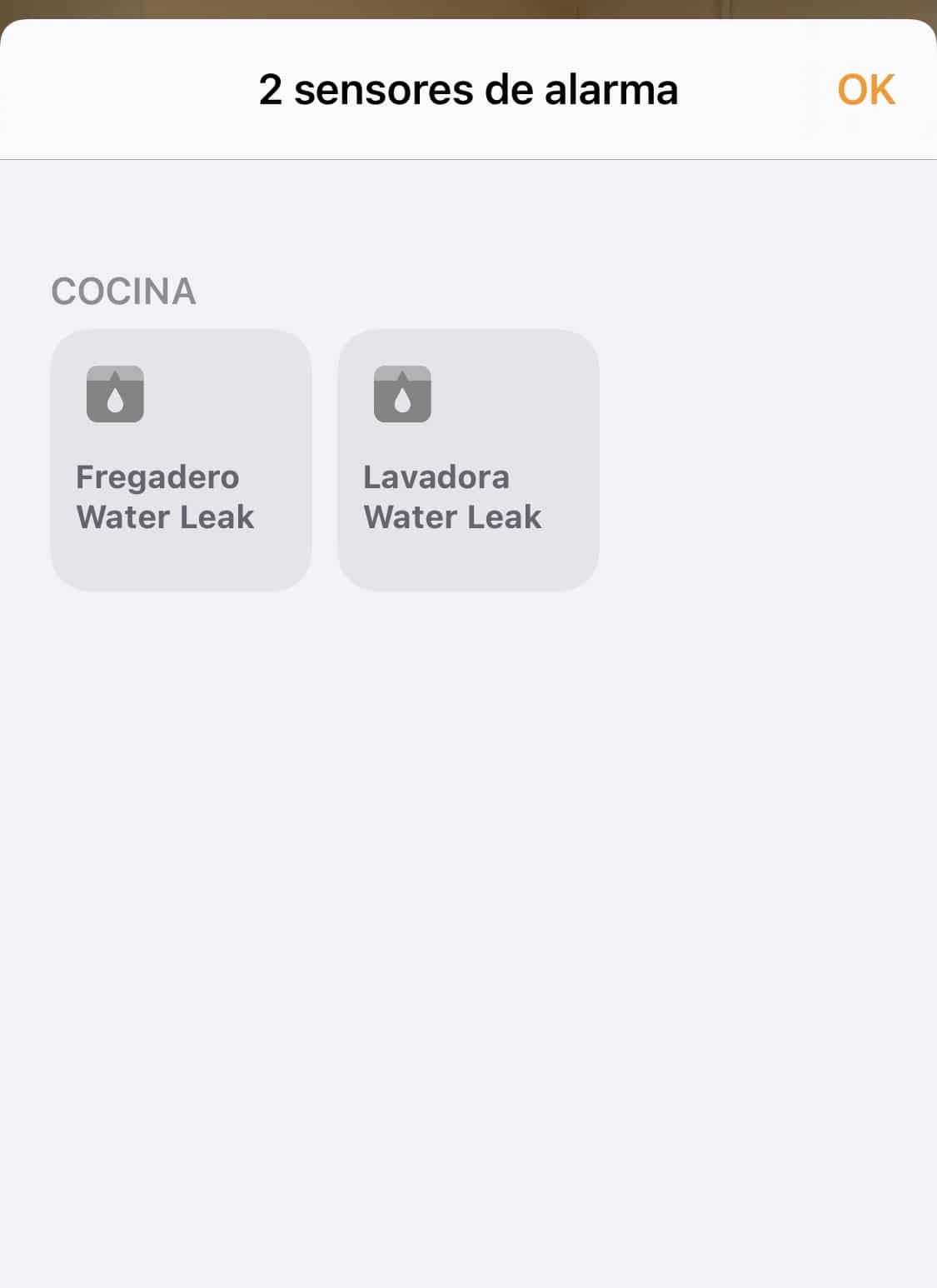
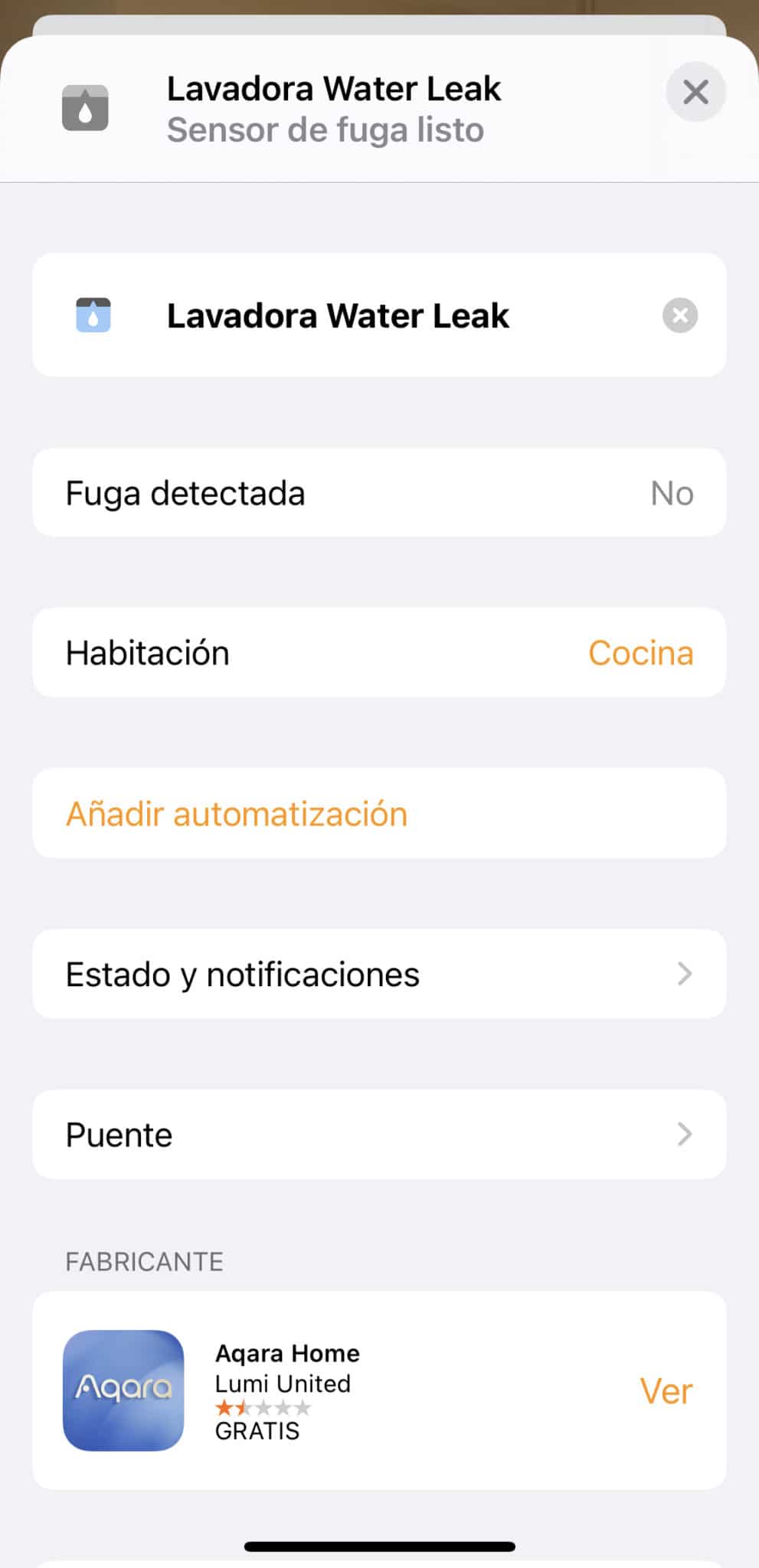
And obviously there is little more to do with them as they lack configuration… if they detect water, the alert will come, but we can forget about the cacharritos until someone finds them cleaning them and ask us what it is.
As I said, a very good purchase for 12 €that has worked very well during the tests but that I hope I never have to use. wp: block {«ref»: 1612} /
Carlos Sahuquillo
'Haga lo que haga en la vida, siempre compito' - Jacques Villeneuve Reserva una sesión →
Entradas relacionadas

How to re-pair Zigbee sensors in Home Assistant without losing your automations
Swapping the battery wasn't enough to bring four Aqara sensors back to life. Here's how I re-paired them with ZHA without losing…

How to spot issues in a Matter device
I opened Home Assistant's new Matter and Thread map to check which routes my devices are using and see just how useful…

HomeKit with AI in iOS 27
Apple released iOS 27 on September 14th and, as it does every year, I'm going through what's changed in the Home app…
Buen articulo, querido amigo.
En mi opinión los sensores de Aqara son la mejor opción calidad-precio para un uso doméstico.
Por experiencia propias, deberías poner un sensor cerca de cada latiguillo de agua que tengas en casa, esto incluye:
– en cada cuarto de baño
– en la cocina
– en el cuarto de la lavadora
Los latiguillos sueltan mucha agua por hora aunque solo sea una grieta, además son de goma por dentro, así que con el tiempo resecan y una subida de presión o un simple golpe involuntario los agrietan y la que se monta es buena….
Hola Kikón! Un placer verte por aquí. Tienes toda la razón, en mi caso no los he puesto porque tengo algunos latiguillos ‘al aire’, por ejemplo en el cuarto de baño tengo el que llena la cisterna… y dejar el sensor en el suelo justo debajo donde caería el agua es una mierda… además estoy seguro que al robot aspirador no le iba a hacer mucha gracia eso ahí en medio, pero a mi mujer aun le haría menos gracia que al aspirador, por lo que todavía no me he puesto con eso. En la cocina sí que tengo en las entradas de agua y en el cuarto de la lavadora y la secadora, que comparten desagüe 🙂
Ah, también puse uno en la garrafa del aire acondicionado por si desborda, pero he estado mirando los cableados porque tiene más sentido dejar el sensor a cierta altura y así me avisará cuando llegue a esa altura sin necesidad de que se salga el agua (https://amzn.to/3nkR3ki) pero no solo que valen una pasta, sino que además necesitas un enchufe cerca… y la garrafa del aire acondicionado está en la terraza, por lo que tampoco tengo enchufe cerca.
En cualquier caso, gracias por tu comentario y un placer verte por aquí!!!
Hola! CSAHUQUI!. Una consulta. Tengo instalado un hub de Aqara con diversos sensores y los tengo en la app MI Home y como dices en el post en Casa de Apple. Mi pregunta es si una vez detectados en Casa, puedes prescindir de la app de Aqara y desinstalarla.
Muchas gracias!.
Hola Pepe! Muy buenas 🙂
Me temo que no puedes, la app de Mi Home es la que se encarga de actualizar los firmware y actualizar el estado de los dispositivos… si la desinstalas te van a desaparecer los sensores de Aqara o por lo menos te van a salir como desconectados. Yo la tengo por ahí olvidada, pero hay que tenerla me temo.
No solo la de Aqara, pasa con todas… por ejemplo la de Koogeek la tengo solo para unos enchufes inteligentes… y si la desinstalas ya no se actualizan las gráficas de consumo ni el firmware, aunque en este caso no dejan de funcionar.
Ok CSAHUQUI!.Muchas gracias por la información. Me estoy metiendo en la domotica y me van surgiendo muchas dudas jejeje….con webs como la tuya da gusto.
Gracias de nuevo!.
UN saludo.
Muchas gracias por tu comentario, Pepe! Pues cualquier duda que te surja ya sabes dónde soltarla, jajajaja
Hola!
Tengo el Hub de la Xiaomi Europeo donde tengo conectada la alarma de la Xiaomi.
Tambien controlo la bombilla Yeeligth desde la Apple Home Kit
Si compro estos sensores de agua puedo controlarlos a traves de una de estas o necesito tener el hub de aqara?
Gracias
Hola José! Yo creo que sí que te funcionarían, pero lo más fácil que puedes hacer es buscarlos en la app de Mi Home a ver si te salen como soportados con tu hub actual. De todas formas, si no tienes previsto cambiarlo en breve, puedes comprar los originales de Xiaomi que te funcionarán seguro: https://cutt.ly/8kNwzGC
La verdad es que este tipo de sensores son los típicos que pones en un sitio y deseas que no suenen nunca xD
Buenas,
Muy interesante tu pagina web i tus tutoriales. Super bien explicado y se aprende un montón.
La cuestion es que tengo el Xiaomi Smart Home Hub 2 (versión Europea) y como miles de usuarios nos gustaria emparejar un detector de fugas de agua.
Desde la apliacción Xiaomi me sale el sensor Aqara pero al seleccionarlo me encuentro que no es compatible con el Smart Home Hub 2. Algun truco?
En caso de no ser posible, alguna alternativa sencilla y economica para poner detectores de fugas de agua teniendo en cuenta que ya tengo mi entorno con Xiaomi?
Muchas gracias
Hola Mikel, muy buenas tardes y muchas gracias por tus comentarios!
La verdad es que no conocía a nadie que tuviera el Smart Home Hub 2 de Xiaomi hoy en día, me parece un trasto muy interesante… pero claro, para dispositivos Xiaomi ya que no se abren mucho más allá pese a ser Zigbee 3.0. Creo que probé la versión anterior, lo estoy viendo en la web y creo recordar que el mío no era así. Es curioso que Xiaomi siga con los dispositivos del hogar inteligente tanto con la marca Xiaomi como con Aqara.
Hace unos años, cuando empezaron a salir los hubs de Aqara al mercado, podías enlazarlos tanto desde la app de Xiaomi como con la de Aqara… y el mismo bridge se comportaba de una forma distinta. Imagínate que, al principio de todo (tengo alguna entrada en el blog de hace 8 o 9 años al respecto), desde la app de Aqara no podías activar el ‘Modo Alarma’ y por eso lo asociabamos con la de Xiaomi.
Aunque no te deje enlazarlo desde la app, has probado el truco del botón físico del Hub? Se supone que si lo pulsas 3 veces, entra en modo emparejamiento… y en ese momento debes apretar el water leak sensor durante unos segundos para que busque emparejarse también… y antes funcionaba.
Me temo que, si hoy en día ya no permite eso y tampoco puedes enlazar el Hub 2 de Xiaomi con la app de Aqara… poco vais a poder hacer. Los dispositivos de Aqara no son ‘flasheables’ por OTA o algo así, por lo que no podemos trastear en ese sentido 🙁
Ya nos contarás! Suerte!!!
De todas formas, Mikel… cuando se os quede pequeño el Hub de Xiaomi, yo creo que el siguiente paso lógico es Home Assistant, eh? Es verdad que podéis hacer hacía Homey que es bastante gráfico y sencillote… pero yo creo que cuando se te quede pequeño en todos los sentidos, lo mejor es ponerlo en wallapop, comprar un Home Assistant Green y enlazar todos tus dispositivos con Home Assistant.