Today I want to talk to you about some interesting new features in the latest version of Controller for HomeKit. We’re always complaining that this app is quite pricey… but those bastards are working really hard on it, and it’s starting to feel less like an excessive price for what it offers.
This isn’t the first time we’ve talked about Controller for HomeKit, in fact it’s my favorite app for managing the devices in my house, creating automations, and so on. As you know, I have everything duplicated in HomeKit, meaning in Apple’s Home app or in Controller, and on the other hand I have the same automations in Home Assistant. I do it this way because historically HomeKit has had occasional glitches—I remember a period after an Apple OS update where automations stopped working but didn’t throw any error, they simply didn’t run. The same thing happened to me with automations involving Apple Music: for a while the automation would trigger but the music wouldn’t play. What’s more, it wasn’t even a user error or an issue with the automation itself, in fact these glitches would fix themselves automatically, which suggests the problem was on Apple’s servers and not on our devices.
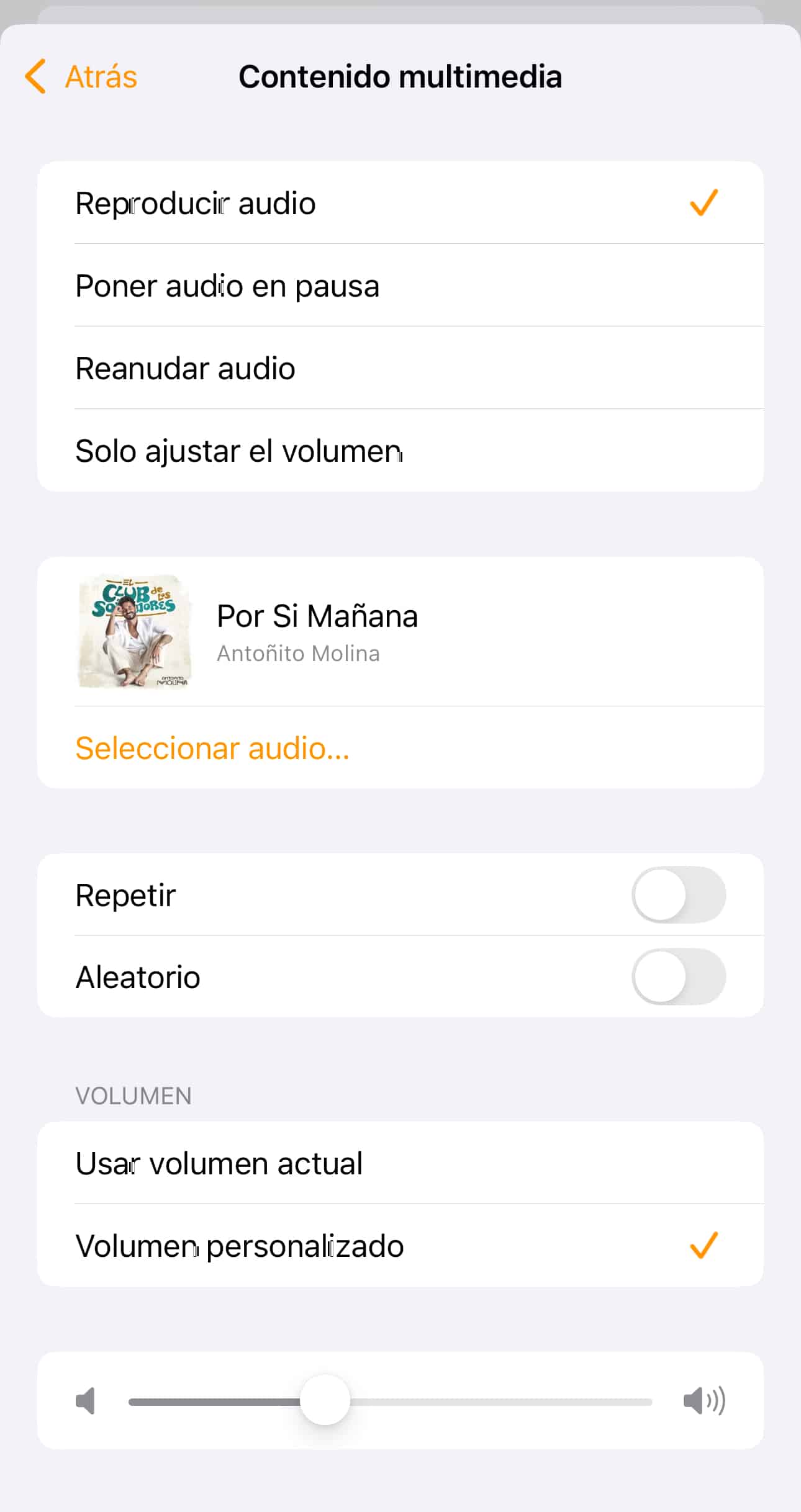
So, during those periods, I would simply disable the gazillion conditional automations I have in HomeKit and enable them in Home Assistant instead. I have exactly the same ones, except for the automations related to music, since Home Assistant integrates perfectly with Sonos speakers, which pull music from Apple Music, but I haven’t managed to get the HomePods to that level of integration—you can send them a song, but you need to have it downloaded as an MP3. Come on, seriously, who has songs downloaded as MP3s these days? This process should be faster, damn it. In my case, every Sunday one of my kids picks the song that will wake them up that week. When my oldest son, who’s now 17, picks it, it’s some kind of unlistenable rap you can’t understand a single word of, the occasional insult here and there and not much else. When my youngest daughter, who’s now 9, picks it, it’s usually mainstream reguetón, the twerking kind, and every time it plays I wonder where on earth she hears this crap since everything at home is restricted content. When my favorite son Miguel picks it… yeah, don’t worry, they all know Miguel is my favorite. Sometimes I tell them «if we were in a life-threatening situation and I could only save one and let the others die, it would be Miguel,» and they start going «Come on, Dad!» But deep down they know Miguel is my favorite. Anyway, when Miguel picks it, it’s usually some Dragon Ball song… now you understand why he’s my favorite, right? He’s earned it fair and square. And when my son Pablo, who’s now 12, picks it, it’s usually one of those romantic songs like «For the love of that womaaaan, we are two men with the same destiny.» Anyway, the point is they’re always more or less current songs… how am I supposed to have that as an MP3? So that’s the one automation I absolutely have to keep in HomeKit, or trigger it from Home Assistant to the Sonos speakers, but not the HomePods.
Canción de Apple Music programada para sonar por los HomePods
There was a period when I was so fed up with HomeKit that I considered replacing all the speakers in the house, selling the HomePods and switching to Sonos. Honestly, Sonos integrates beautifully with both Home Assistant and HomeKit, and it sounds amazing too—you can send songs via AirPlay… but you don’t have Siri, so if you’re on the other side of the house and need to ask Siri something, you have to pull out your phone or use your smartwatch (you’re probably thinking, «Hey smartass, we know you use a Garmin Fenix 8 and that doesn’t integrate with Siri,» well actually, yes it does, and with Home Assistant too, but I’ll tell you about the Garmin in more detail some other day). Anyway, I ended up buying a few Sonos speakers to test things out—a couple of Roams for the kids’ rooms, an ERA 300 for the living room… and they’re working beautifully, but I didn’t sell the HomePods. Maybe if HomeKit acts up again I’ll lose my patience and make the final jump, but right now I’ve got them all together, and when they all play at once it feels like being in Fabrik… or Spook, for fellow Valencians like me who lived through the era of the big Valencian mega-clubs.
Damn, I really have a knack for rambling on, wandering off into the weeds and losing the main point. I have no idea how we got to Spook from what I actually wanted to tell you about the new version of Controller for HomeKit.
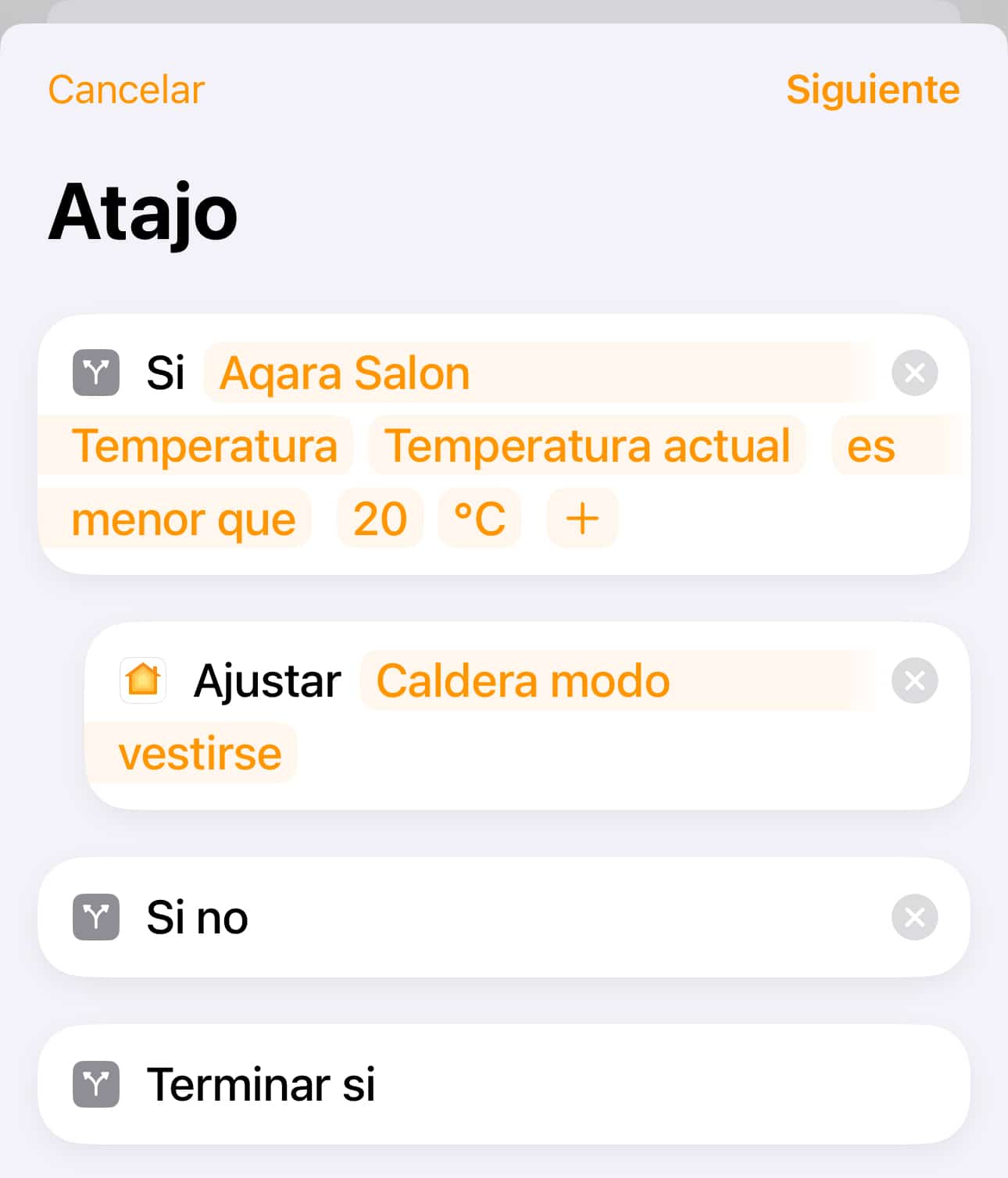
The thing is, with Home Assistant it’s super easy to create an automation and add a condition to it. It’s really intuitive. However, when you try to build an automation from the Home app, you quickly realize how few options you have. Basically you get «When arriving,» «When leaving,» «At a time of day,» «When controlling an accessory,» and «When a sensor detects something.» It’s true that for several iOS versions now, you can tell the automation to «Convert to Shortcut,» and from there you can do more advanced stuff and add conditionals like «If the temperature in the Living Room is below X and I’m home, turn on the boiler… but if I’m not home, don’t turn it on no matter how cold it is.» You can stack as many conditionals as you want—for example, you could tell the previous automation «If I’m home, turn the boiler on to 21 degrees, but if I’m not home and my wife is, then set it to 22 because she gets colder easily.»
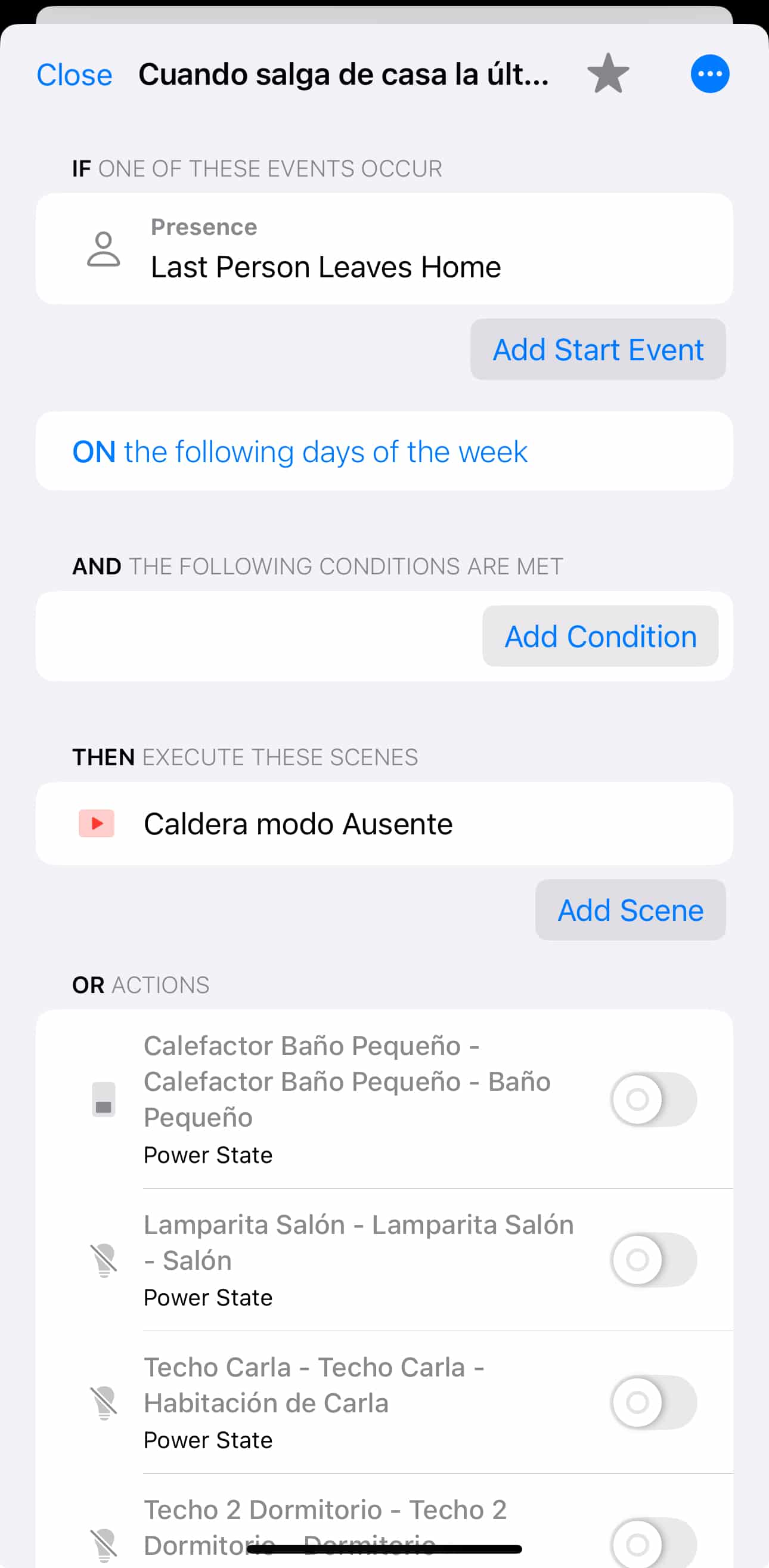
Building this kind of automation through Shortcuts isn’t very intuitive; you need to know exactly what you want to achieve and then nest several conditionals inside one another—it’s easy to get lost. However, with Controller for HomeKit, creating automations becomes much simpler and you can set up multiple conditions. One of the new features that came with version 7.1.0, released a few months back, is that you could create conditions using AND and OR, which gives automations a lot of flexibility and lets you cover several scenarios with just one automation.
They also rolled out the 3D map that renders your home on a really cool 3D floor plan—we already talked about that a while back on the podcast: https://csahuquillo.mumbler.io/c/mapea-la-casa-con-controller-for-homekit I still have the widget on my iPhone’s Home Screen, and with a single tap you can see all your home’s devices in their respective rooms in a super visual way.
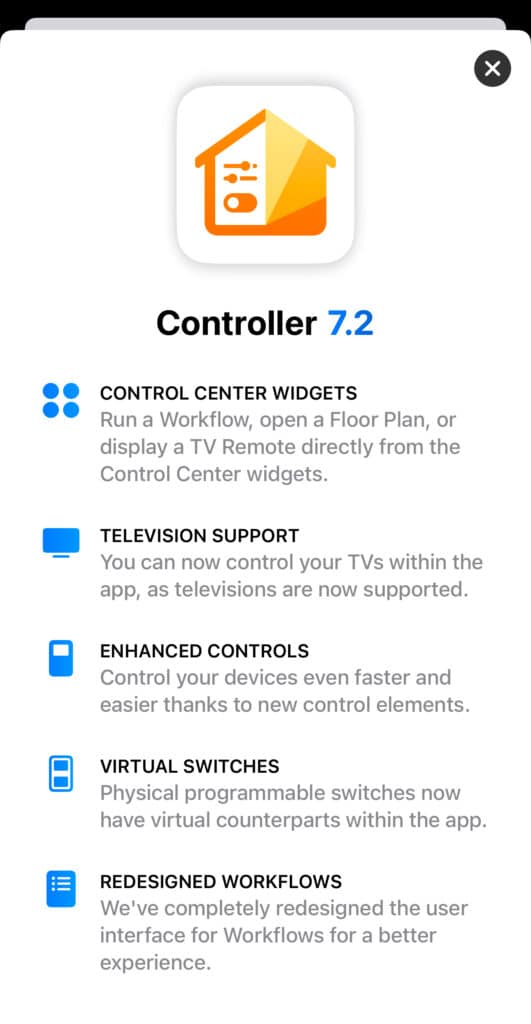
And now, the folks at Controller have released version 7.2 with even more interesting options!
To start, taking advantage of iOS 18’s new features, they now integrate with the new Control Center, so on your iPhone’s main Control Center screen you can add anything from Controller—an action, a Workflow, a scene, whatever you like. There’s already a dedicated tab that takes you to the Control Center screen for the Home app, but that’s too many clicks for my taste, so actually I have a Shortcut mapped to the Action Button that opens a menu with the actions I use most at home, like opening the gate, opening the front door (I’ll get into that in more detail soon too—I’ve put my whole family through the wringer testing out the latest electronic locks… until I finally settled on the definitive one, which in my opinion is perfect: the Tedee Go, even better than the Pro that many of you own thanks to the Telegram group buy. I’ll tell you all about it soon. And no, don’t go putting yours up for sale on Wallapop just yet, hold off a bit, because my actual needs don’t necessarily match yours, don’t go believing you need a new one just because I do).
Another interesting feature is that if your TV is HomeKit-compatible, you can now integrate it into Controller for HomeKit too. I also talked about this years ago when the first HomeKit-compatible TVs came out, because back then they didn’t really offer anything genuinely useful—you could create an automation so that the TV would turn off when everyone left the house… but come on, a TV isn’t the kind of thing that usually gets left on, that’s more of a bathroom light or a coat closet light situation… a TV is a different story, so beyond a proof of concept it didn’t really add much. Later they introduced the ability to switch the input source from the Home app, so you could run a shortcut to switch the TV directly to the Movistar or PlayStation HDMI input, just like my friend Martín Guiroy from the MacIllustrated Telegram group does, and which he’s mentioned a few times on his Mini podcast.
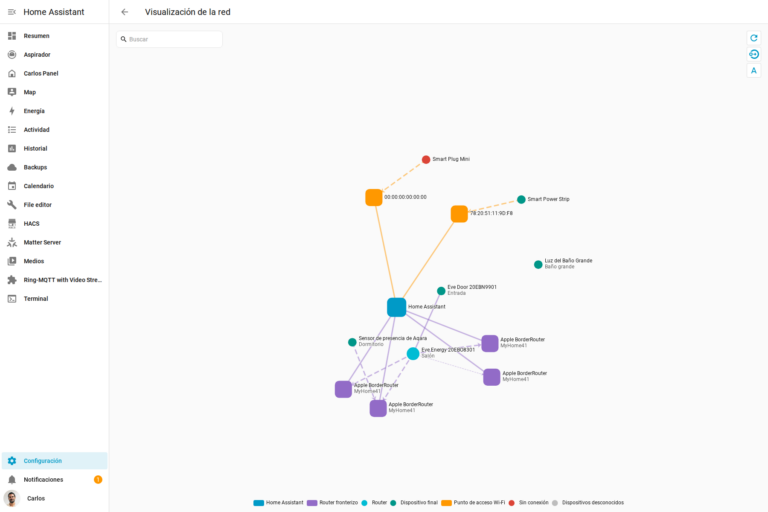
There are devices that Apple has basically «held hostage,» so to speak. For example, the HomePods we mentioned earlier, since it’s not possible to create an automation for HomePods from outside the Home app. Those elements simply aren’t visible, as if they didn’t exist. However, if you use, say, the Eve app, which has a feature that shows all your Thread devices, kind of like a Wi-Fi radar where you can see all your connected devices, there you can actually see the HomePods acting as a border router—but you still can’t interact with them or send them music. The same thing happens with the Apple TV… and until now it also happened with HomeKit-compatible TVs, since that element wasn’t exposed to third-party apps. Well, now you can create those automations or scenes directly from Controller for HomeKit, so you can have all your automations in one place, and more importantly, you can create a backup, since Controller lets you back up your automations and settings.
But the most interesting new feature is virtual switches. For those of you who have Shellys flashed with Mongoose, this is essentially Detached mode. It means that when you integrate a switch or a smart relay like Shellys, Sonoffs, or Aqara ones, besides the physical switch you see in the app that you can turn on or off to send power to the bulbs, you get a virtual device that lets you do other things. For example, if you have smart bulbs that you can’t cut power to, you can set it up so that when the switch is pressed, the virtual switch turns on and tells the bulbs to light up at 100%, while pressing it again sets them to 0% without cutting their power—this way you can do more with them, like having them turn on at only 50% after 10pm, in warmer tones, or if you’ve got 10 halogen lights lighting up your hallway like it’s the Bernabéu, pressing the switch at night only turns on 2 of them.
Typically, virtual switches are used to trick certain security devices. For example, you can set the alarm to arm automatically when everyone leaves the house, but you can’t make it «disarm» automatically when you arrive home. It’s a security feature and it just won’t let you. The same goes for not being able to have the lock open automatically when you’re standing in front of the door without some kind of interaction happening. This is supposedly for security reasons, so you can’t tell the alarm to disarm and the door to open just because your phone gets close, because if someone who isn’t you brings their phone close, it would open just the same, without any FaceID or fingerprint authentication or anything… but maybe you actually need this to work! When I get home after grocery shopping or loaded down with a ton of stuff in my hands, nothing annoys me more than having to set things down on the ground just to open the door. I feel like I’m in The Croods, having to manually roll the rock away from the cave entrance. What’s the point of having a smart lock if I have to drop everything just to get in? But you actually can set the alarm or lock to unlock based on another device—for example, when a virtual switch turns on. So what I do is: when I get close to the door, that virtual switch gets activated, and when the alarm detects that the switch has turned on, it disarms and unlocks the door.You can set up a virtual switch to activate when you’re not home, so that a bunch of other automations can check the state of that virtual switch. For example, I have a room called People where there are virtual switches named after each member of my family. If my wife is home, her virtual switch turns on, so by glancing at the People room I can tell at a glance who’s home and who isn’t. Or you could turn on a virtual switch when Movie Mode is activated in the living room, and while that virtual switch is on, the motion sensor in the living room won’t trigger the lights on or off, so they won’t turn off no matter how still you’re sitting watching the film. Imagine trying to do that with a conditional automation! Virtual switches are basically a way to massively simplify automations, since you can do whatever you want with that button, and have other automations react to its state.
¿Necesitas ayuda con tu domótica?
Te ahorro tiempo, dinero y disgustos. Sesiones de consultoría desde 60€.
 Carlos Sahuquillo
·
31 octubre, 2024
·
13 min de lectura
Carlos Sahuquillo
·
31 octubre, 2024
·
13 min de lectura




0 comentarios