Delay with Aqara switches and Philips Hue bulbs
 Carlos Sahuquillo
·
7 febrero, 2022
·
16 min de lectura
Carlos Sahuquillo
·
7 febrero, 2022
·
16 min de lectura
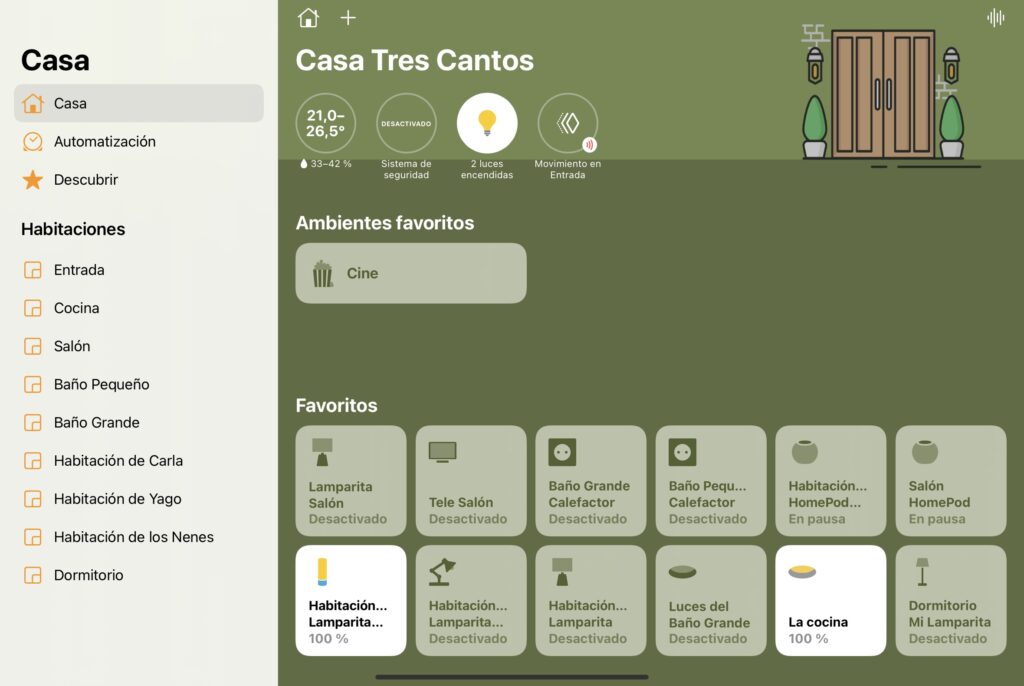
Finally! After several months hitting me with the breakers’ delay as I have been commenting on the podcast, at this moment I can say that I have finished with the lag or delay of the Aqara switches! It wasn’t easy or there was just one reason, so let me tell you from the beginning:
The problem: when the switch is pressed, the light is turned on within a few seconds
As you know, I have at home the switches of Aqara, the golden H1 (compatible with European E1). They’ve always worked out well. No big problems or disconnections… well, the people of Aqara decided to discontinue the model when they had half of the house switches changed… I also found that by buying the H1 China version they could not be directly linked to the bridge if you were using European servers… and that
Xiaomi’s App had updated the breakers’ firmware and it was not possible to link them to Aqara’s app… but well, problems’ minor ‘that I have been solving without major service losses.
The first of the problems had ‘easy’ solution… easy between quotes, as it was a simple but not cheap solution: change all the switches in the house again as my wife did not want to have half of one form and half of another. First world problems.
The second of the problems was also not difficult to solve: the H1 switches are 100% the same as the European E1, so simply telling him in the Aqara app that we have an E1 we can link it back with no problems.
However, For a few months I’ve been noticing that they don’t work as well as before.. When you press a switch it takes a few seconds to light the light… this associated it to the fact that the Hue lights win and lose intensity very slowly. You know that the ‘smart’ lights don’t turn on and off like the conventional light bulbs, but when we tell him that we want to turn it off, what he does is to lower the brightness to 0%… and when we want to turn them on, they turn on the brightness from 0 to 100, 60% or what we have set up. So, the on and off is not instant Because there is this gradient… yes, it lasts millseconds…
but you can see a difference from a conventional bulb.
But A few months ago this time of delay increased overnight and for no apparent reason.. The few millseconds associated with the gradient of light became 6-7 seconds… and 6-7 seconds is a completely unacceptable time. Sometimes you were going to enter a room or the bathroom, you were pressing the switch when you came in… and you were looking in the middle of the room completely dark because the light hadn’t turned on yet. And sometimes, when you pressed the switch again in case you didn’t press it correctly, the two actions came in and the light was on and it was going out instantly… a disaster. And this didn’t just increase my frustrac.
and the rest of the house’s inhabitants also expressed their dissatisfaction with the switches.
First solution: Aqara bridge change. Spoiler: FAIL
The first thing I thought was that my old 5-year-old M1 bridge behind your back was no longer able to manage all of Aqara’s devices and sensors. Note that all switches in the house have to add more devices connected by Zigbee such as temperature sensors, smoke sensors, some smart-button, vibration and motion sensors… a lot of devices that managed the bridge wireless, so I decided to change the M1 to the modern M2. It’ll be for money.
In addition, I migrated all the devices from Xiaomi’s app to Aqara’s app.. Years ago I started using the Xiaomi app because from the Aqara app it was not possible to set up the bridge ‘alarm mode’ correctly and, since I have no more Xiaomi devices like mobile, vacuum cleaner or skateboard, because I decided to test the Aqara app… and yes, now it works perfectly. The fact is that this migration was really simple, just set up the rooms and press the button of the devices to link to the new app. Easy, you got it in a little bit. That’s right. when migrating from one app to another the devices disappear from
the Home app and therefore the associated automations also disappear and must be recreated.
Also I changed the geographical area! So, instead of connecting with Aqara’s Chinese servers, connected directly with European servers… woody are closer, TCP packages should take less to arrive: D
With all these changes and connecting the M2 bridge by cable instead of using wifi I told you on YouTube:
https: / / youtube.com / watch? v = bxDjRKBRK7g & feature = share [/ embed]
There was actually no difference in connecting the bridge by cable or wifi, but it’s true that If the light goes out and you have the bridge connected by cable, it reworks long before you have it connected by wifi.
Philips Hue’s smart-button is still faster.
I was so happy with the reduction of the lag or delay of my switches when one day pressing one of Philips Hue’s smart buttons I realized the light was on almost immediately, much faster than with Aqara’s switches… and again to turn the matter around.

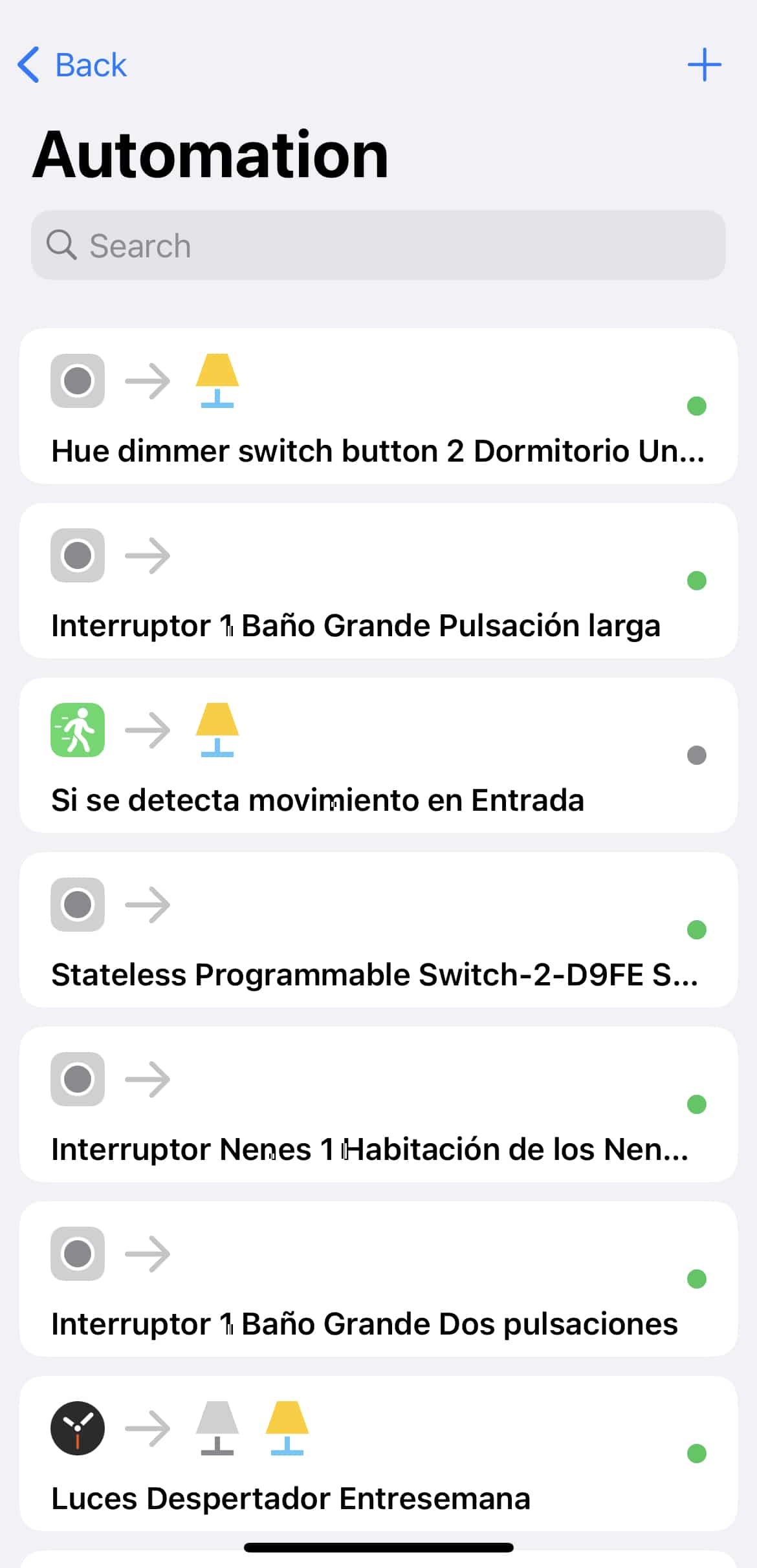
I did different tests and I checked that if the automation of the Philips Hue button was created in the Hue application, the reaction of the bulb when pressing the button was almost immediate. But if using that same button created automation from the Home app, the delay was quite noticeable Again. Does this mean that the delay was introduced by the Home app? It can’t be, if it’s Apple’s original! It can’t be that third-party ones work better!!
Commenting on the Discord group, JASF commented that it was for the automation itself Home, since it introduces a condition… it basically says that if the bulb is on when we press the switch because it’s off… but if it’s off then it’s on. All this in one rule, but it made sense… so I removed the rules of the House and created them again from the Home + v5 app and without conditions, simply creating 2 different scenes, one for example, CINE ON and another CINE OFF.
There is another feature of the House app that introduces a slight delay, and is that when you are going to program the switch from Home you can create an automation for the normal ‘click’, another for the ‘double click’ or double click the switch and another for a long push, that is, keep the switch pressed for a few seconds. This makes when you press the switch once, the Home app does not immediately run the automation but ‘wait’ to see if you press it again. And it’s a double click. More delay.
However, from apps like Home + v5 or Controller for HomeKit You can tell him «with any kind of push,» which makes you unable to schedule actions for the double click and long push that I wasn’t actually using… and you avoid that ‘wait’ to see how many times you push.
Friends of Hue switches. Spoiler: Super Fail
Despite having Aqara’s switches all over the house, I decided to test the switches certified by Philips Hue to combine with their light bulbs. Since Philips has no own switches, it has a certification called ‘Friends of Hue’ that allows other manufacturers to integrate with the Hue universe and to be able to add the devices from the same Philips application as if it were an original device.
Of all available, I tested the GIRA Senic in black.
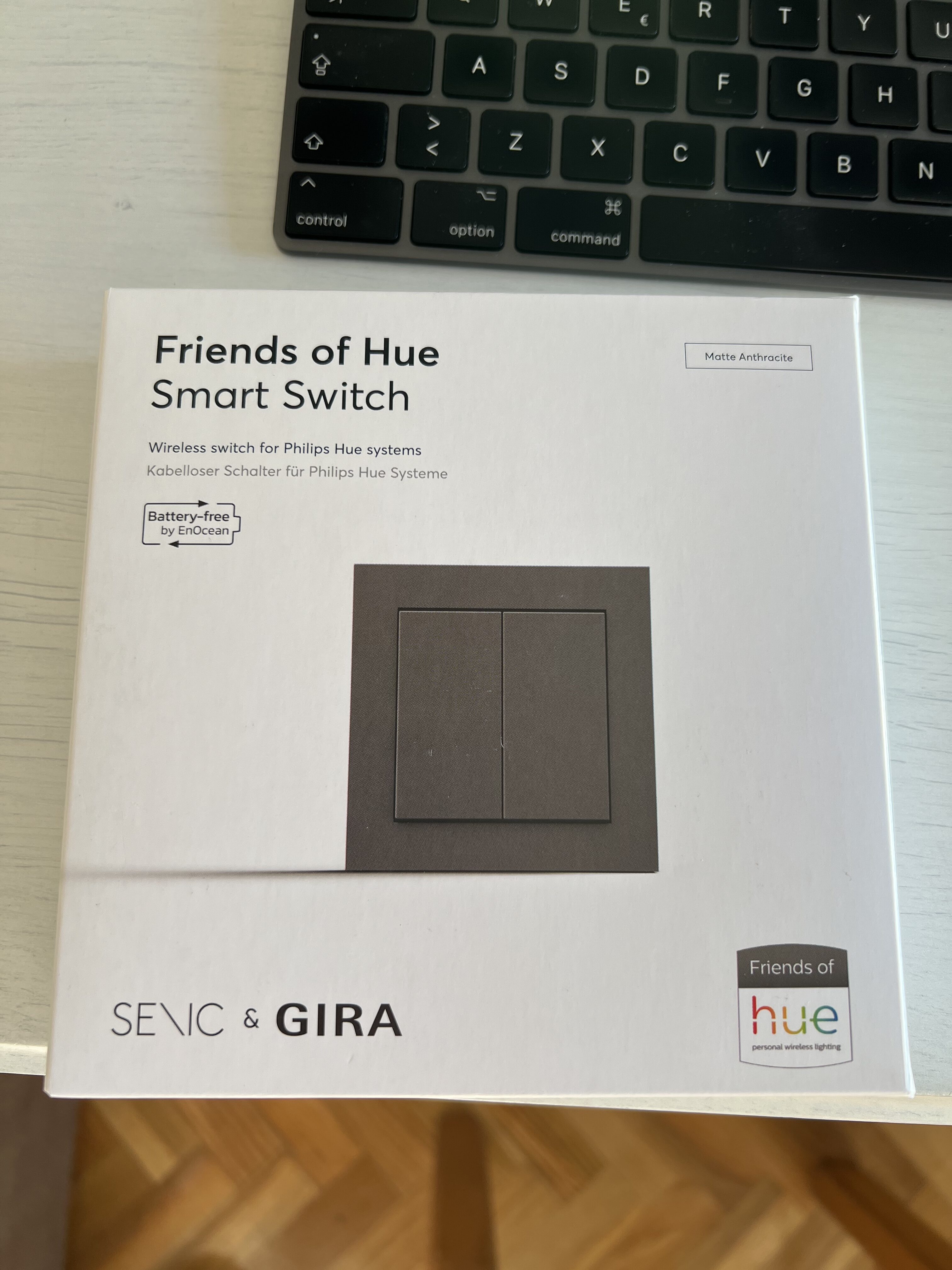
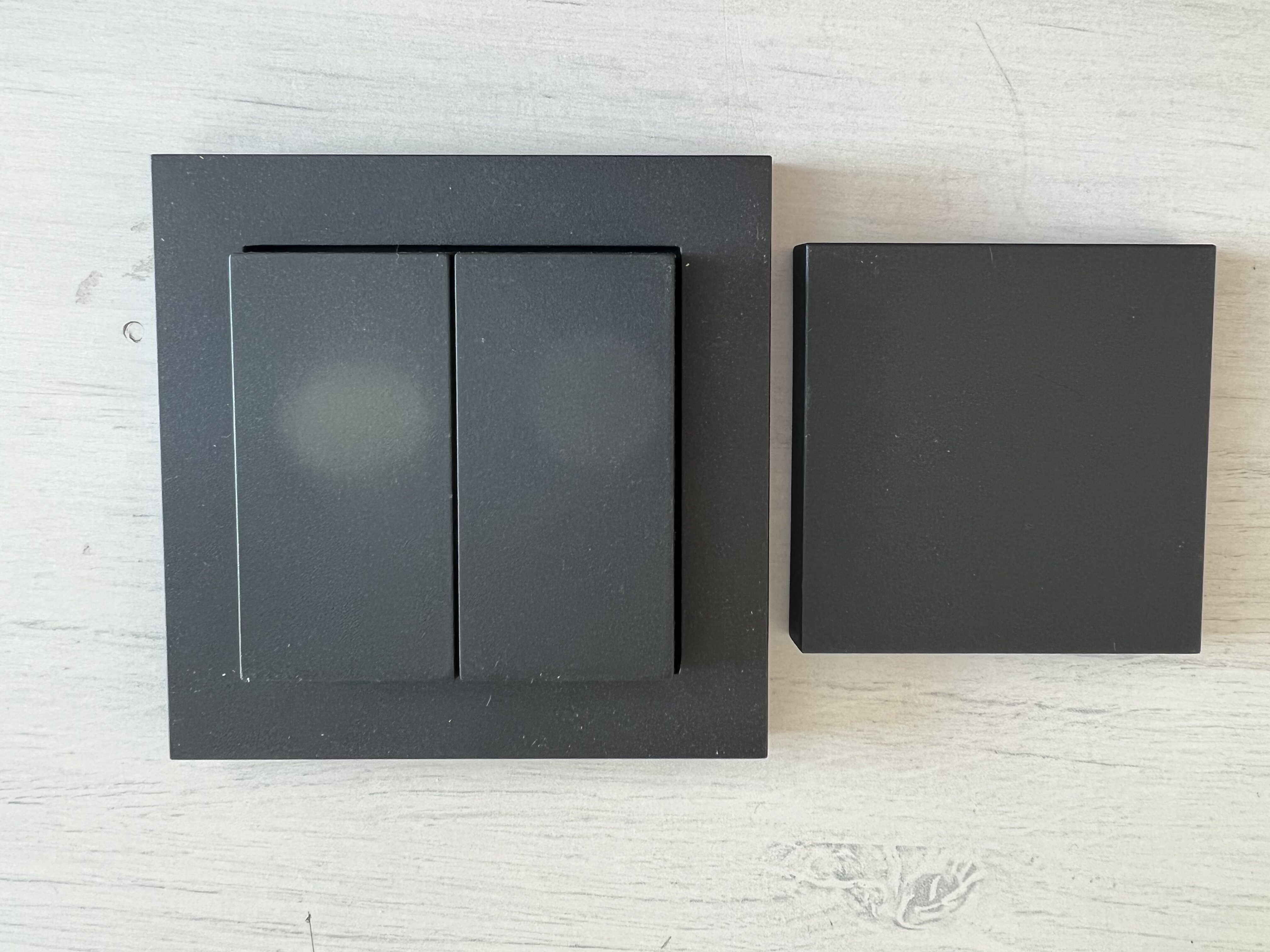
Obviously also are compatible with HomeKit and other standards or assistants, so you can configure them from both the Philips Hue app and the Home app or any other app you use to manage your devices.
These switches are much nicer than those of Aqara, they have a more robust and less’ plastic ‘design, and are available in different colors.
They have some interesting features such as working without batteries! The same push-button generates the current needed to send the signal… this is cool because you forget to change the batteries, with those of Aqara is something I do from time to time… it lasts more than 2 years, but you have to keep it in mind and have some spare batteries so that you don’t run out of light in any of the rooms.
I hear you don’t really run out of light! You know I have the whole house with Phillips Hue bulbs so I can turn them on from any device or using Siri… but you also know that it’s not a very good idea to have to train my wife and the babies to use this other method instead of the lifelong switch, the resistance to this change is very complicated.
Another feature that has attracted my attention is that there are no double and simple switches, but the same switch already has all the sensors to be able to put a single key / push button or 2… that is, it has 4 zones on the switch, 2 up and 2 down, all of them configurable. Needless to say, when it’s a surface switch that’s not physically wired, you don’t need to associate it with a bulb, you can use it for example to activate the boiler, close the door with the smart lock or interact with any sensor you want whenever it is compatible with HomeKit or Hue.
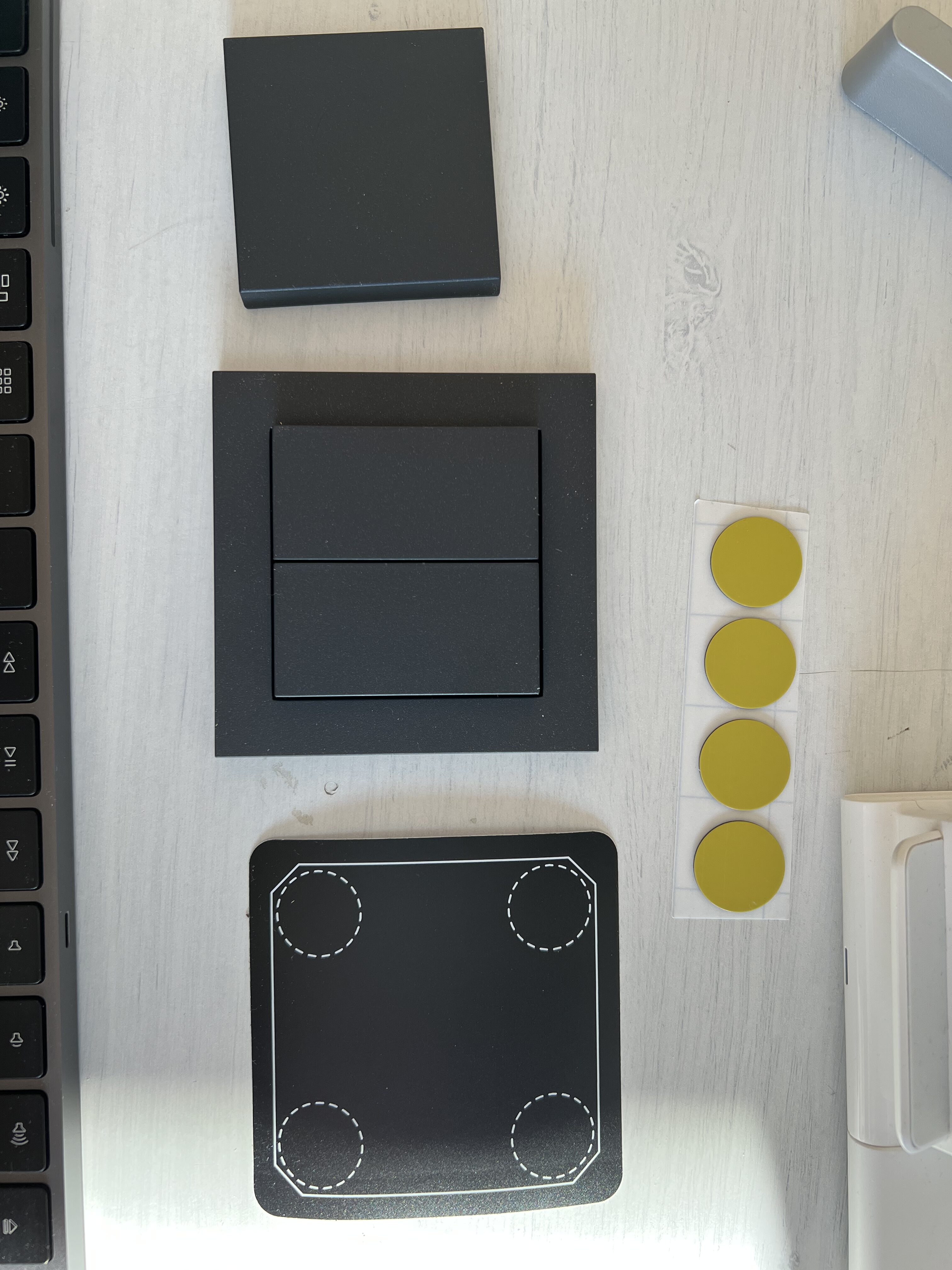
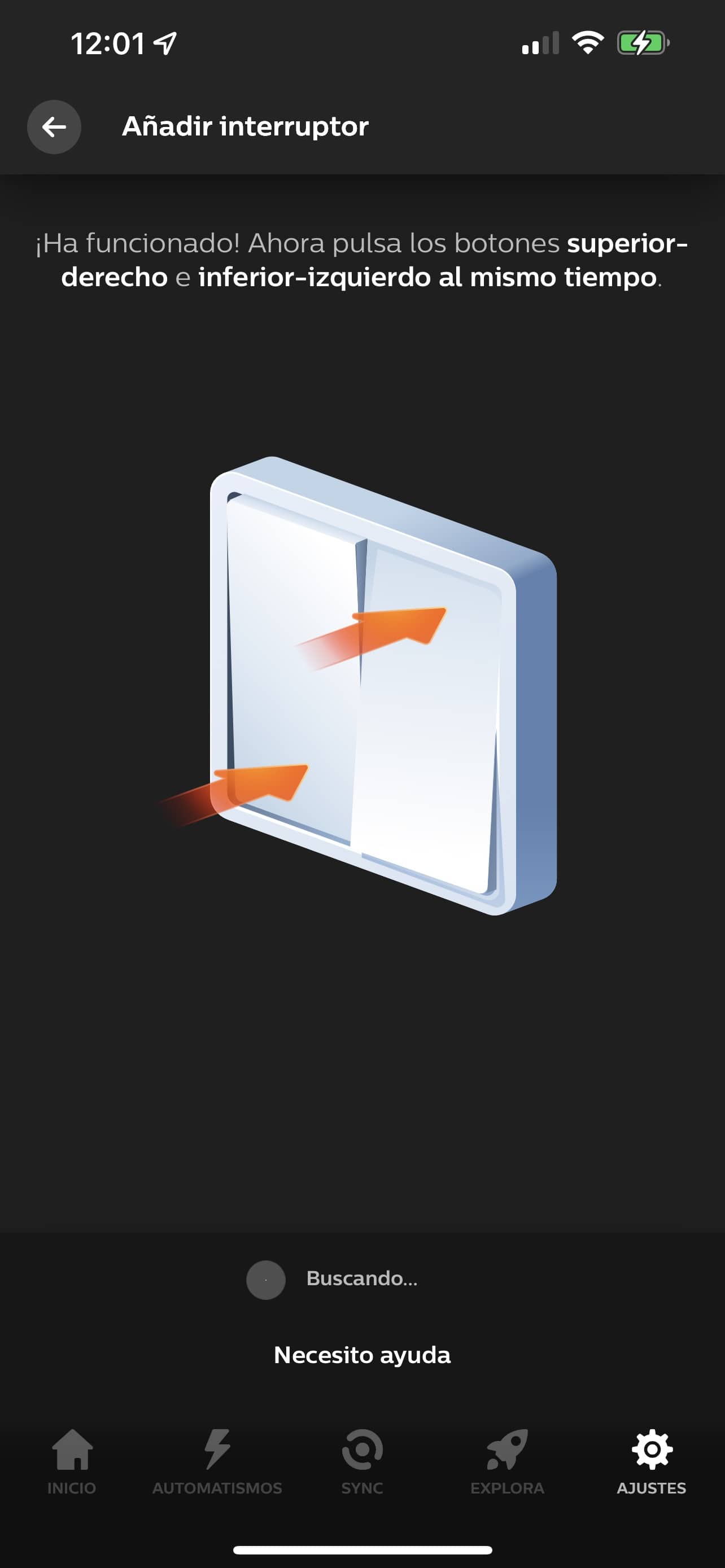
The thing is, after you bought the NADA BARATO switch We had the same behavior as Hue’s buttons… since Hue’s app are faster than HomeKit. But not only that, but to generate the necessary current to feed the switch simply with the click, are hard and make a lot of noise, make a CLICK-CLACK that doesn’t cool anything on a home switch. It’s clear that all the switches make some noise… but one thing is to make some noise and another that every time one of my kids turn on the bathroom light at night, the whole house wakes up.
I can’t wait to try. Eve’s switch which is more beautiful than Philips and has Thread connectivity… but has two drawbacks: the first is that it requires installation as it is a wiring switch. This is very good because even if you don’t have wifi, it’s going to continue to work like a conventional switch, but it makes it necessary for me to get a new wifi, Expand the gaps in the switch you need, etc… maximum laziness gives me. And the second of the inconvenience that is more important if you can
It is that it costs 100 strokes.. Yeah, 100 bucks a switch. If you’re looking for a brand switch recognized as Legrand, Simon, etc and you put a Shelly in the back, you’ll have exactly the same function for half the price.. It’s okay not to be so glamorous and Shelly doesn’t have Thread connectivity… but it’s just that 100 euros per switch is a pass! I’m almost 30 in my house!
Philips Hue to Nanoleaf bulb change
I’ve already told you about the discovery of Nanoleaf bulbs with Thread technology and how are turned on and off faster than the Hue. A lot faster. In fact, I’ve put some Nanoleaf in the kitchen and that splinter is turned on (and off) before the rest and it’s quite noticed.
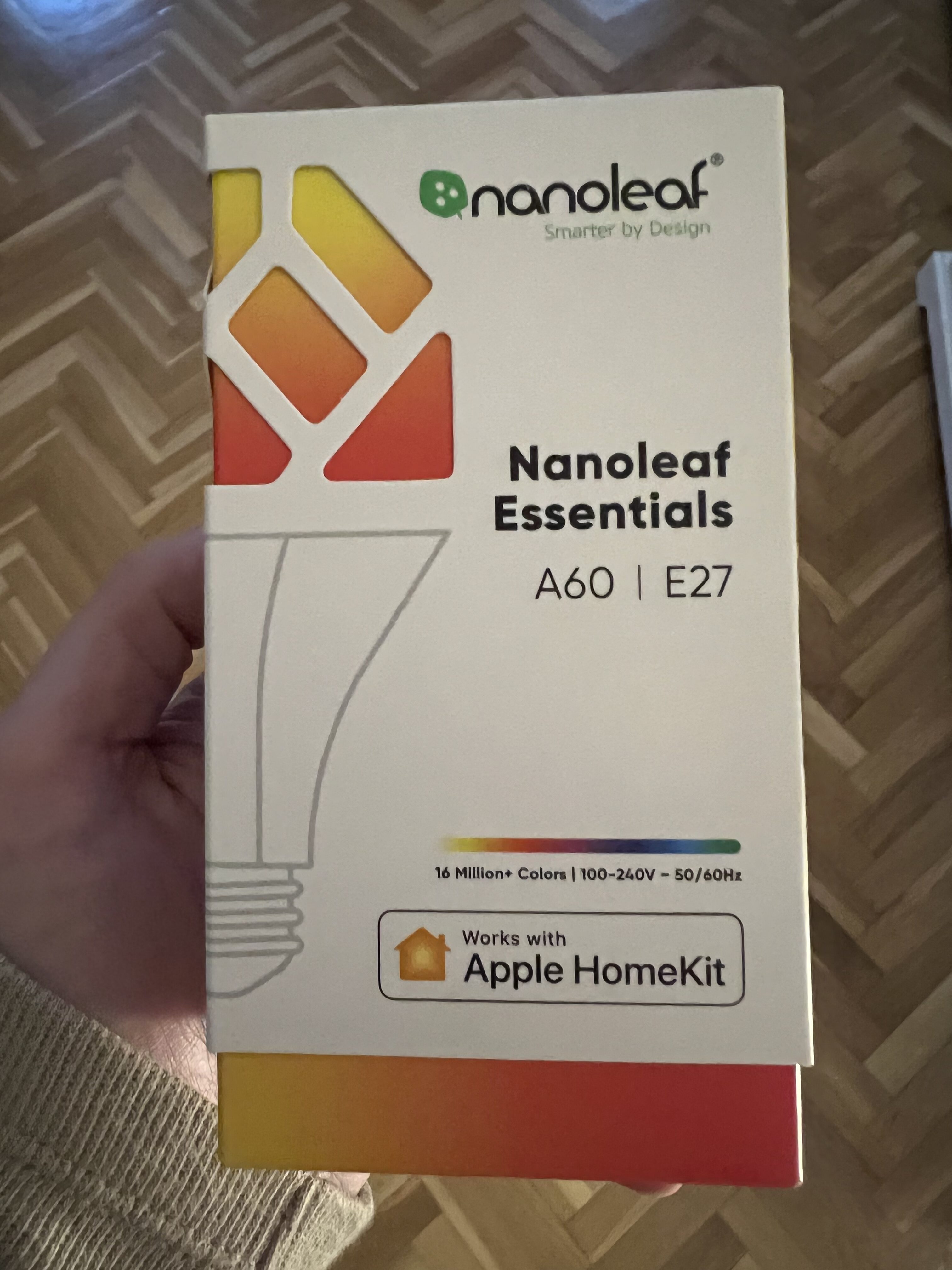

The bad thing about the Nanoleaf bulbs is that are only available in E27 or ‘fat thread’, so I can’t replace all the light bulbs in the house that are mostly E14 or ‘fine thread’. I have the same thing with the bathrooms, since they’re GU10 of those who have two spikes… so there I’m going to have to continue with the Hue wants or not. In any case, If I can sell all the Hue I have E27, I will replace them with Nanoleaf, but I will not sell them because nothing happens because it is not something that will change the delay as from heaven to earth, it is simply a little bit more to reduce wait.
ng >.
The solution was to change automation
As you could see, there is no single cause to delay the switches. Each of the changes I have made have contributed to reducing latency and times, but I think the change that has cut the most time has been the change in automations..
I thought that by creating the automations from Home you were saving yourself problems, you had it all together and, as Apple’s native app, it would be the fastest thing than with third-party apps. But nothing further from reality, the Home app has many shortcomings As you have seen. The delay in waiting for ‘in case you double-click’ seems to me to be of traca, I should be able to put a ‘for any type of push’ unless you specifically want to set up a behavior for the simple click, one for the double-click and one more for the long or pressed click.
In addition, In parallel I have found another limitation and it’s just that HomeKit as standard only allows to create 100 scenes:
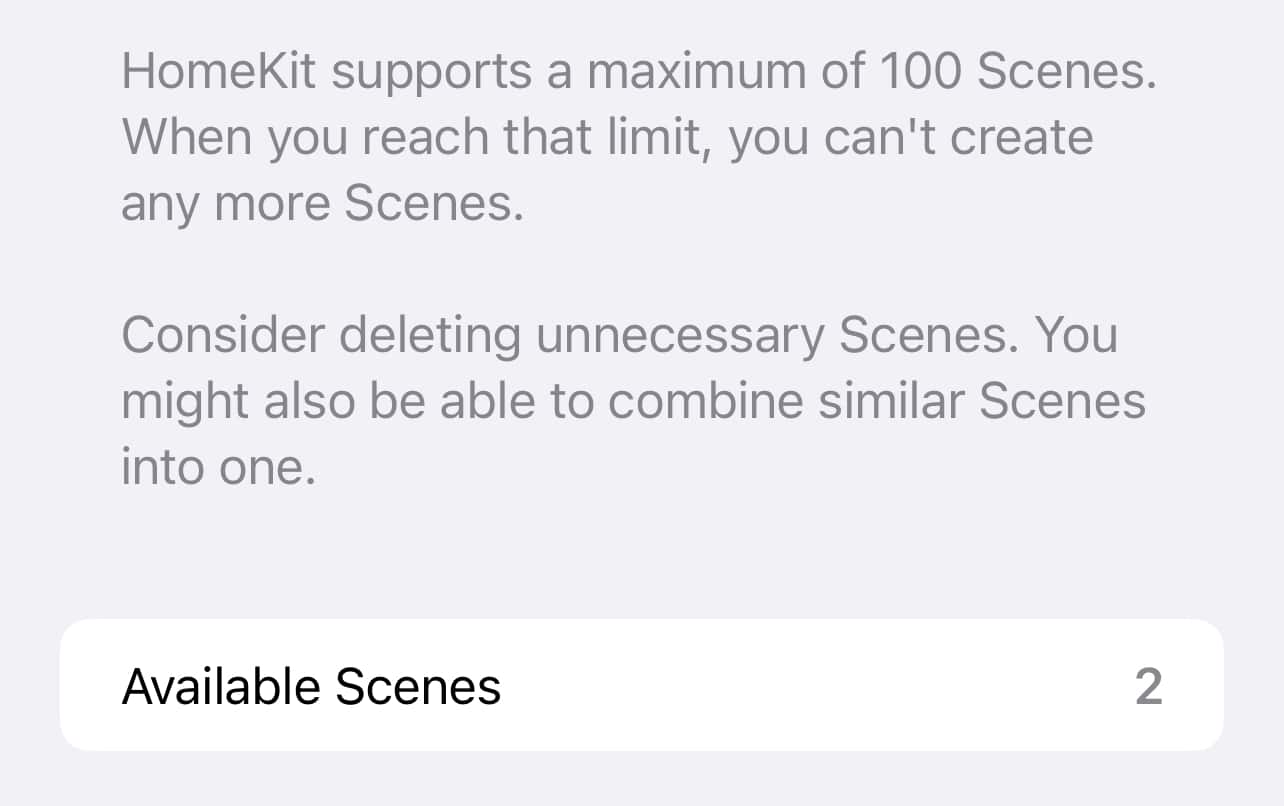
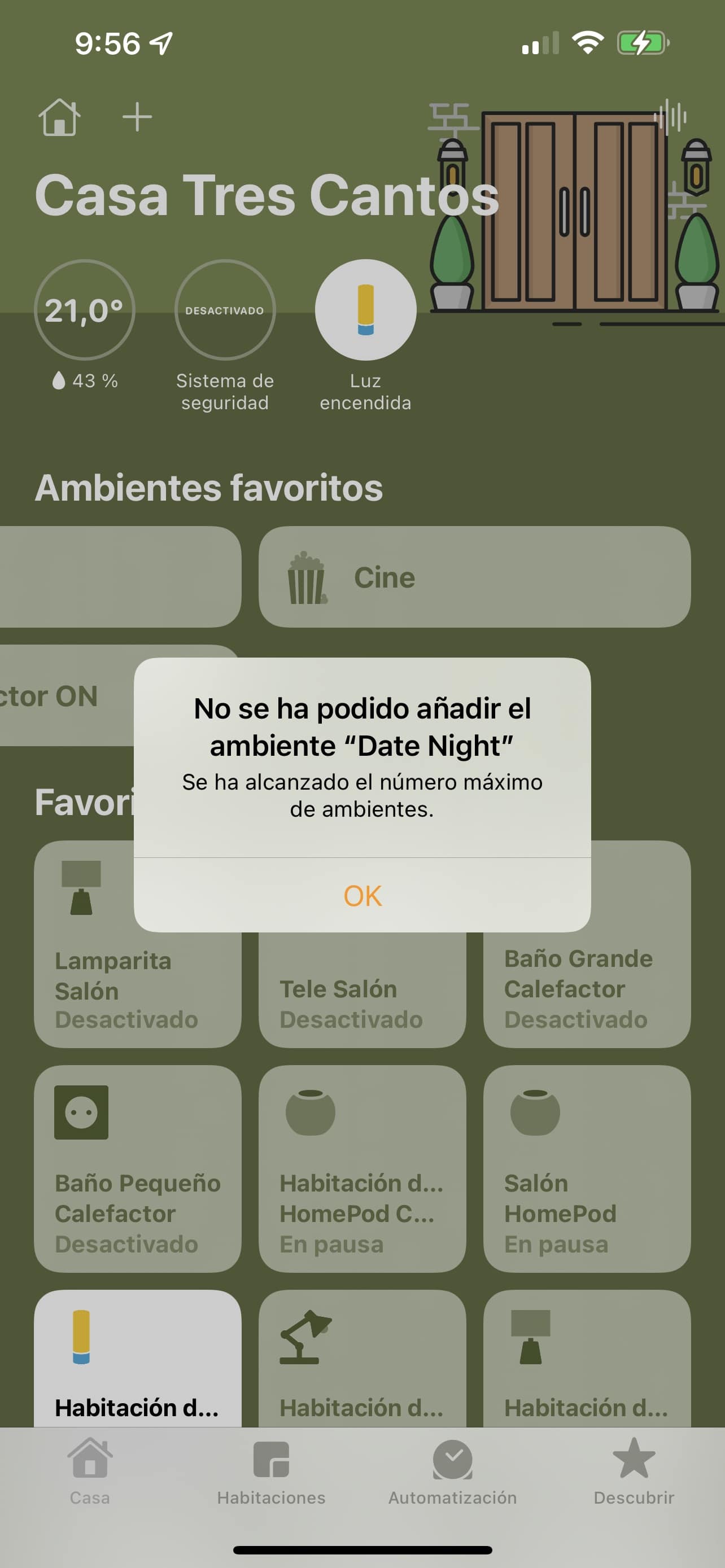
Yeah, I know what you’re thinking… who in his right mind needs more than 100 scenes! I’d actually need only 5 or 6.: Good morning, Good night, When the last person comes out, When the first person arrives, Cinema and Shower (separately, it is not that I see the fabric from the shower… the first of them goes down the lights of the living room and turns off some of them so that they don’t bother or reflect on the TV and the second one turns on the heater of the bathroom and turns on the lights…
But not that I have created 100 scenes, is that only the Home app can create an automation with an associated action. For example, if we tell you that below X degrees turn on the boiler, because it interacts with the plug, relay or whatever it is from the boiler and does it directly without more. In other third party applications a scene is created for this as they cannot directly run the action. For example, if we tell you that below X degrees turn on the boiler, what they do is create a scene that is CALDERA ON. And of course to turn it off the same. If we tell him to turn the boiler off above X degrees, he’ll create a scene that’s CALD.
ERA OFF, so when the condition is given, as they can’t just run the action by being blocked by Apple, they have to run the scene. Since I have almost 30 switches as I told you before, on this side I already have 60 scenes with the ON and the OFF of light bulbs that are…
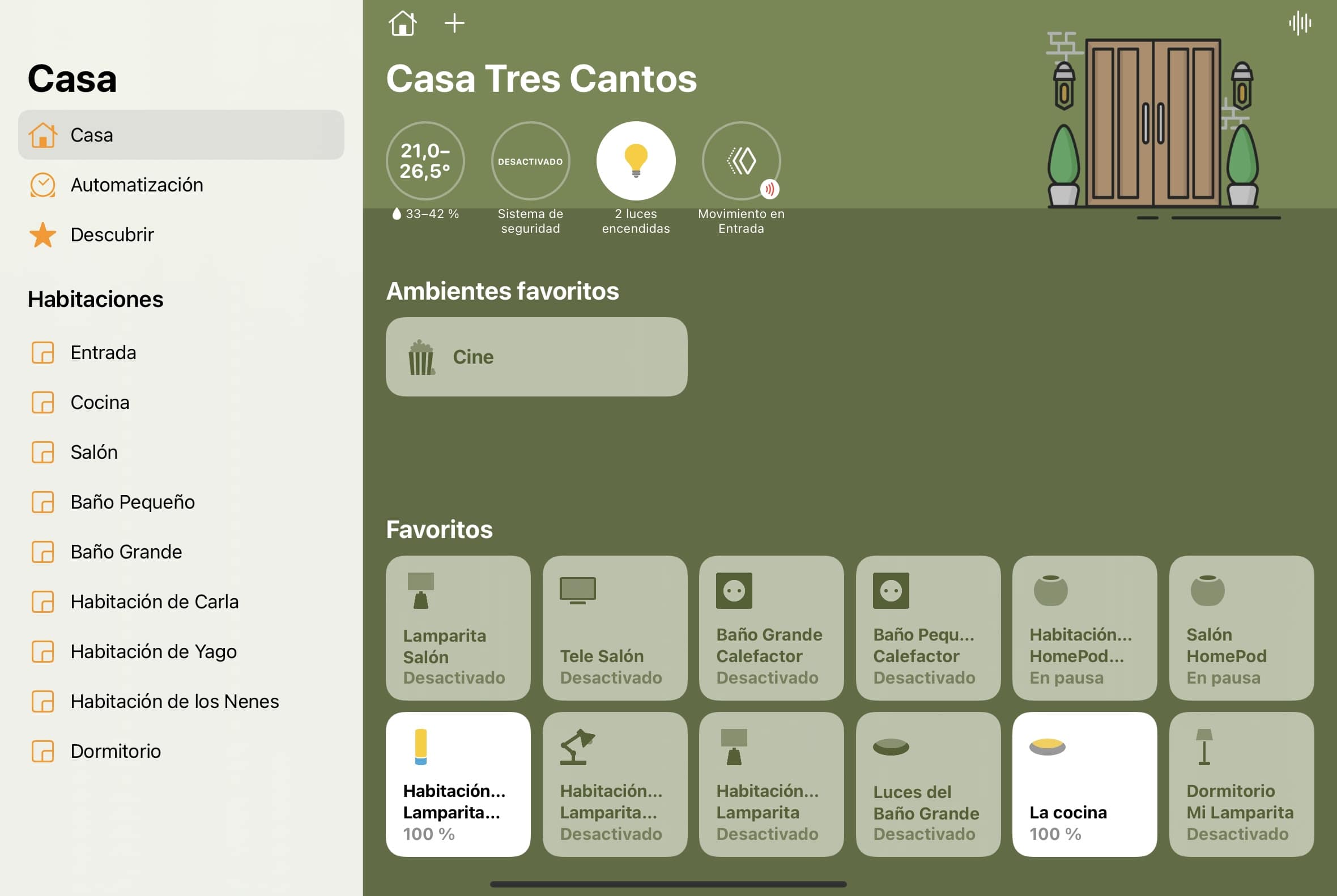
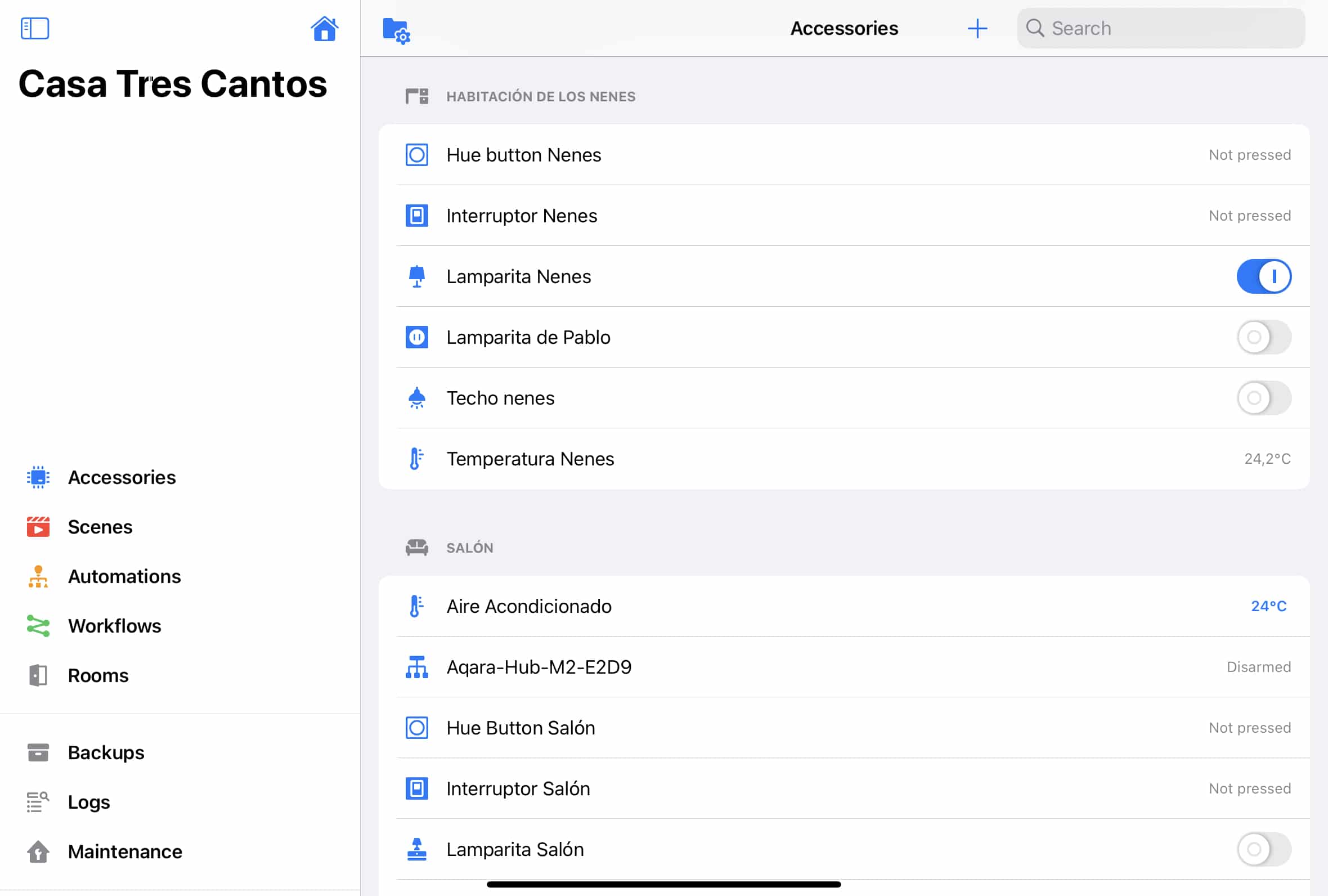
Ah, Nor can we stop using the Home app and do everything from another app, huh? Some devices such as HomePod, TV and others are not yet available for third parties, so if you have automations that include these devices, you will have to do them yes or yes from home. And why not say it, it’s the most beautiful app by far… no matter how much you personalize the Eve app, Home + v5 or Controller for HomeKit you’re not going to look so viscous and with the nice look that House has that make it. PERFECTA to put on an iPad somewhere in the house so that anyone can interact with it:
In summary
If it happens to you like me and from the time you press the Aqara switch until the bulb turns on, it’s a few seconds. It gives you a lot of laziness to read the whole entrance. I summarize here the things I’ve done until I’ve managed to minimize this delay to the maximum:
– Change from old M1 bridge to new M2.
– Connect the Aqara bridge to the wired network instead of the Wifi.
– Aqara European Servers.
– Change to the application of Aqara, which used the application of Xiaomi Mi Home.
– Cleaning of rules and automation.
– All automations are fired with the switch ‘any’ event, does not take into account whether it is a click or double click.
– Migration of the rules and shortcuts of House that introduced a condition SI to automations created in Home + v5 and Controller for HomeKit.
– + Change of some Hue bulbs by Nanoleaf, which make the gradient to turn on and off much faster.
I hope one of these tests will help you if you’re in my case because it’s very desperate to press the switch and it’s going to pass for several seconds until the light turns on.
wp: block {«ref»: 1612} /
Carlos Sahuquillo
'Haga lo que haga en la vida, siempre compito' - Jacques Villeneuve Reserva una sesión →
Entradas relacionadas

HomeKit with AI in iOS 27
Apple released iOS 27 on September 14th and, as every year, I'm going through what's changing in the Home app and HomeKit.…

Webhooks and workflows in Controller for HomeKit
Kicking off Season 4. I'm picking back up the automation for the sensor that kept running out of batteries that I told…
How to tell if your kid is sneaking into your room without having a camera
I bought the Aqara P2 presence and light sensor with Matter, and I've got it running simultaneously on HomeKit and Home Assistant…
Bueno, yo te doy otra opción. Para el resto de automatizaciones, usa Home o lo que quieras. Pero para manejar las luces USA SOLO LA APP HUE o alguna que trabaje directamente con el HUB (como iConnectHue).
El problema que tienes se debe seguramente a que has definido cosas para los mismos elementos desde dos sitios distintos. Eso vuelve loco al sistema. Yo llegué a tener retraso, botones de ON que funcionaban a veces sí y a veces no, otras veces al poner una escena que ya estaba puesta, parpadeaba todo y volvía a su sitio… se estaban solapando cosas. ¿Por qué? Porque lo que configuras en la app HUE o las que trabajan con el HUB de phillips, programan todo en el propio hub. Pero lo que programes desde Home, se programa en el «hub de apple» (el appleTV, iPad o HomePod que estés usando para ello).
Lo cual ya de entrada, es más lento. Porque una orden directa de por ejemplo un dimmer switch de phillips para «encender» va directo al hub y el hub enciende la bombilla. Una orden del dimmer switch que pase por Home, va al home, del home al hub y el hub enciende. Ahí ya hay más pasos y encima, en función de la configuración de tu red local (dns, mdns, etc.) los paquetes pueden dar muchas más vueltas de lo que cabría esperar.
Así que a mí me funciona todo desde que el manejo de las luces lo hago todo programando a través de la aplicación de phillips o (bastante mejor) desde iConnectHue. OJO: eso no quiere decir que no pueda tener escenas en Home y lanzarlas desde la app Home del iPhone, por ejemplo. Quiere decir que si voy a programar el comportamiento de un interruptor (de momento solo tengo dimmer switches de phillips), lo hago exclusivamente con iConnectHue (hue app en su defecto). No dejo que la app de Home configure NADA del switch. De esta forma, el interruptor siempre funciona bien y rápido.
Hay quien aprovecha esta «dualidad» (un jaleo y mal hecho en verdad, pero bueno) para configurar desde las dos apps, pero sabiendo lo que hace (configura desde hue y luego desde home, sabiendo que lo que no configure desde home se hará con lo que hayas configurado desde hue…). Pero es un jaleo y a mí no me ha funcionado bien. He terminado mandando comandos dobles a las bombillas, con retrasos, resultados inesperados. CONFIGURAR SIEMPRE EN HUE APP, ICONNECTHUE APP O SIMILARES que guarden la configuración en el hub de phillips.
Home hace algunas cositas más con los interruptores que la app de hue, pero nada que no se pueda hacer con iconnecthue por ejemplo. Bueno, hay algo que no es exactamente igual y que «se pierde» (pero en breve, lo arreglarán, cuando Phillips lance la API2 del hue bridge). Y es la maravillosa función de cmabio automático de temperatura de luz en función de la hora que tiene Home. En iconnecthue puedes decir que «si enciendes a tal hora, el color sea tal»… pero solo vale para ver la hora en el momento de encender. Home lo hace de forma continua… es decir… según va pasando el tiempo, la temperatura de la bombilla va cambiando sola, sin tener que volver a encender ni nada. Pero bueno… renuncio a esto (de momento) por la versatilidad y falta de problemas de iconnecthue.
Hola knopfler19! Muchísimas gracias por tu comentario! Sí, sé que tienes toda la razón, de hecho una de las acciones que hizo que me diera cuenta del retraso de los interruptores de Aqara es que los smartbutton de Hue que tengo al lado de las lamparitas funcionaban de forma INMEDIATA para encender las bombillas Hue de las lamparitas 🙂
Podría hacer lo que comentas y probar, pero de esta forma no puedo integrar nada no-Hue, es decir, los interruptores Aqara no podrían encender una bombilla Hue directamente en el bridge de Hue, tendría que hacerlo en la app de Casa… además, durante las últimas semanas he quitado todos los bridges de terceros y ahora solo tengo Home Assistant haciendo de bridge, aunque las automatizaciones sí que las he programado en ese ‘bridge’ y no en Casa de Apple.
El caso es que has hecho que me apetezca desempolvar el bridge de Hue que tengo guardado y pruebe, pero sabiendo que no voy a poder integrar, por ejemplo, las luces Nanoleaf, ya que el botón de Hue se quedaría configurado en la app de Hue (o iConnectHue, que no la conocía y tiene muy buena pinta). No sé, igual pruebo y te digo, pero yo sí tengo otras tecnologías que tendría que integrar de otra manera, hay que pensarlo bien.
Gracias de nuevo!!!