NFC Shortcuts in HomeKit
 Carlos Sahuquillo
·
26 noviembre, 2019
·
6 min de lectura
Carlos Sahuquillo
·
26 noviembre, 2019
·
6 min de lectura
Some of you have asked me about the new iOS 13 automations, since they’re not as flexible as we’d like. They’ve come a long way, enough to let you set up simple conditions like we talked about in the post on what’s new in HomeKit with iOS13, but they still fall a bit short for advanced users. Even so, and although I’m planning a more general post about the Shortcuts app with examples and possibilities, this time I wanted to tell you how NFC Shortcuts work in Homekit, since you can do a lot more with them than I had imagined actually need. HEADS UP: NFC automations are only available on iPhone XS or newer, if you have an X, an 8 or older it’s not possible to read the stickers 🙁
NFC Automations
Automations through NFC aren’t only available for the ‘Home’ side of things, you can also automate other kinds of actions not necessarily related to Home. As you may have seen in the new Shortcuts app, automations are centered there and split into two groups, but this time we’re going to focus only on the Home ones.
There are mini NFC stickers about the size of a euro coin. This sticker is basically a unique serial number, so when you place an NFC reader over it, it’s able to read that serial number and associate it with a specific action. That’s it, this type of sticker is very, very simple and doesn’t need power or anything like that, the reader itself (our phone) provides enough energy to activate the sticker and read the number. I bought these, which are available on Amazon:
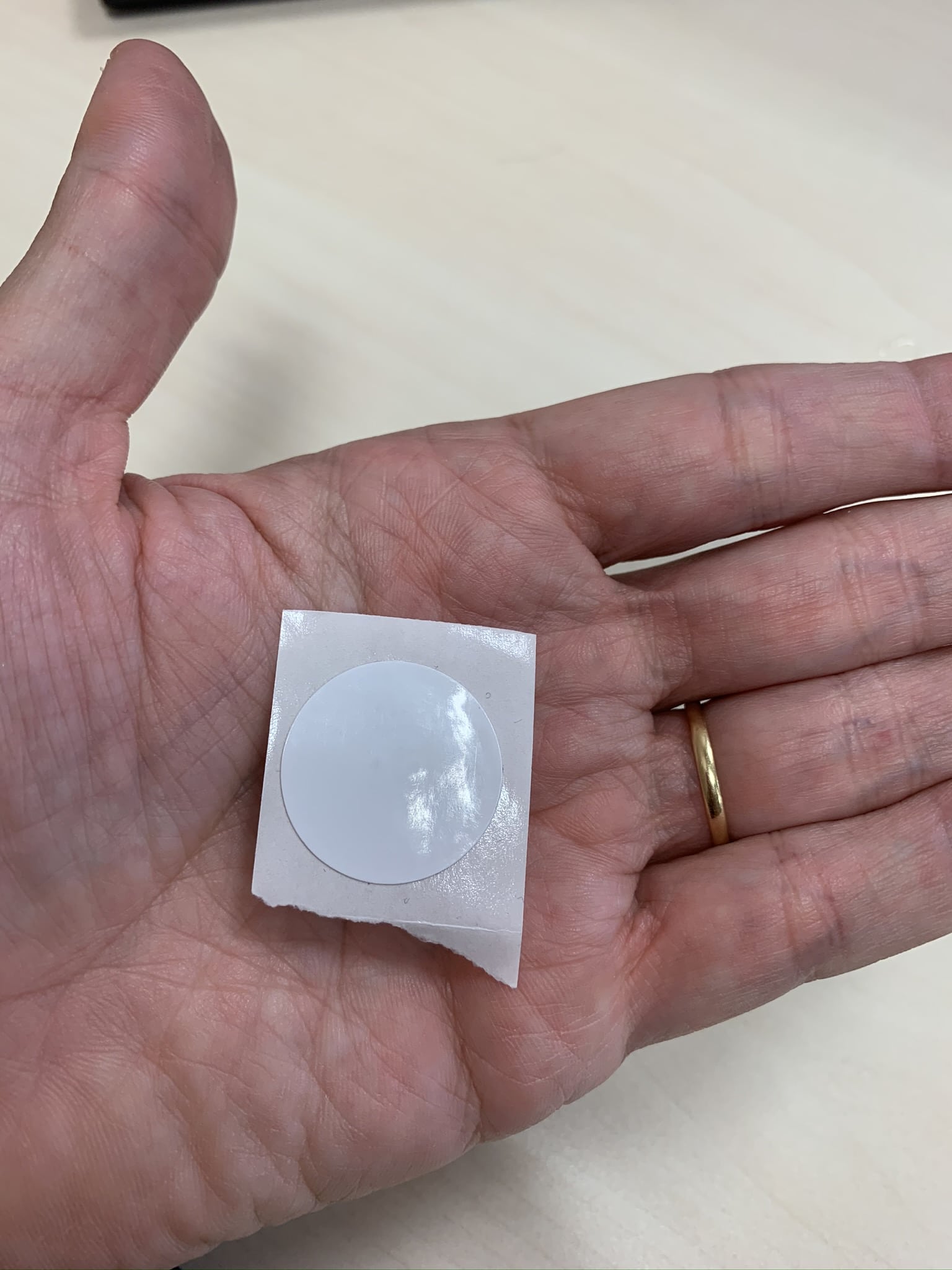
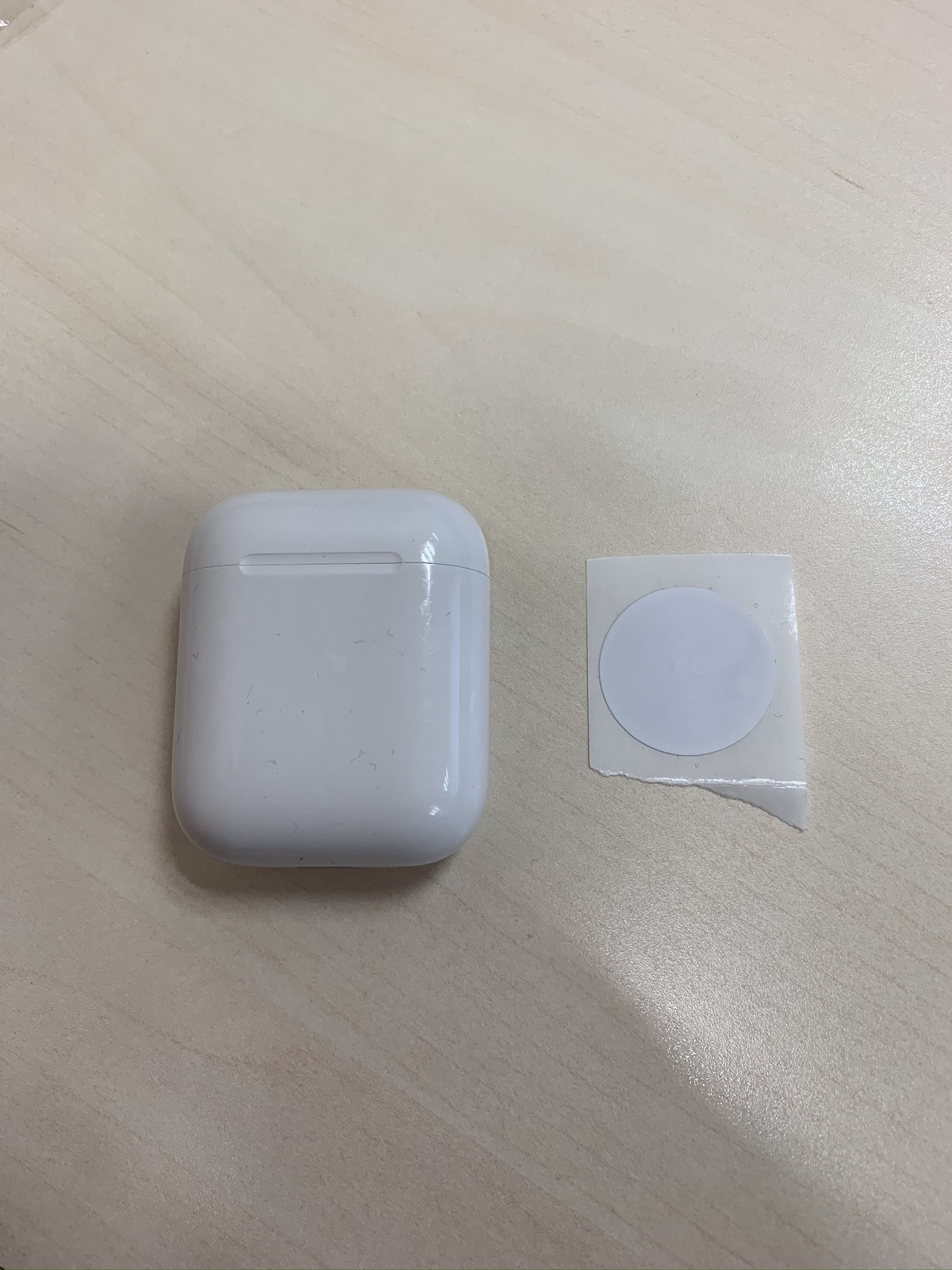
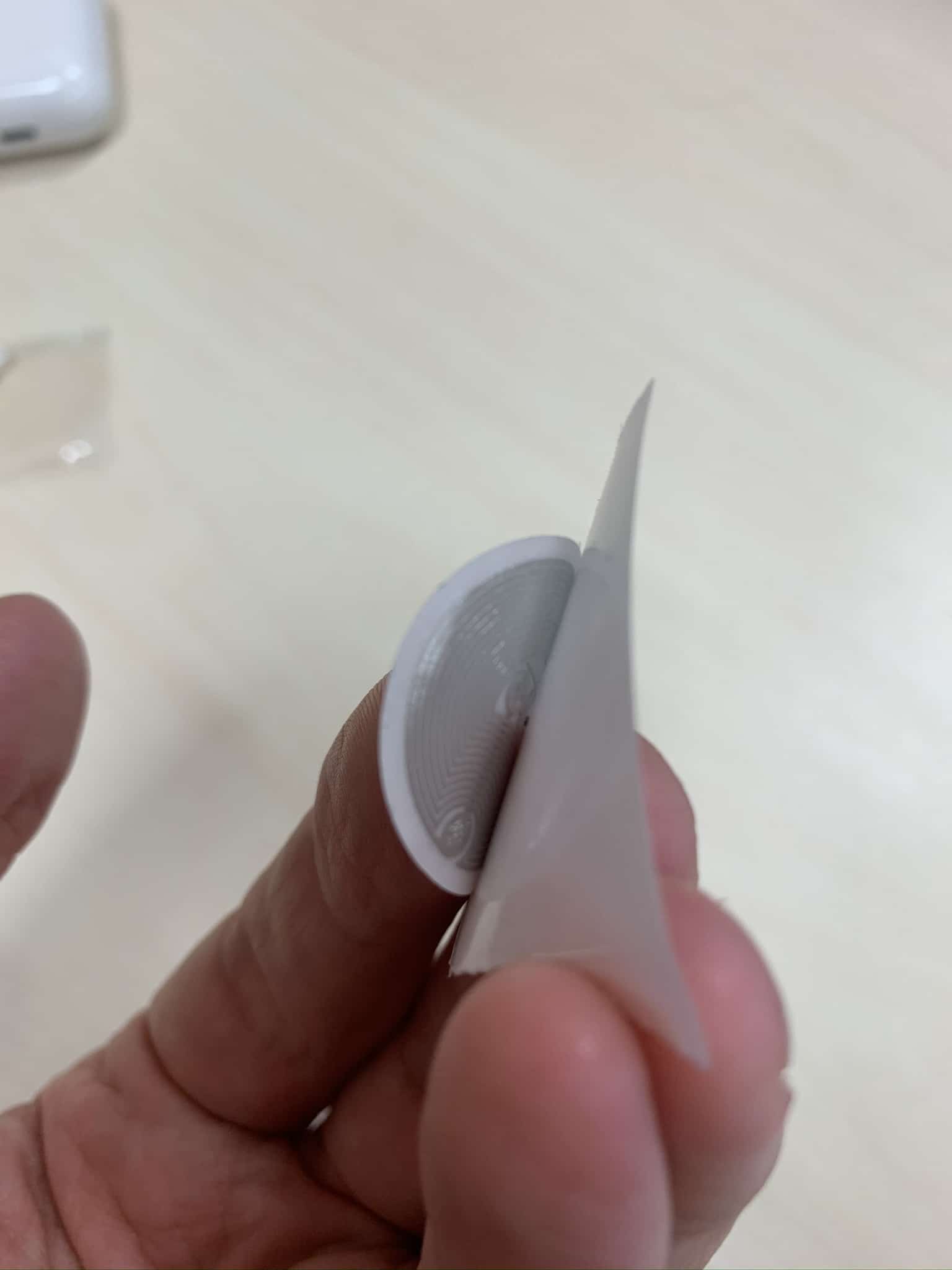
As you can see, the size is really small. The basic idea is to place some of these stickers in strategic spots so certain actions get triggered. Let me give you an example: every time I go to sleep I put my iPhone on a wireless charging pad. On this pad I have an NFC sticker, so that when I place the phone on the pad to charge and it’s nighttime (it could be daytime, in which case the action doesn’t run), it turns off any lights left on around the house, switches the boiler to night mode (which is simply a change in the activation temperature range) and arms the alarm. Without doing anything, without confirming anything, without asking Siri for anything, just by placing the phone on its pad on top of the sticker, pretty cool, right? Well, let’s see how you can do this 🙂
Setup and Configuration
There’s nothing you need to do to the sticker itself as we mentioned before, no need to activate it or change its battery since it doesn’t have any kind of power supply. What we do need to do is identify each of the stickers on the phone, and to do that you need to do the following. Open the Shortcuts app, go to the Automation section found in the bottom bar and Create a New Automation:
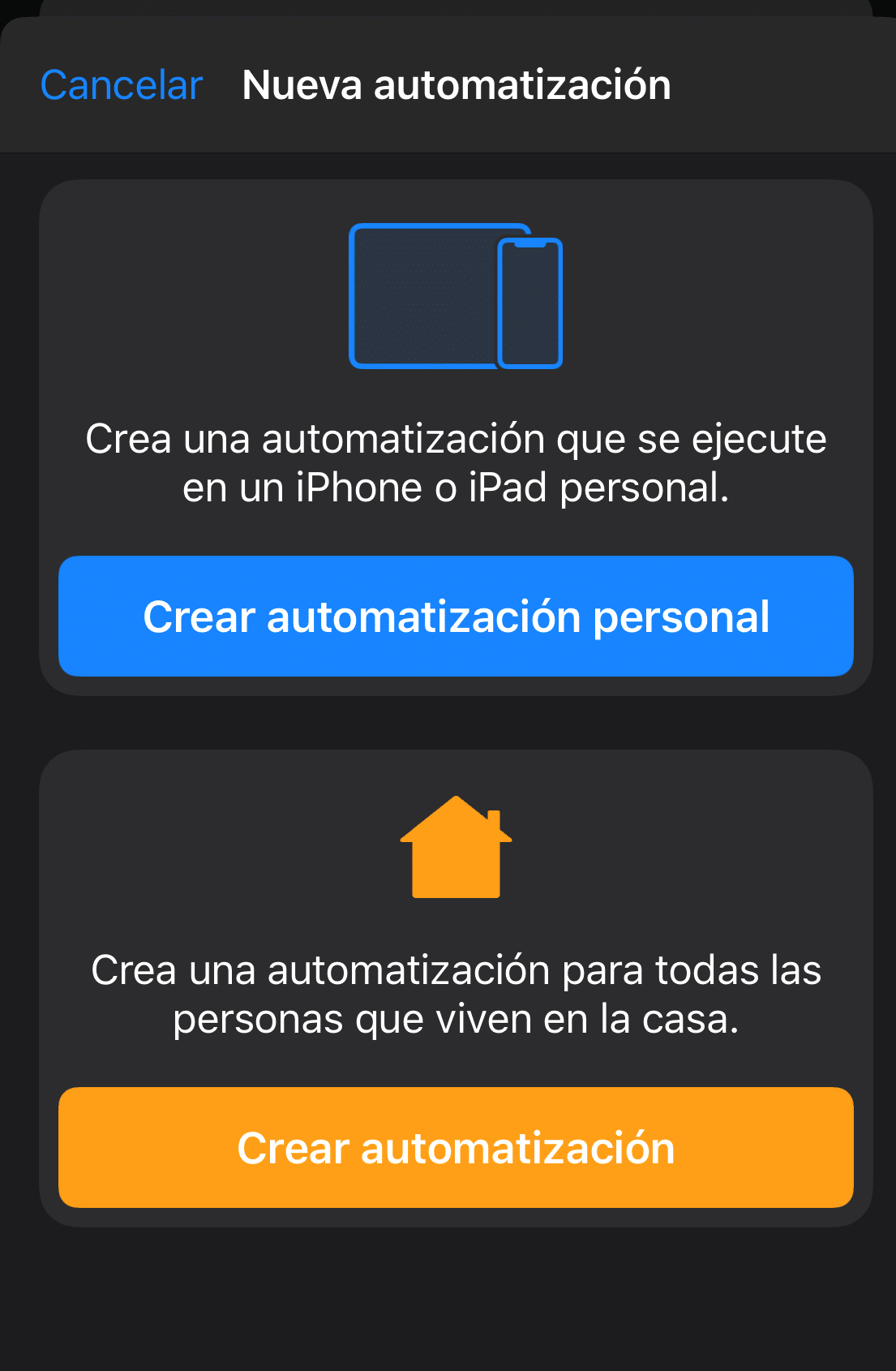
As we mentioned earlier, we can create either a personal automation or a Home automation. In this case we need to create a personal automation, since in the Home automation options we can’t add NFC stickers as triggers, but you’ll see how it’s actually possible to interact with Home elements from the personal ones.
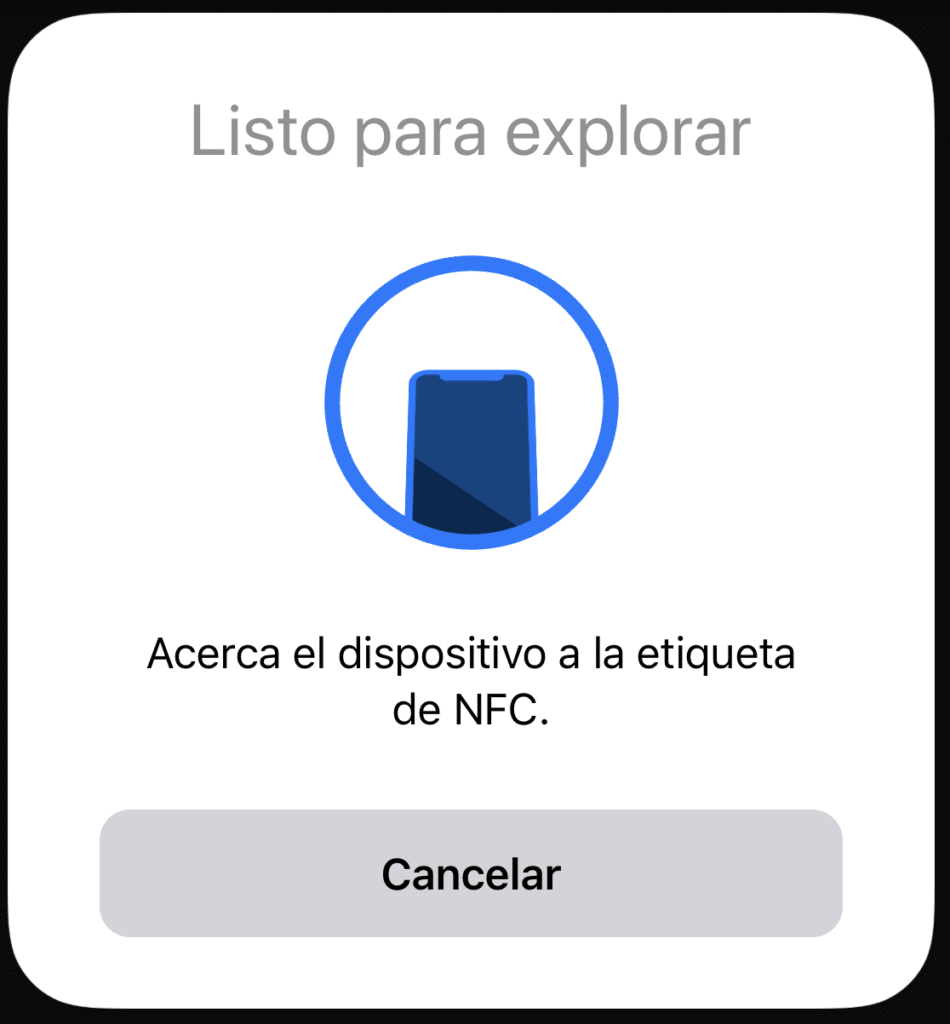
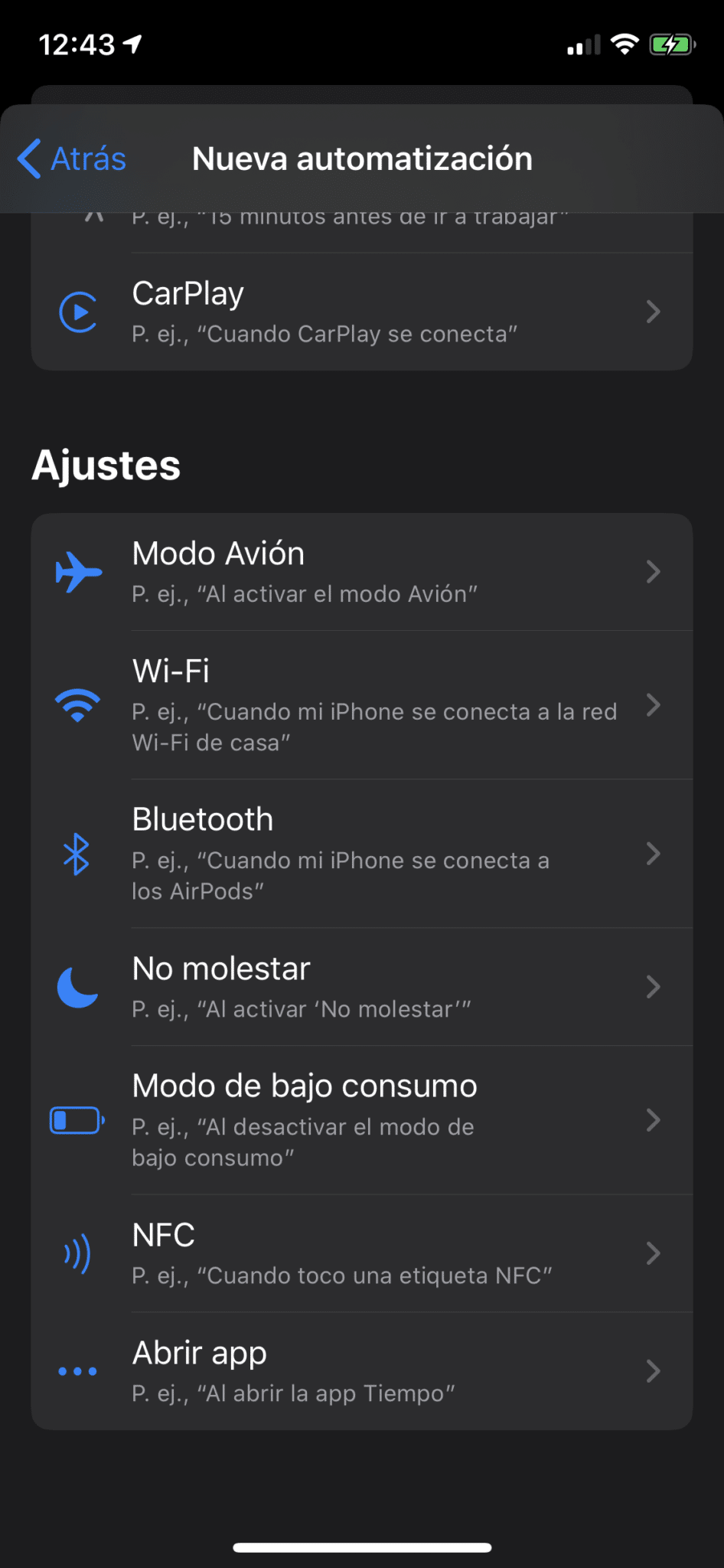
Once you’re in this section, you need to scroll down to the group called Settings and select the NFC option to scan the corresponding sticker. Remember that each sticker has a unique number, so it’s best to do this one at a time so you don’t mix them up:


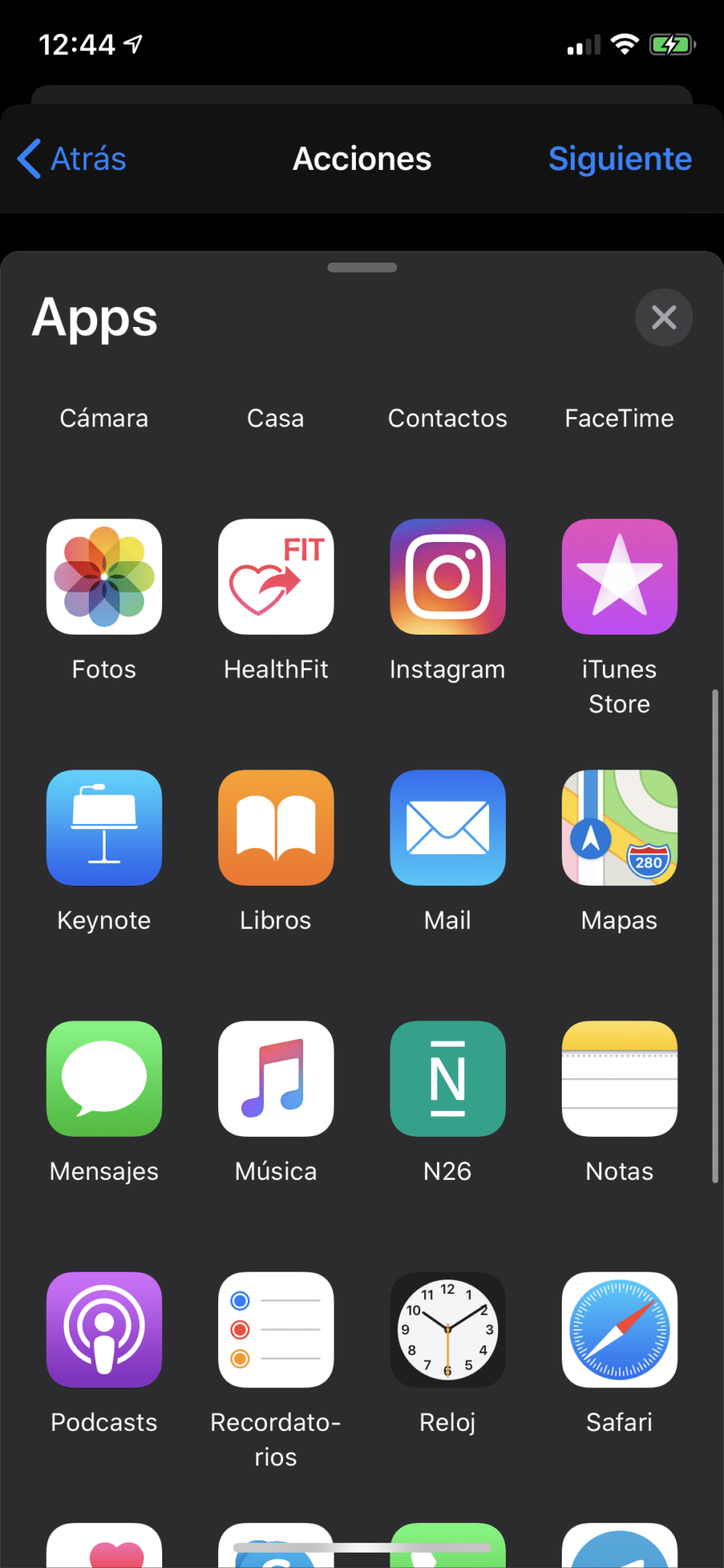
And then, we simply need to tell it from the App list that we want to use the Music app, to Play a specific playlist (though it could also be your whole Library) in Shuffle mode.

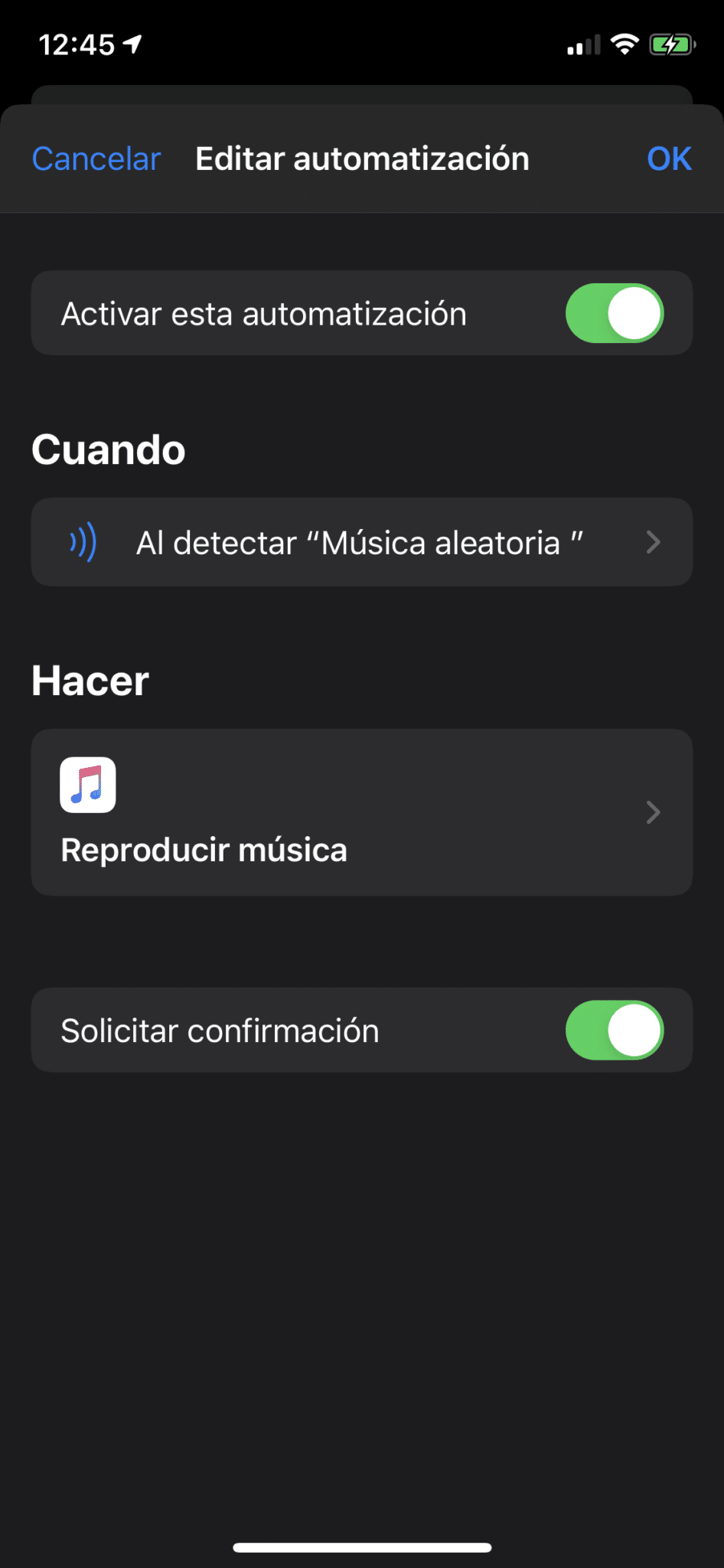
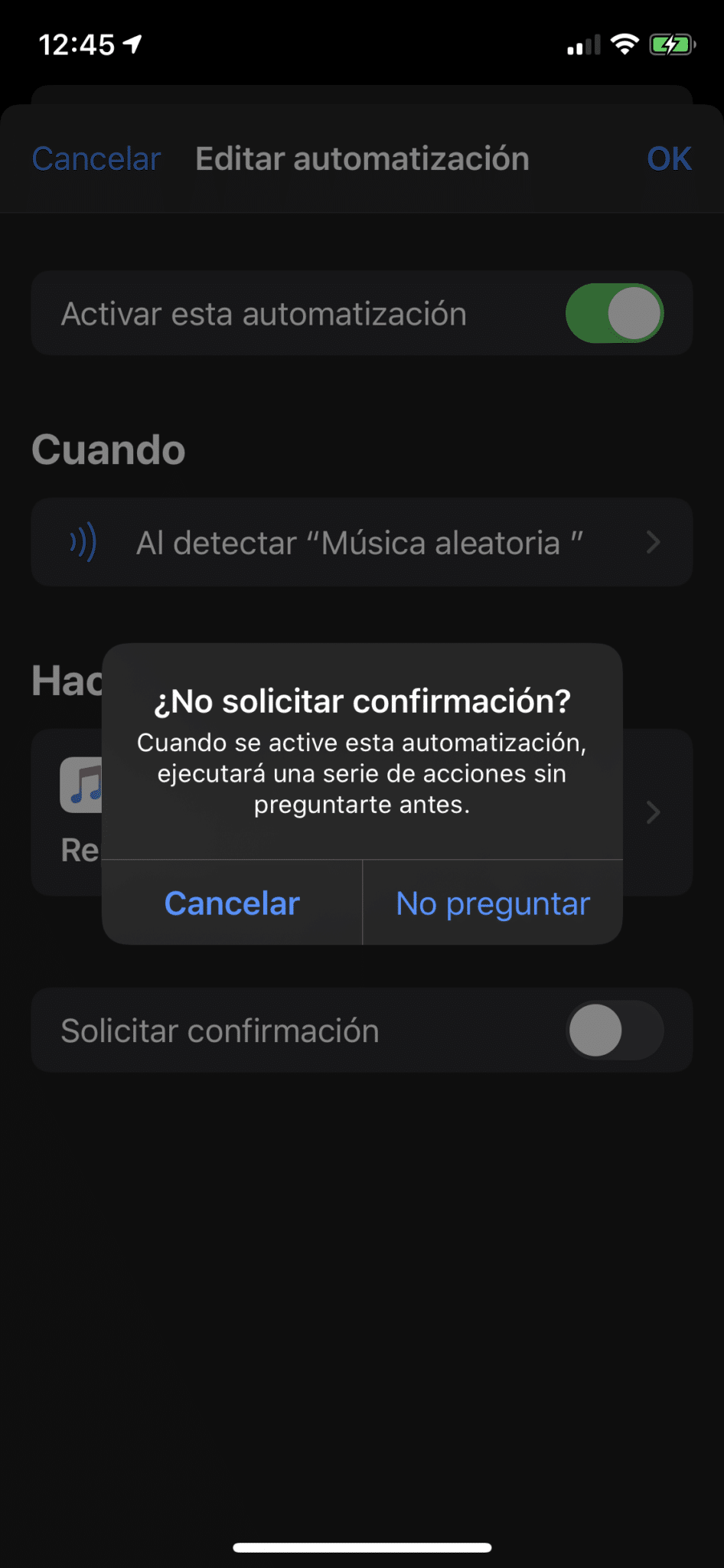
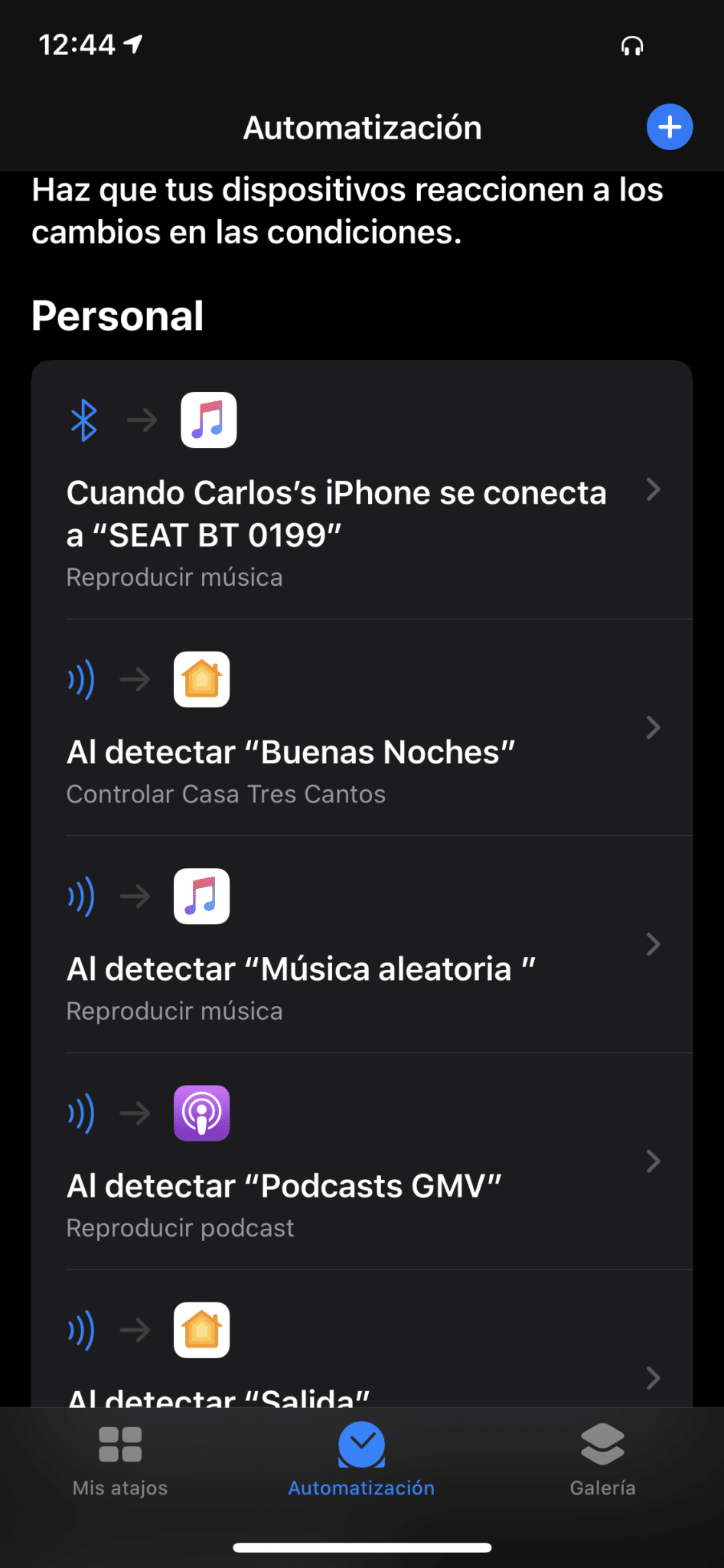
Heads up, it’s important to turn off confirmation, otherwise it’ll ask you every time and you’ll have to tap Accept, so it won’t be fully automatic. Once you confirm, the automation will show up already created and there’s nothing else to do:
Some examples
As you can see, a whole new world of possibilities opens up for automating random little things!! Don’t go filling your house with stickers though, because it’ll be hard to remember what each one is for, I can see you getting carried away. Let me tell you about some things I’ve done:
NEED: Arm the alarm and turn off all the lights when leaving the house. But I can’t automate this to trigger every time my phone leaves, because sometimes someone stays home.
SOLUTION: A sticker next to the front door so it triggers those actions when I place my phone on it. I even recorded a little video for you.
NEED: Play Podcasts when I’m at the office. Every morning, when I get to the office, I catch up on the day’s tech news by listening to some podcasts.
SOLUTION: A sticker where I set my phone down when I arrive at the office, with an action that plays the podcasts from the ‘Listen’ section.
NEED: Play Music in the car in a TRULY random way. I don’t know if it’s my car’s radio, but every time I get in and the music starts playing after connecting to Bluetooth, it ALWAYS starts with the same song. I want it to actually be random.
SOLUTION: A sticker where I place my phone when I get in the car, and if your car also has a wireless charging spot where you leave your phone, even better! Linked to this sticker, you create the action to play music on shuffle.
This last action can be polished a bit more with Shortcuts, since for example it could take into account whether you have your headphones on or not… but for now this works fine, we’ll talk more about that in the post I’m preparing about Shortcuts.
It’s a really simple automation to set up and it saves you a few steps, like asking Siri to run a certain action or looking it up in the Home app to do it manually. Obviously it’s not meant for automated tasks that will ALWAYS run at the same time, since that’s what basic schedules are for, but it’s great for those things we do regularly that can’t be tied to a specific time. I hope you liked it, and that together we can come up with new silly little things to automate! hahahaha.
Carlos Sahuquillo
'Haga lo que haga en la vida, siempre compito' - Jacques Villeneuve Reserva una sesión →
Entradas relacionadas

Webhooks and workflows in Controller for HomeKit
Kicking off Season 4. I'm picking back up the automation for the sensor that kept running out of batteries that I told…

How to tell if your kid is sneaking into your room without having a camera
I bought the Aqara P2 presence and light sensor with Matter, and I've got it running simultaneously on HomeKit and Home Assistant…
Smart locks with kids
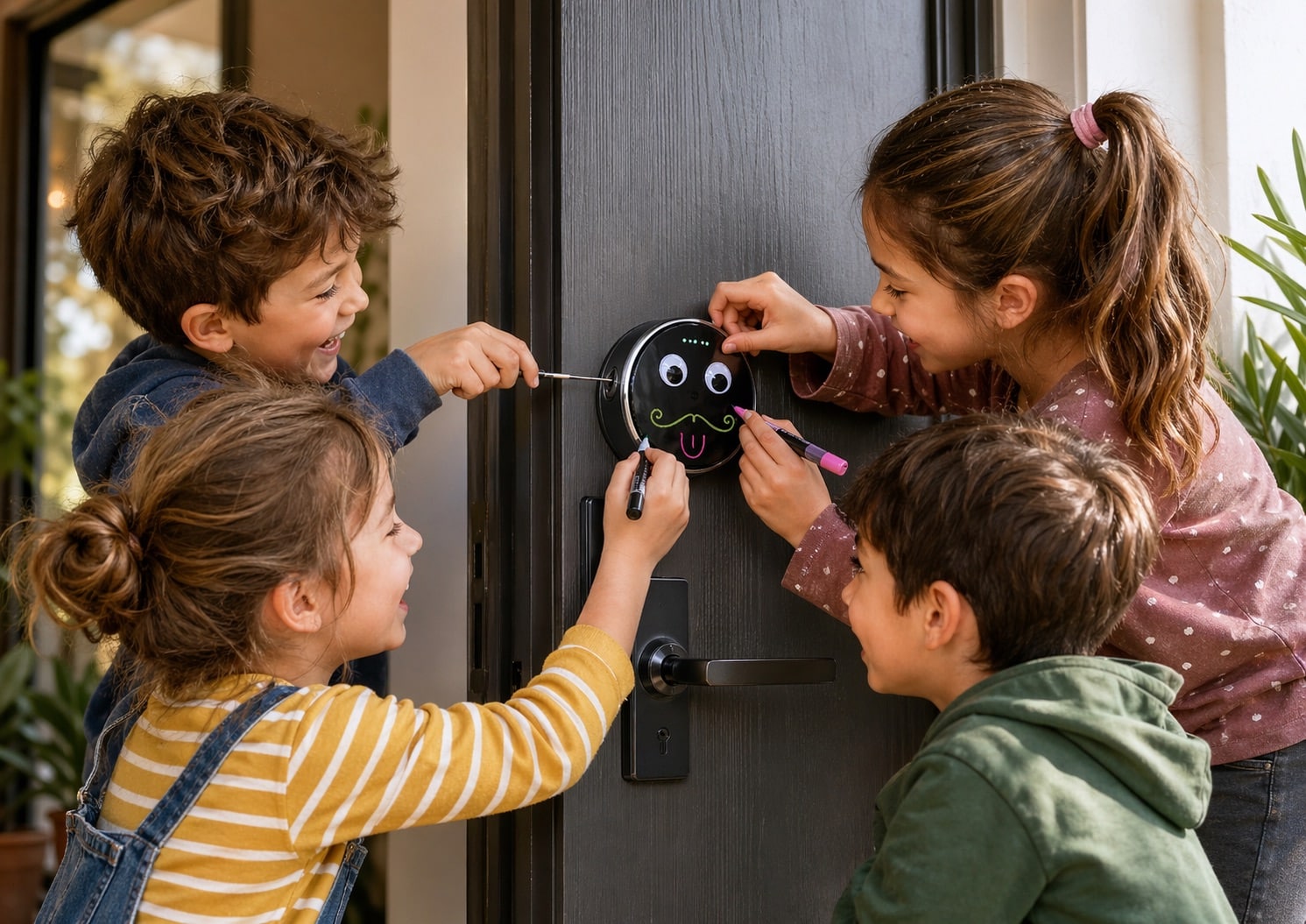
Having a smart lock at home is great—until one of your kids accidentally opens it from the Home app while you're away,…
Una pregunta sencilla:
¿al poner una etiqueta nfc pegada sobre el cargador inalámbrico no afecta a la carga o al propio cargador?, lo digo porque se trata de una «antena» metálica y un pequeño chip que pueden verse dañados por la inducción de carga.
Hola Josema! Yo no he tenido ningún problema… también es verdad que no tengo la pegatina en medio del cargador QI porque el sensor NFC del iPhone está en la parte superior, por lo que la pegatina NFC toca un poquito de la zona de carga del cargador y un poquito del marco del mismo. Lleva ahí varios meses y no he detectado ningún problema.
Y ya continúo abusando de tu sabiduría.
En mi iPhone X no sale la opción de NFC, después de mucho navegar por internet y buscar y rebuscar he leído que solo es a partir del XR en adelante. Igual no está mal especificarlo para que la gente no se vuelva local buscando la opción en sus iPhones.
Ah!!! y muuchiiiiiiiisimas gracias por tus aportes y tus artículos, son de lo más amenos y entendibles.
Muchas gracias por tu comentario, Josema! No, no, el NFC está disponible desde el iPhone 6, pero es a partir del iPhone 8 donde puedes automatizar tareas… antes de eso se utilizaba únicamente para poder pagar con Wallet… pero ya ves que se puede hacer desde el iPhone 8, no necesitas tener un XR, de hecho mi hijo tiene un 8 y le funcionan los tags NFC perfectamente!
Creo que el compañero tiene razón es a partir del iPhone XS, es decir el iPhone X se queda fuera de creas automatizaciones por nfc en atajos, sino coge un iPhone X y abre la aplicación atajos e intenta crear una automatización por nfc, directamente ni te aparece la opción. Esto es debido por lo Justo que en los iPhone X no está activada la lectura nfc continua, solo si la activamos manualmente. A partir del Xs solucionaron este tema. Con un iPhone X tendría que usar lectores nfc de terceros y no sería tan automático
Vaya qué curioso, yo tengo un XS y no había detectado el problema… pero Apple dice que es compatible desde hace muchas versiones! Probaré con el iPhone 8 de mi hijo mayor y os confirmo o desmiento!
Al ver el video me surge la duda.
¿La alarma Prosegur que se ve en el vídeo también la armas mediante el NFC del iPhone?
Muchas gracias
Hola Jorge! Pues tiene el típico llavero NFC que pones en la superficie y se activa, pero no he conseguido ‘integrarlo’ con el iPhone. Simplemente tengo puesta la otra pegatina ahí y armo la de Aqara (que en realidad utilizo más que la de Prosegur, seguramente acabe quitando esta última)…
Muchas de nadas!
Tengo un iPhone 8 y no está la opción para activar NFC. Yo creo que aparecerá a partir de versiones posteriores. O alguien tiene un 8 y la ha encontrado?
Hola Dan! Muchas gracias por el comentario. Tienes toda la razón, con el iPhone 8 no es posible, solo funciona a partir del iPhone XS.
La automatización se ejecuta sin pedir confirmación, pero sin embargo al ir a ejecutar la acción en la app Casa si que me obliga a tocar la notificación para que se ejecute, es posible quitarlo también?
Aunque desmarco la casilla de confirmación, me pide tocar en la notificación para abrir la app casa antes de ejecutar la automatización