Aqara alarm sound through the HomePod
 Carlos Sahuquillo
·
5 octubre, 2021
·
8 min de lectura
Carlos Sahuquillo
·
5 octubre, 2021
·
8 min de lectura
Ep. 20 · escúchalo
0:00 /

Idioma:CastellanoEnglish
Last week we talked about the possibility of using a HomeKit-compatible sensor and using the HomePod as a speaker for the alarm sound.
This automation gives us a fairly basic but functional feature. Sure, a burglar could say ‘Hey Lola, stop the music‘ and kill the sound… although we can always disable the ‘Hey Lola‘ trigger on that HomePod near the door where the alarm is blaring at full blast.
Setting up the Aqara bridge to work as an alarm
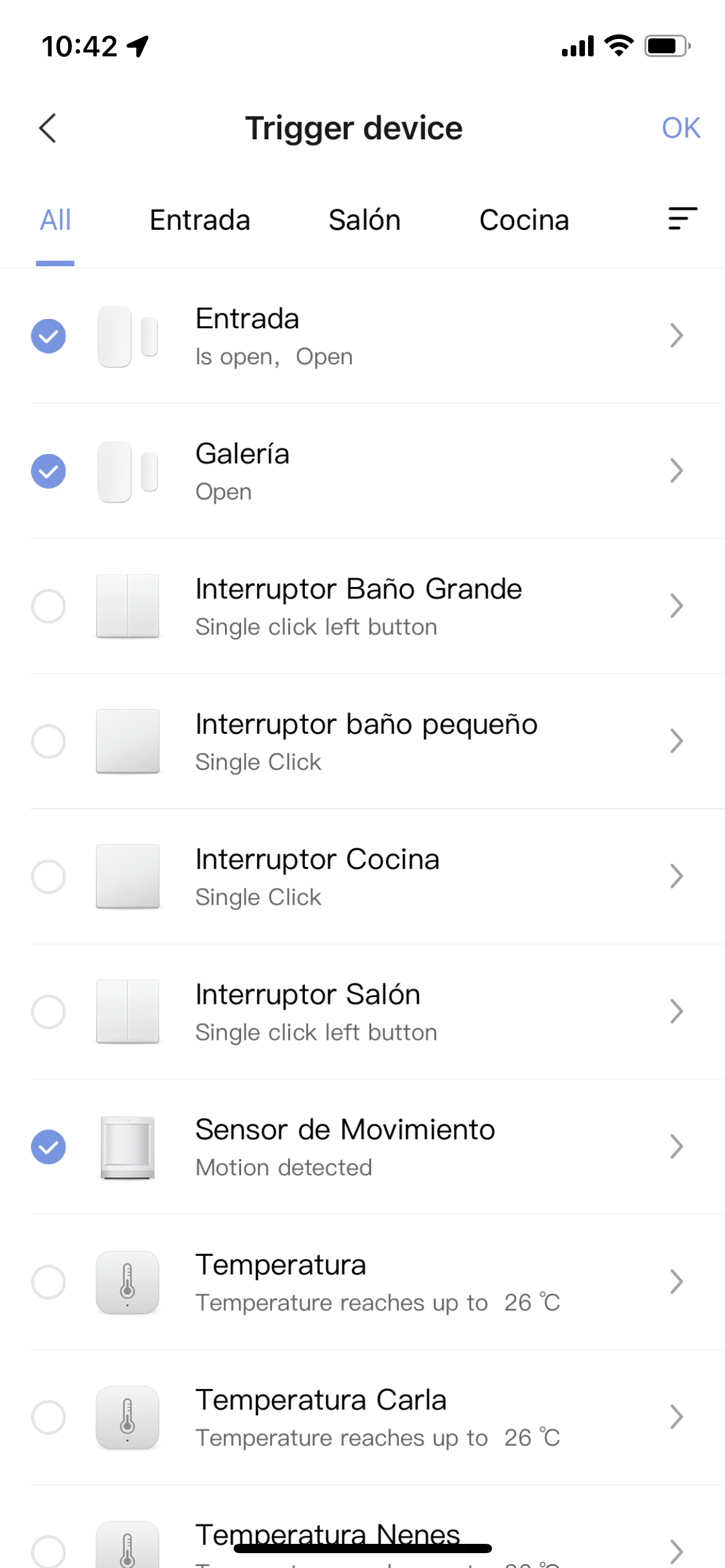
The basic functionality is fine and can be useful, but if you have an Aqara bridge, any of them, you’ll have noticed that the options available through the Xiaomi Home app or the Aqara app are quite a bit more extensive. We can set up several sensors as triggers, we can set a grace period both for coming into the house without triggering the alarm (like we mentioned the other day about coming up from the garage with no coverage without setting it off) as well as a grace period for leaving the house so that the motion sensor, if configured as a trigger, doesn’t catch us walking out and set off the alarm.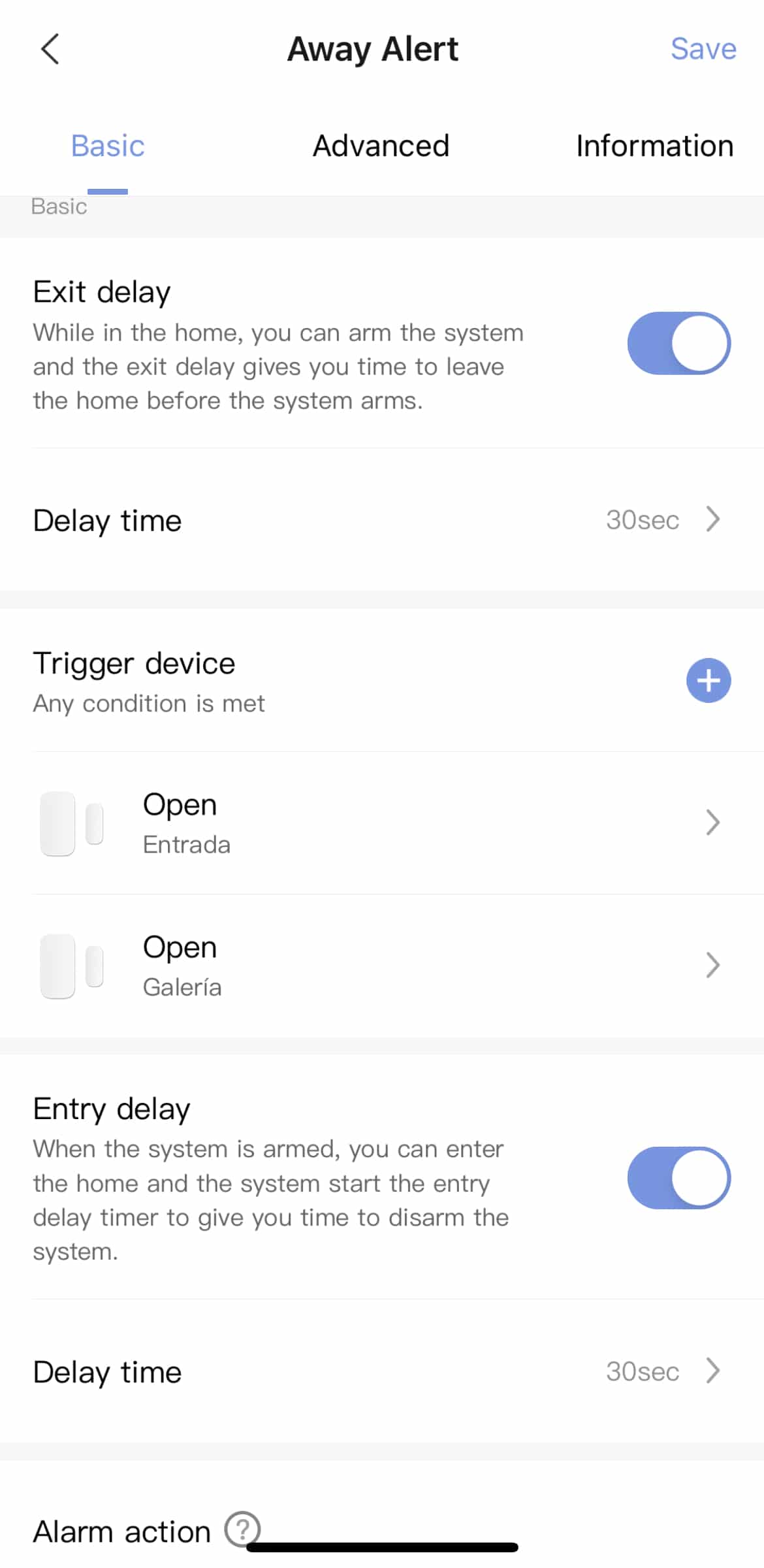
Different alarm modes on the M1S and M2 bridges
But on the newer models there’s a feature that’s really cool: the ability to create different alarm scenarios. By default we have 4 modes: 24×7 disarmed mode where nothing happens, an away mode, a home mode, and a night mode.
Alarm volume
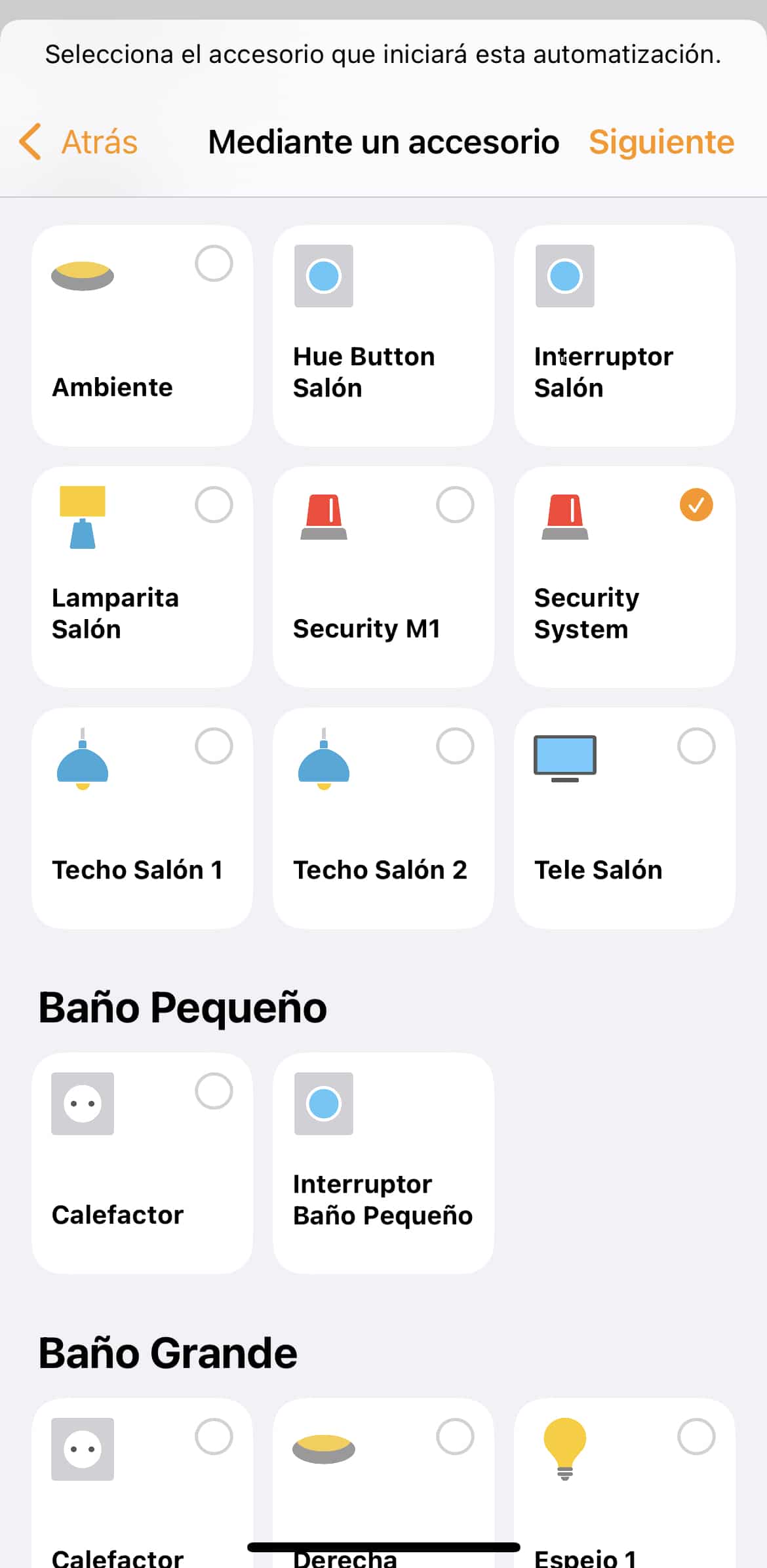
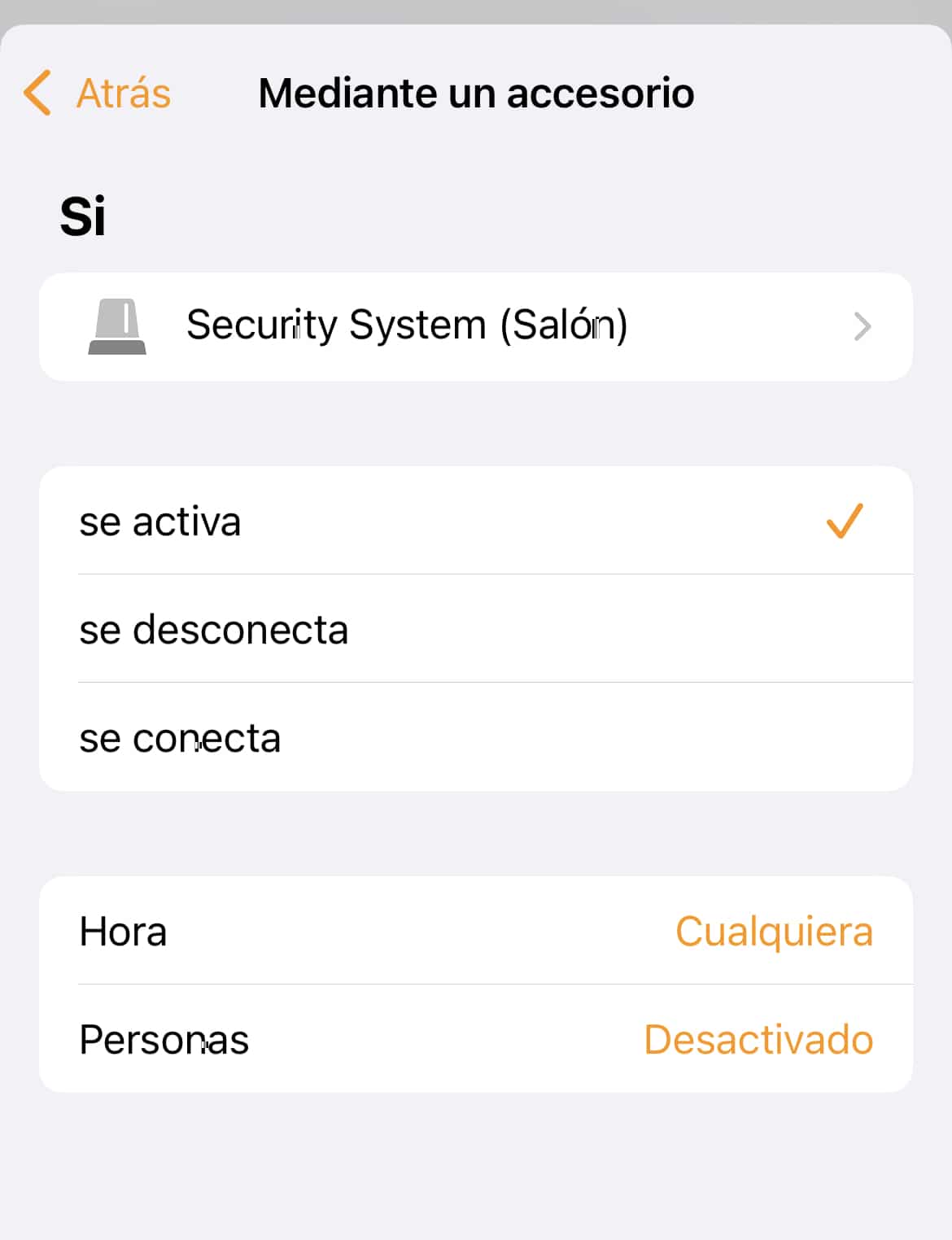
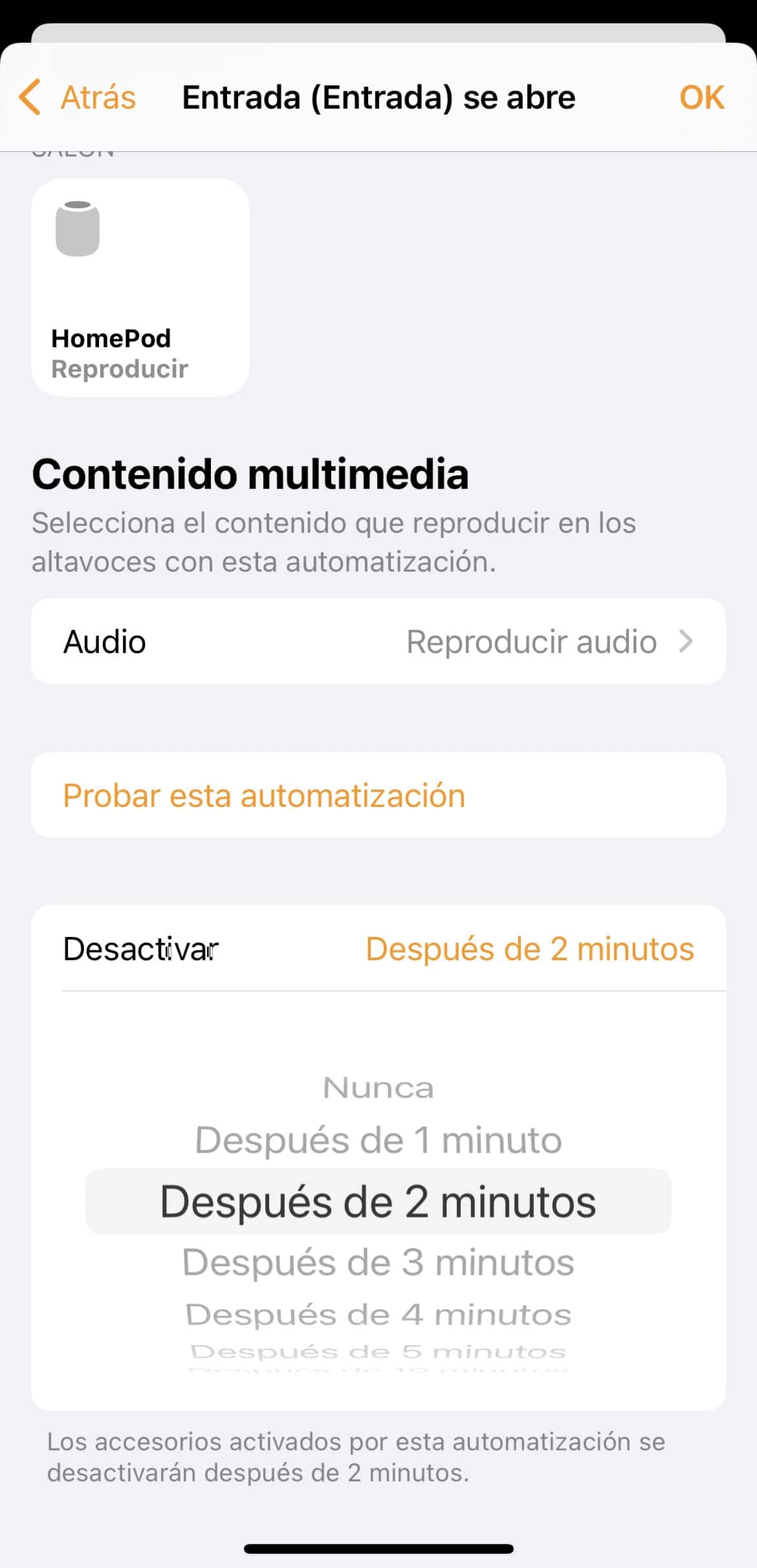
The solution is to set up the alarm so the sound comes out through a HomePod. If you have several HomePods, you can of course set it up so it plays through all of them. The process is similar to what I described in the previous post, since this isn’t done from the bridge configuration in the Aqara or Xiaomi Home app, but is instead set up from the Home app. It’s a shame, but this can’t be done directly from the Home app, where we’ll see the different modes but won’t be able to configure them.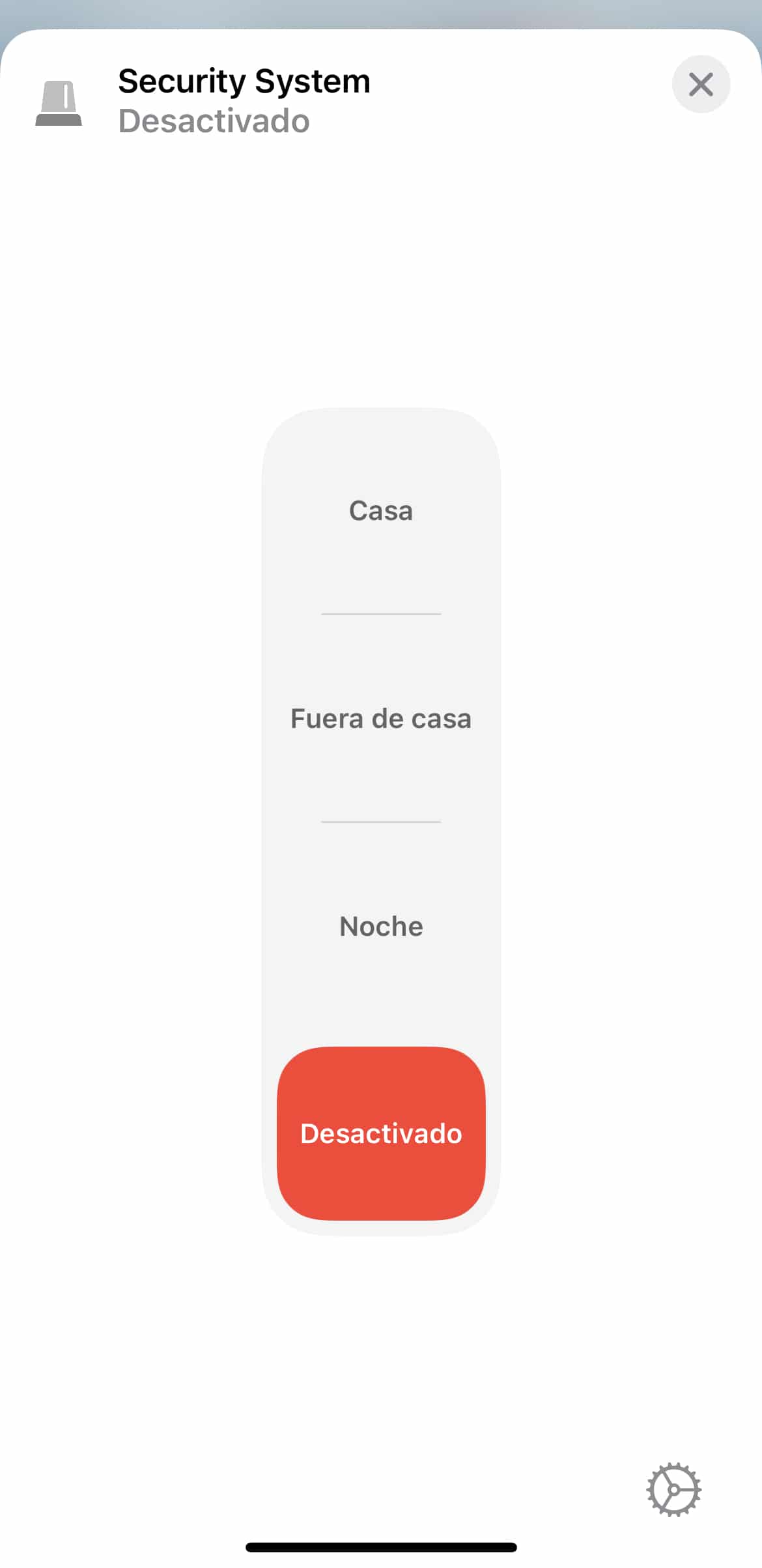

BONUS TRACK: Tuit tuit sound when disarming the alarm
I don’t think I need to explain this, but if, when creating the automation, at the point where we choose between ‘Is Triggered’, ‘Is Armed’, or ‘Is Disarmed’ we pick this last option, we can then select the HomePod and add that classic old car alarm disarm chirp (Alarm DISARM from the album I mentioned the other day), so when we disarm the alarm, this automation will trigger and we’ll hear that sound. The only thing to keep in mind is to turn off the Repeat option so it only plays once.¿Necesitas ayuda con tu domótica?
Te ahorro tiempo, dinero y disgustos. Sesiones de consultoría desde 60€.
Carlos Sahuquillo
'Haga lo que haga en la vida, siempre compito' - Jacques Villeneuve Reserva una sesión →
Sigue leyendo
Ver todo el blog
Entradas relacionadas

8 octubre, 2026 · Domótica
Leer
How to re-pair Zigbee sensors in Home Assistant without losing your automations
Swapping the battery wasn't enough to bring four Aqara sensors back to life. Here's how I re-paired them with ZHA without losing…
Ep. 114 · escúchalo
0:00 / 19:22

1 octubre, 2026 · Domótica
Leer
How to spot issues in a Matter device
I opened Home Assistant's new Matter and Thread map to check which routes my devices are using and see just how useful…
Ep. 113 · escúchalo
0:00 / 14:08

17 septiembre, 2026 · Domótica
Leer
HomeKit with AI in iOS 27
Apple released iOS 27 on September 14th and, as it does every year, I'm going through what's changed in the Home app…
Ep. 112 · escúchalo
0:00 / 12:44
1 comentario